time spent with customers
50% less time spent managing fulfillment

QLF Brands · Lighting and homewares showrooms, Netherlands
Customer view, orders, payments and fulfillment across showrooms, warehouse and ecommerce
Read the story of QLF Brands →Eposly Point of Sale
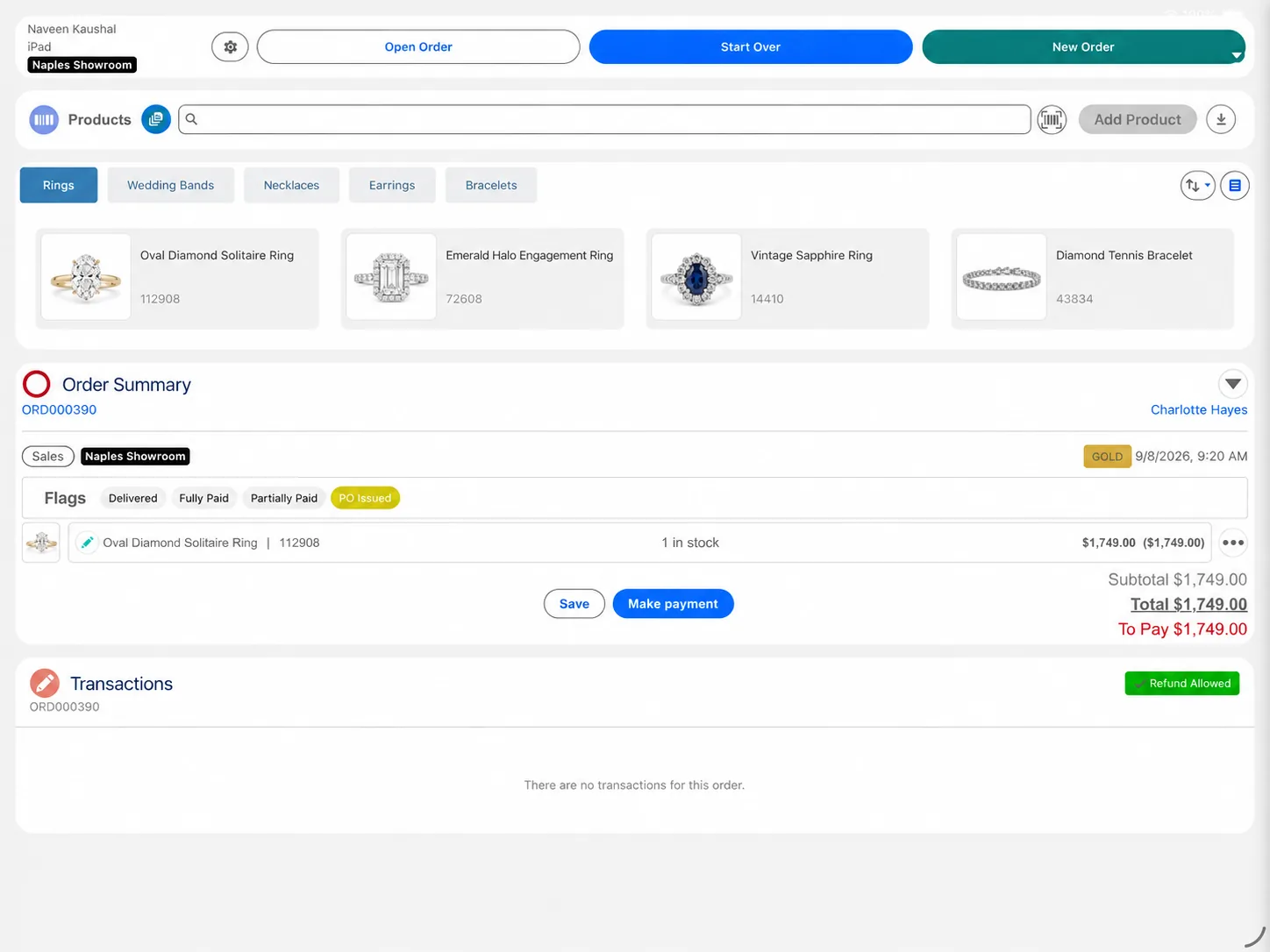
Staff see the customer's history and preferences while they guide the sale, then configure, price and take payment in one flow. Every sale adds to the customer record your whole team already uses.

Used in specialty retail, healthcare, hospitality and the public sector


The gap today
You've invested in loyalty, customer journeys and customer data in Salesforce. A separate POS typically gives store staff basic customer details and purchase history. And what happens in store reaches Salesforce later, through an integration or an end-of-day sync, if it gets there at all.
Membership tier, points and the campaigns the customer is part of.
What they have opened and clicked, and any open service cases.
Recorded in the POS first, then synced to Salesforce later or reconciled at the end of the day.
Preferences and notes picked up while serving often never reach the customer record.
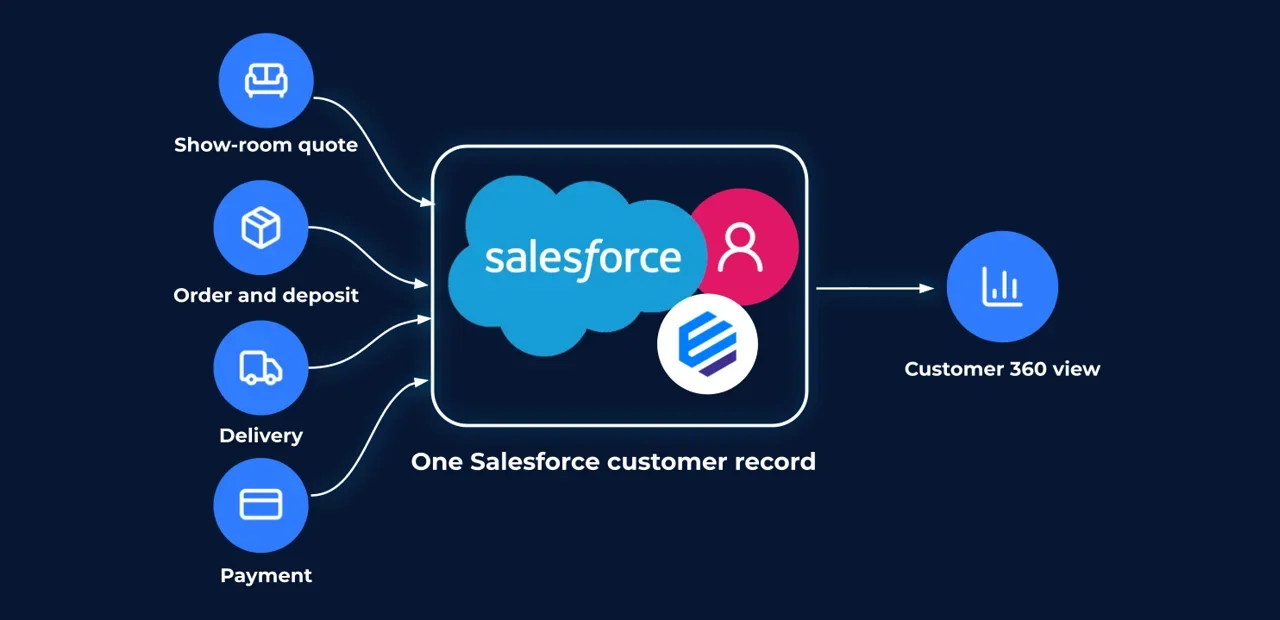
Eposly puts the whole customer record in front of the person serving them, and records every sale back on it.
What changes
If your customers' history, service cases and marketing already live in Salesforce, Eposly lets the people who serve them in person work from that same record, and gives the rest of the business each sale as soon as it happens.
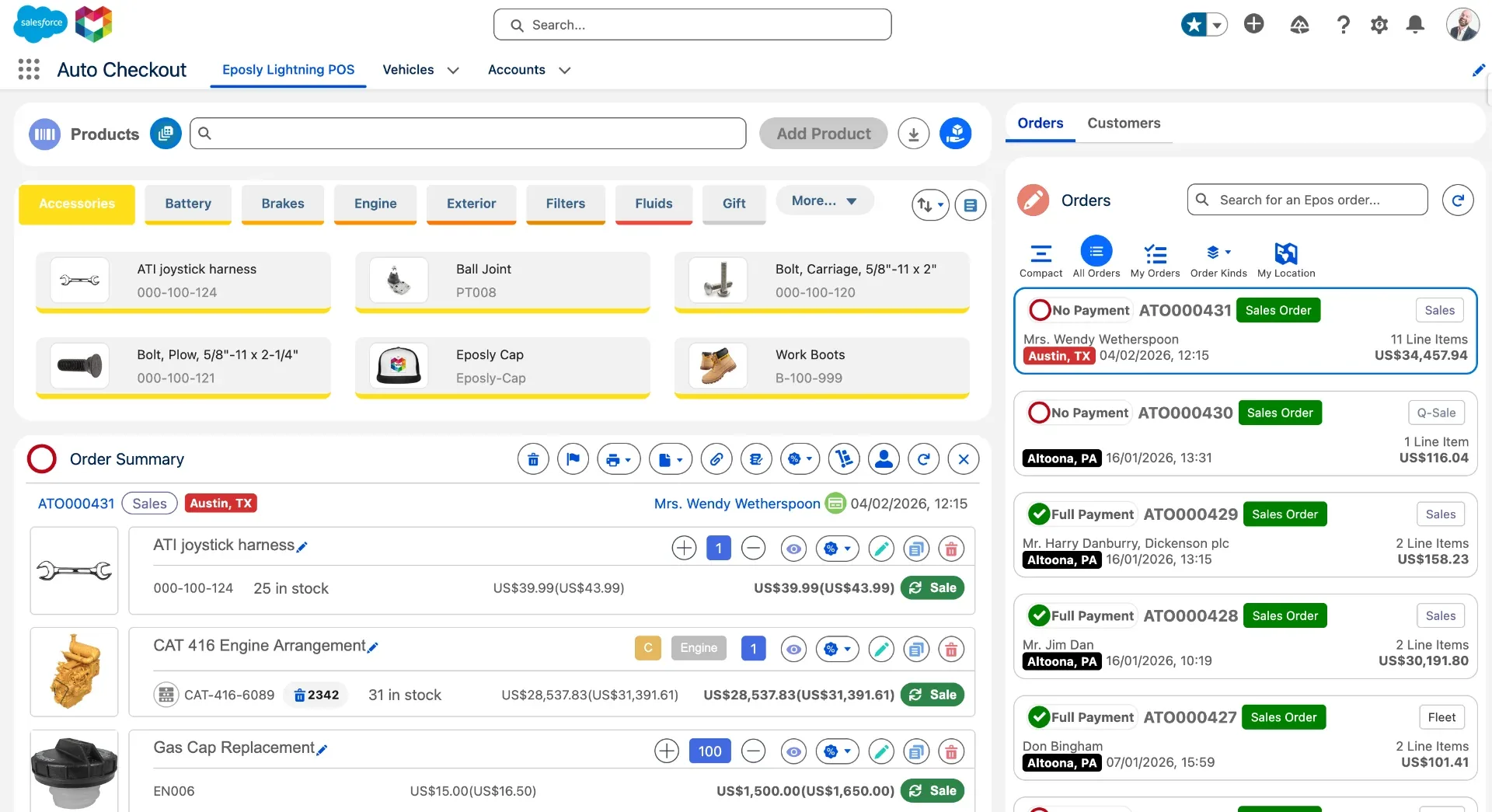
Staff see the customer's purchase history, preferences, open orders and any client pricing while they build the sale, so a returning customer is treated as one. The loyalty, marketing and service work you've already done in Salesforce reaches the counter.
Eposly runs inside Salesforce, so there's no separate POS platform or POS database, and no POS-to-Salesforce integration to build or maintain. Add modules such as Cash Register and Inventory when you need them.
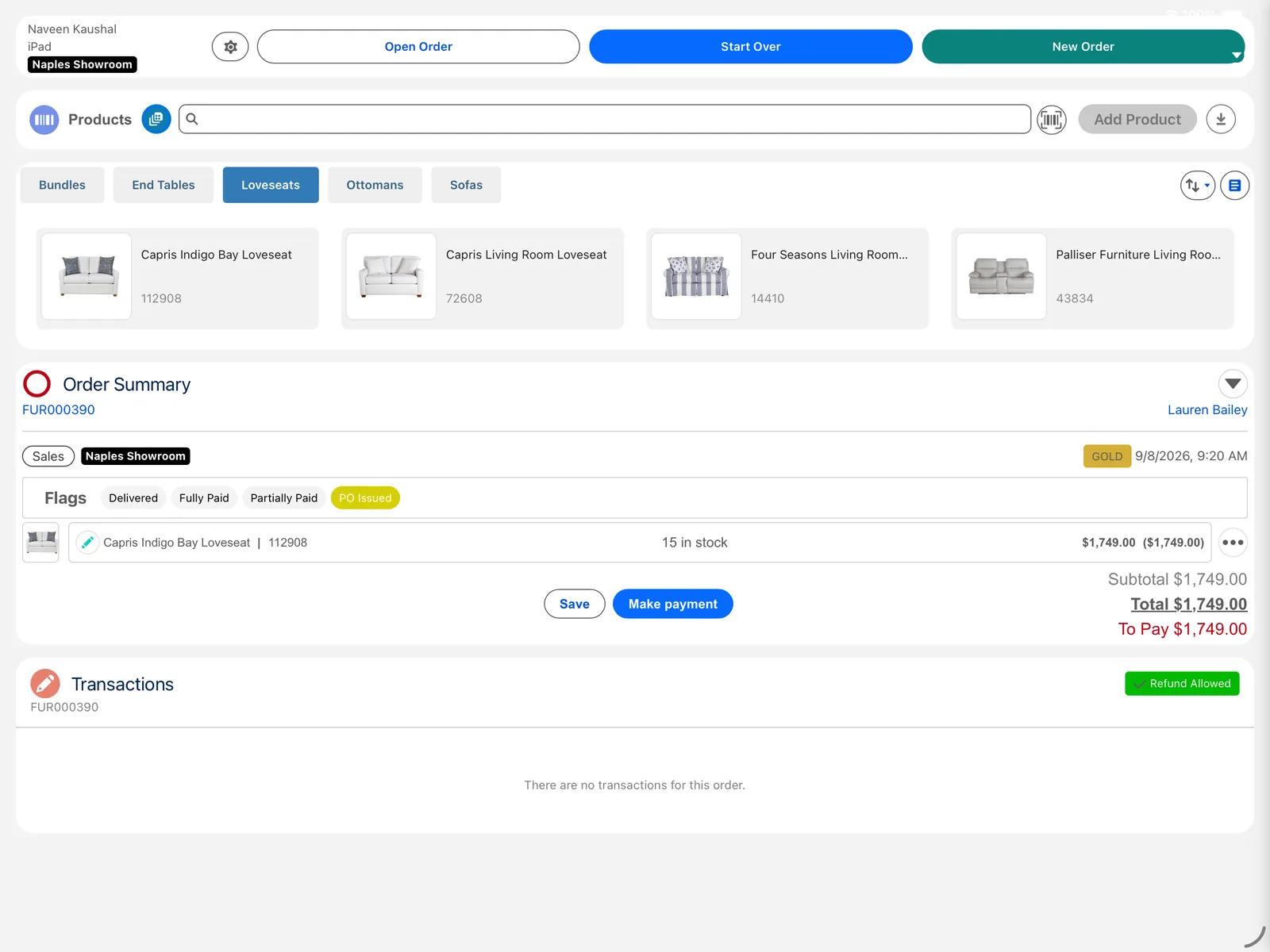
Products with options that change the price, customer-specific pricing, deposits on made-to-order items and special orders go through the same checkout as everyday sales. Where your process is unusual, your Salesforce team or partner can shape the checkout around it.
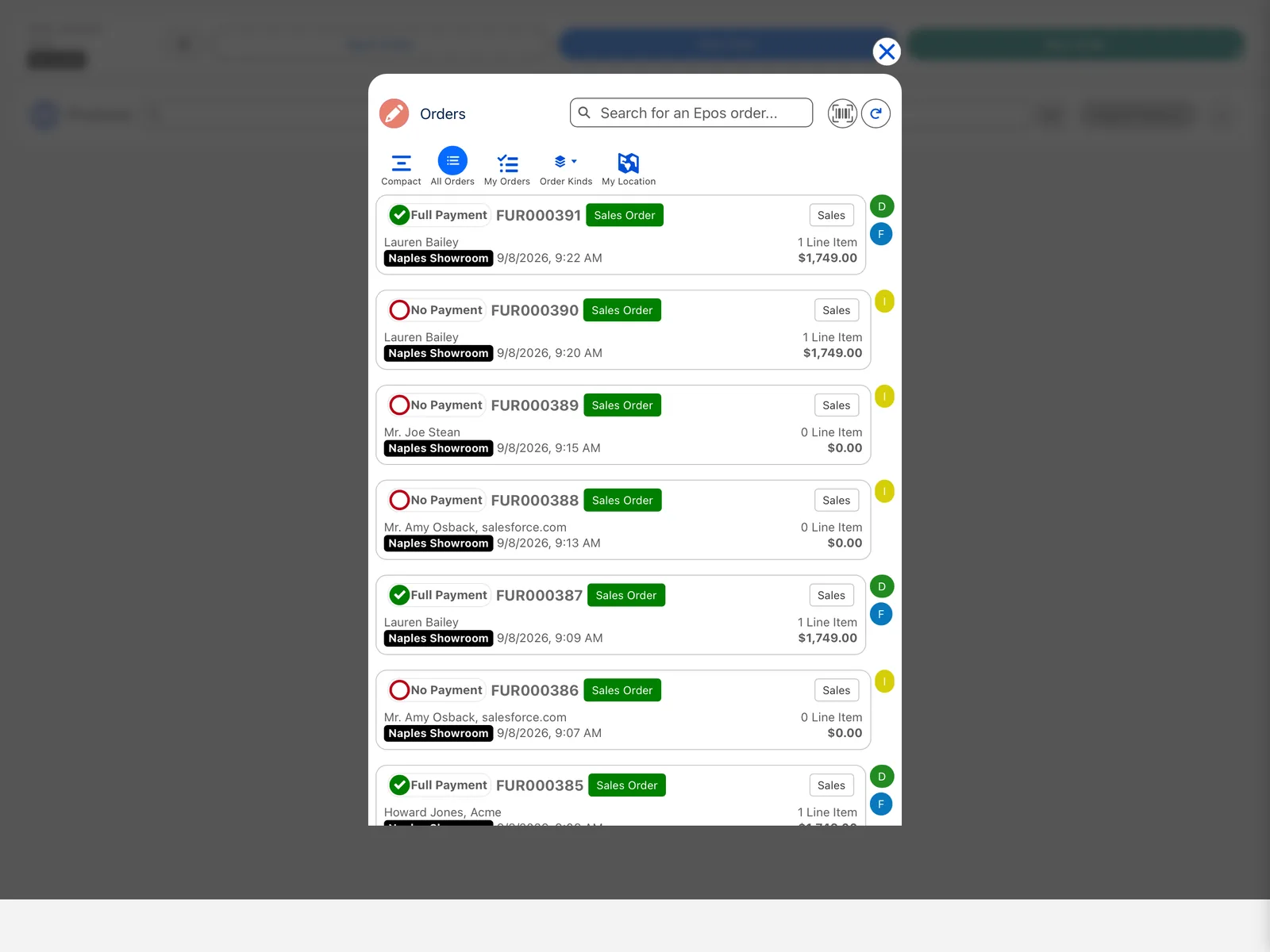
Orders, payments and refunds are recorded once, in Salesforce. Nobody re-keys a sale into a second system, and nobody reconciles a separate POS against Salesforce at the end of the day.
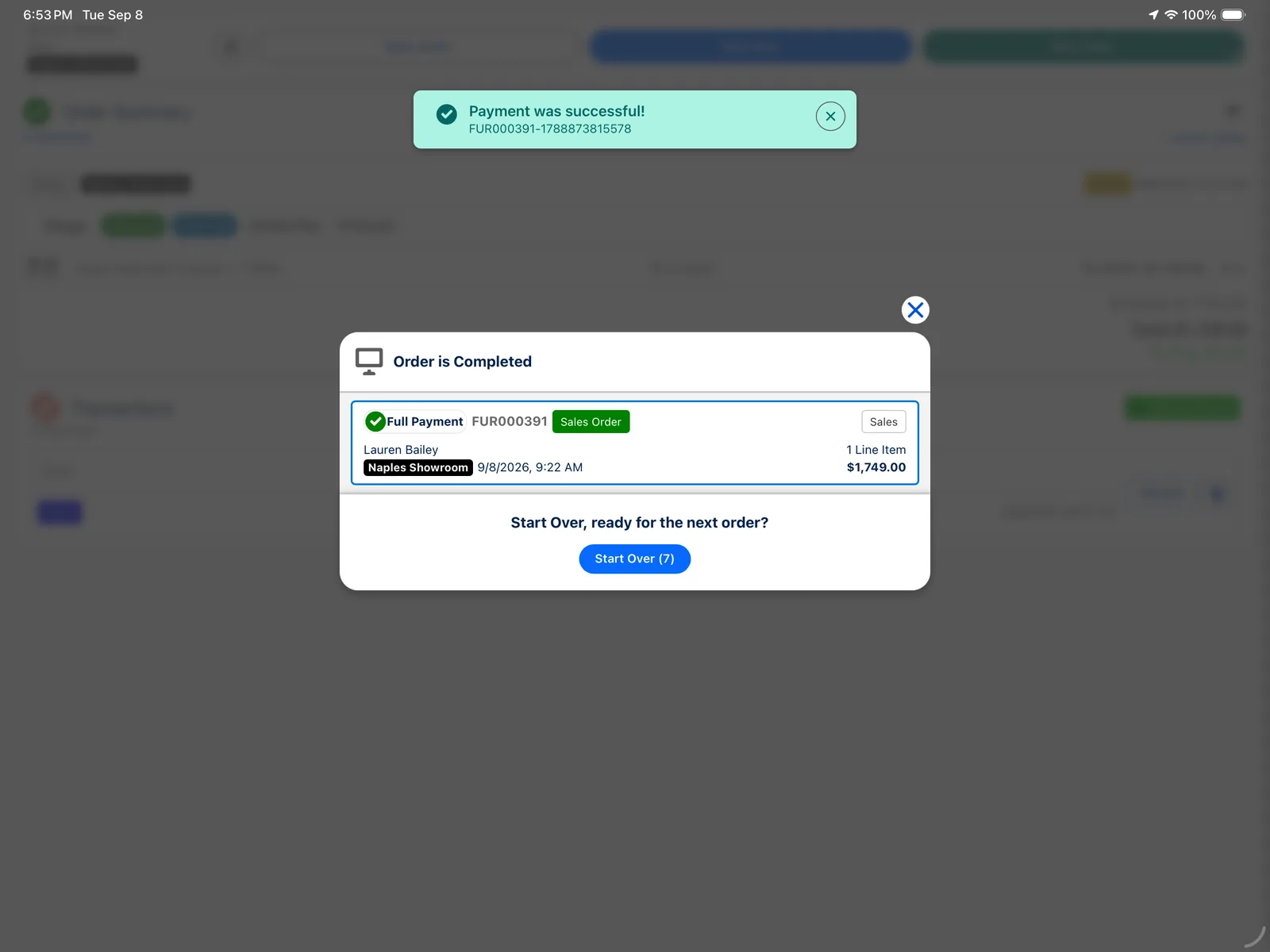
When the customer pays, the order and payment are already in Salesforce, so the next step can start: a delivery booked, a follow-up task for the associate, a service agent who can see the order, a report that's up to date.
Admins add order fields and build Flows with the Salesforce tools they already use, and partners can build custom components into the checkout. There's no separate POS platform to change, and no integration to update when you do.
In practice
A furniture showroom is a good example: a returning client, a made-to-order sofa, a deposit and a delivery weeks later.
The associate opens the customer's Salesforce record on a tablet and sees the dining table they bought last year, their delivery address and the client pricing they're entitled to.


The first three steps and the balance payment happen in Eposly. The delivery call and the follow-up are your own Salesforce service, automation and marketing, working from the order and payment records Eposly creates. Clinics, trade counters and licensing offices follow the same pattern with their own products, prices and payment rules.
QLF Brands runs showroom orders, payments and fulfillment in Salesforce with Eposly. Read the QLF Brands story →
Demos
Interactive demo
Click through a full sale yourself: configure the order, apply pricing and take payment on the customer record.
Try the interactive demo →Capabilities
Eposly Point of Sale is built for assisted sales, where staff guide the customer and the options they choose change the price.
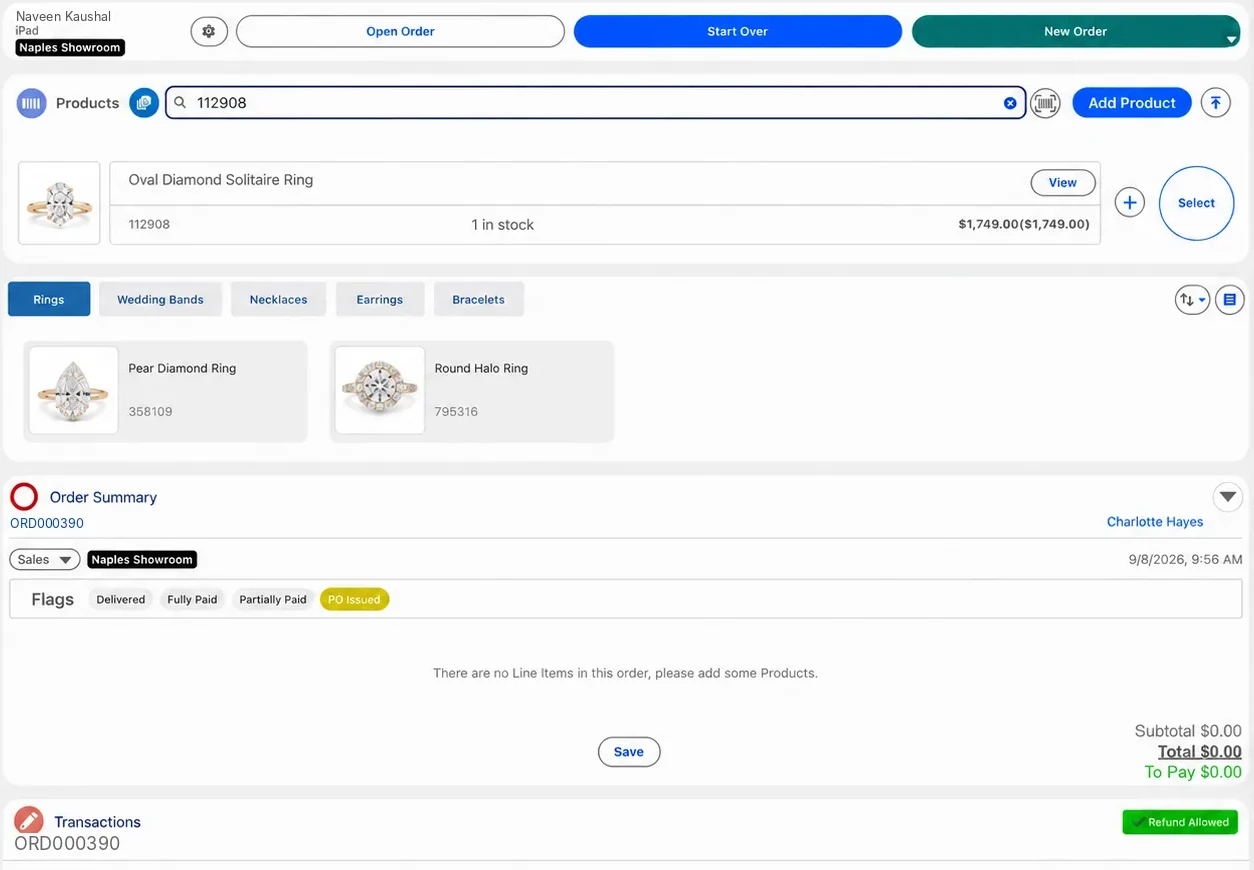
Find the customer, browse products with images, scan barcodes and build the sale on desktop or iPad, at the counter, on the shop floor, in the field or over the phone.


Payments
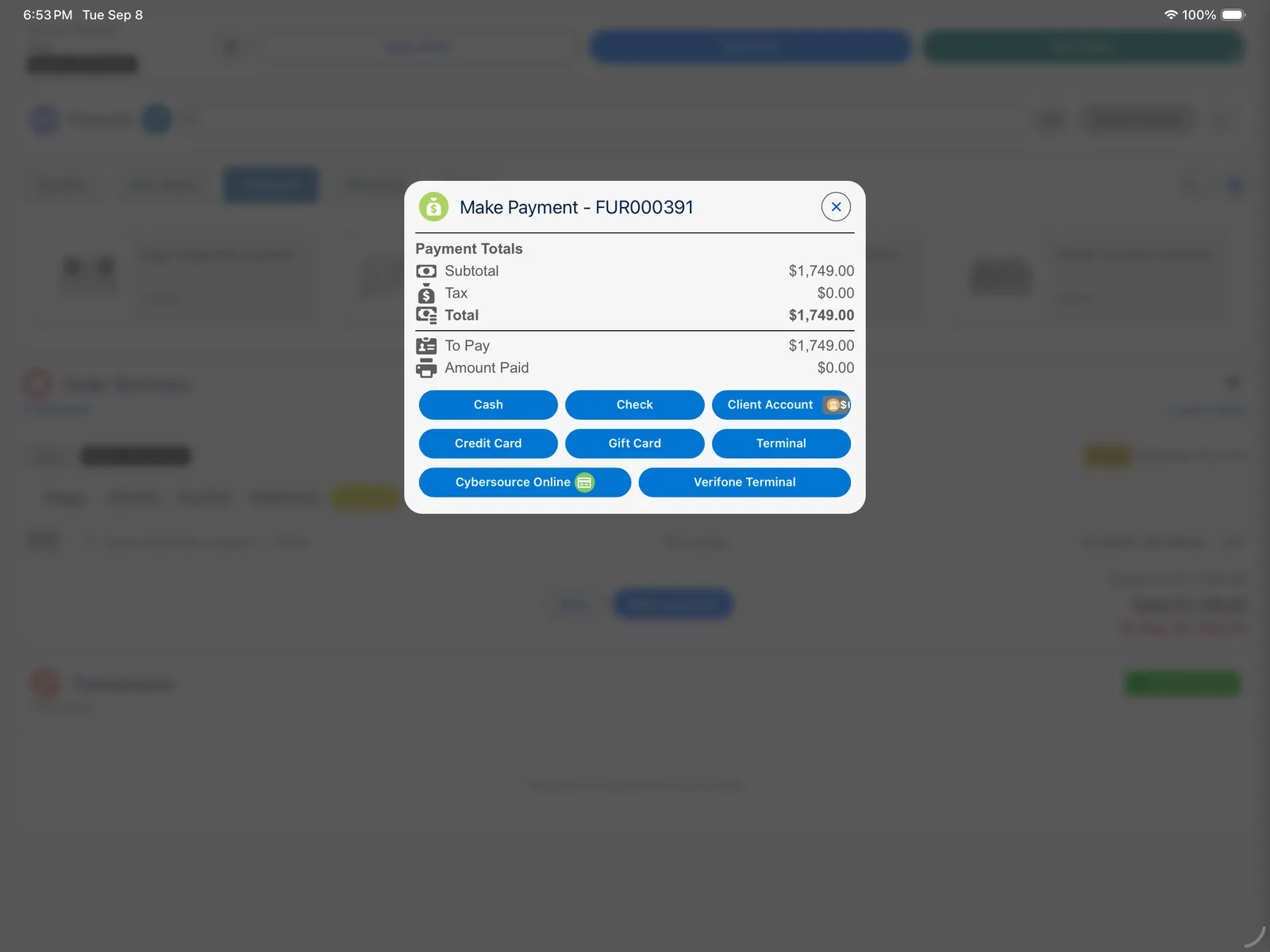
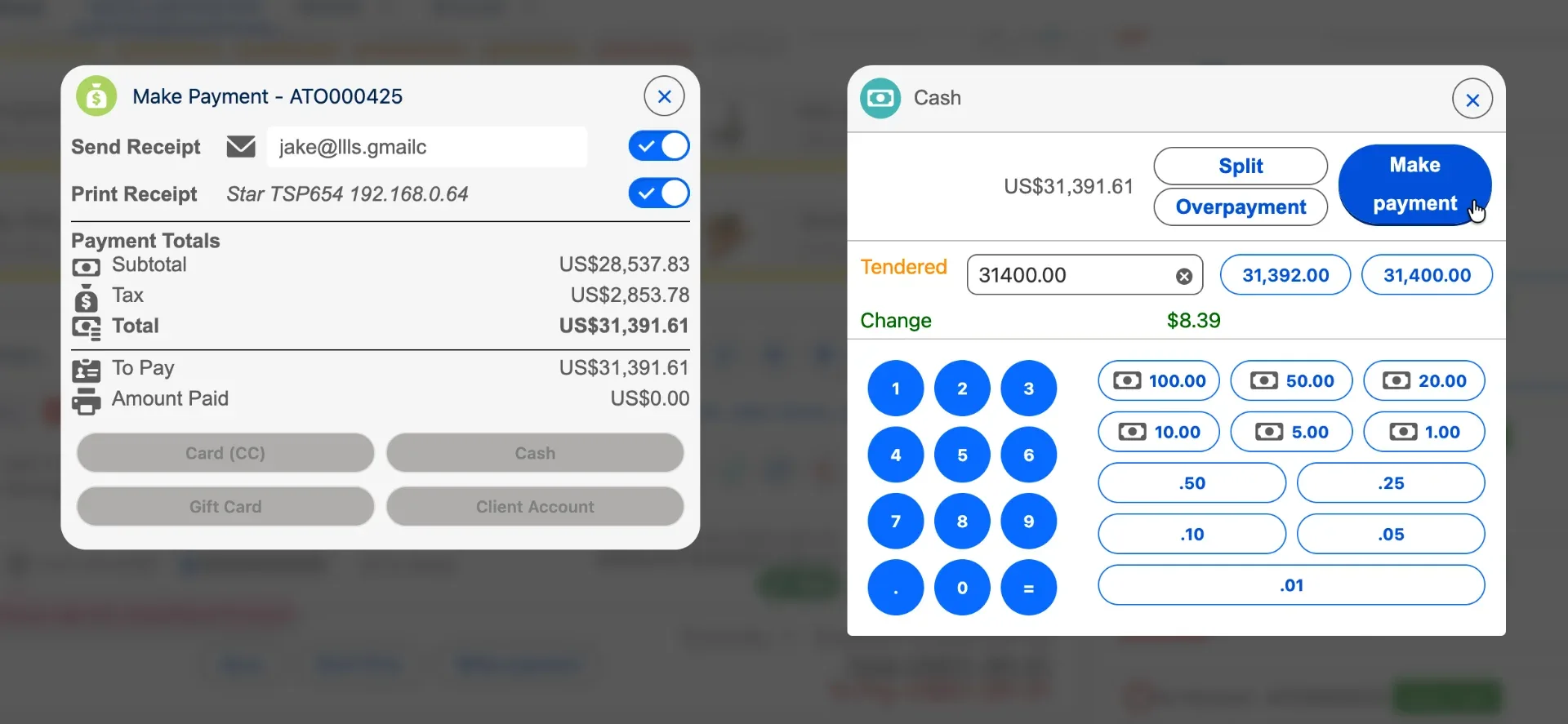
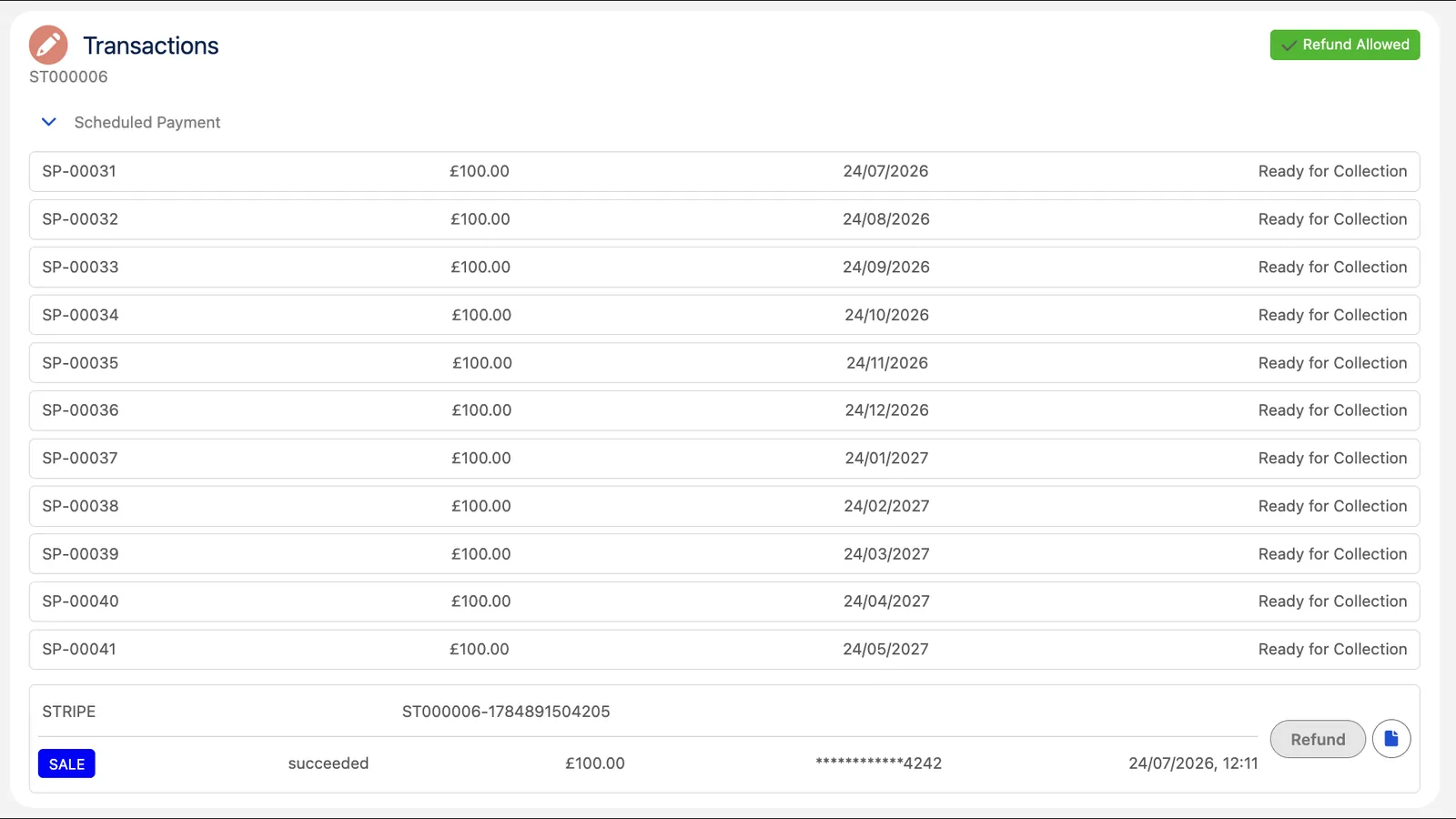
Staff take payment in the same checkout where they built the sale. Every payment is recorded against the order and on the customer's Salesforce record, ready for service, reporting and Flows.
At checkout
For larger or longer sales
Eposly connects to popular PCI-compliant payment gateways such as Stripe, Adyen, Square, CardConnect and Cybersource. If you already have a processor, you can usually keep it, along with your contract and rates, and Eposly takes no fee on each transaction.
For your Salesforce team
Eposly runs inside your Salesforce org. Orders and payments are Salesforce records alongside your accounts, contacts, products and cases, under the same permissions, reporting and automation, on any Salesforce cloud, including Sales, Service, Health and Government Cloud. In architecture terms, Eposly is the transaction execution layer for Salesforce: point of sale and payments, built into Salesforce.
For admins and architects
Your team changes, automates and secures Eposly with the same tools and rules they use for the rest of Salesforce.
Admins add order fields and trigger Flows from each sale; partners can build custom components into the checkout.
Salesforce Flow, Apex, approvals and any Agentforce agents you build can act on each order and payment as it's created.
Salesforce roles, permissions and audit apply to every transaction. Card data is handled by your PCI-compliant payment gateway.
Your ERP, ecommerce and finance systems keep connecting to Salesforce, and Eposly works alongside Commerce Cloud, Marketing Cloud and Order Management.
Customers
“Eposly is transforming our business. Enabling retail stores to connect better with customers and allow us to meet critical distributor KPIs.”
time spent with customers
50% less time spent managing fulfillment

Customer view, orders, payments and fulfillment across showrooms, warehouse and ecommerce
Read the story of QLF Brands →rental and sales inventory accuracy
+8.5% sales increase year-to-year
Every sale and rental run inside Salesforce, across a national network
Read the story of Omring →licensed drivers in California
380+ DMV field offices statewide
Cashiering and fee payments at DMV field offices, on Salesforce Government Cloud
Read the story of California DMV →Figures as reported in each customer story.
“The order then automatically links to the customer account in Salesforce where we can easily view the customer's purchase history with us.”
“...keeping Orders open whilst we retained a deposit and manufactured the items. This meant holding Money on Account and we achieved this easily within the system...”
“Well-architected to serve a variety of customer use cases, from out of the box point of sale to custom implementations.”
By industry
FAQ
Eposly Point of Sale is POS software built into Salesforce. Staff use it to sell products and services from the customer's Salesforce record: configure and price the order, take payment and create the order in one flow. Orders and payments are Salesforce records, so reports, Flows and service teams can use them straight away. It runs on desktop or iPad, at a counter, on the shop floor, in the field or over the phone.
It means the point of sale runs inside your Salesforce org rather than beside it. Eposly uses the same objects, data model, automation and security as the rest of your Salesforce, so there's no middleware between your POS and Salesforce, no second POS database and no reconciling your POS against Salesforce. A POS connected through an integration sends the sale to Salesforce once it's complete. With Eposly, the sale is created in Salesforce.
Yes. Staff build the sale from the customer's Salesforce record, so the history your org holds, such as purchase history, preferences, open orders and service cases, is on screen during checkout. If you run clienteling, loyalty or membership programs in Salesforce, that information is available at the counter, and each new sale goes back onto the same record.
You can build parts of it. The hard part is turning Salesforce into a dependable place to take real payments: terminals, receipts, cash drawers, refunds and the cashiering work around them. Eposly provides these inside Salesforce, so your team and partners spend their time on what's specific to your business, not on the transaction layer underneath.
Yes. Eposly runs on your Salesforce data model, so your admins and partners use tools they already know. Admins add your own fields to orders with field sets and trigger Flows from each sale; partners can build custom components into the checkout or the wider process. There's no separate POS platform to change and no sync to remap.
Yes. Eposly works inside Salesforce, so it connects through your Salesforce integrations. Product catalogs can sync from your ERP or PIM. Eposly can run alongside Commerce Cloud, completing in-person sales on the same customer record your storefront uses, and works with Marketing Cloud and Salesforce Order Management. What you don't need is a separate integration between your POS and Salesforce.
Eposly works on any Salesforce cloud, including Sales Cloud, Service Cloud, Health Cloud, Government Cloud and Public Sector Solutions. You don't need Commerce Cloud to use it, and it can run alongside Commerce Cloud if you have it.
In most cases, yes. Eposly connects to PCI-compliant payment providers including Stripe, Adyen, Square, CardConnect and Cybersource, so many businesses keep the processor and rates they already have. Eposly doesn't take a fee on each transaction. If you use another provider, ask us and we'll confirm whether it's supported.
Card and contactless on a terminal, digital wallets, cash, split payments, deposits and partial payments, pay-by-link (including part of a balance), recurring payments on a saved card, and buy now, pay later through providers such as Klarna or Affirm turned on in your payment gateway. Some methods depend on which gateway you use. Every payment is recorded on the order and the customer's Salesforce record.
Eposly works with payment terminals, receipt printers, barcode scanners and cash drawers as part of one transaction flow inside Salesforce. Compatibility depends on your payment provider, region and workflow, so we confirm the exact setup with you during discovery.
No. Salesforce Point of Sale, formerly PredictSpring, is Salesforce's mobile-first retail POS platform. Eposly runs inside the Salesforce org you already use, on any Salesforce cloud, so it fits when checkout needs to use your Salesforce customer data, pricing and workflows directly, at the counter, in the showroom, the clinic or the service desk.
No. Eposly is strongest when staff guide the sale, the customer is known and tied to a Salesforce record, and Salesforce is where your customer data and processes already run. High-volume, anonymous checkout is usually better served by a traditional POS.
Book a demo and we'll show how Eposly fits your Salesforce setup, or try the interactive demo first.