Industries
Manufacturing payment processing for the counter, inside Salesforce
Run counter and branch sales in Salesforce, with contract pricing applied, payment taken and the order created on the customer's account record.
Try the interactive demoTalk to us →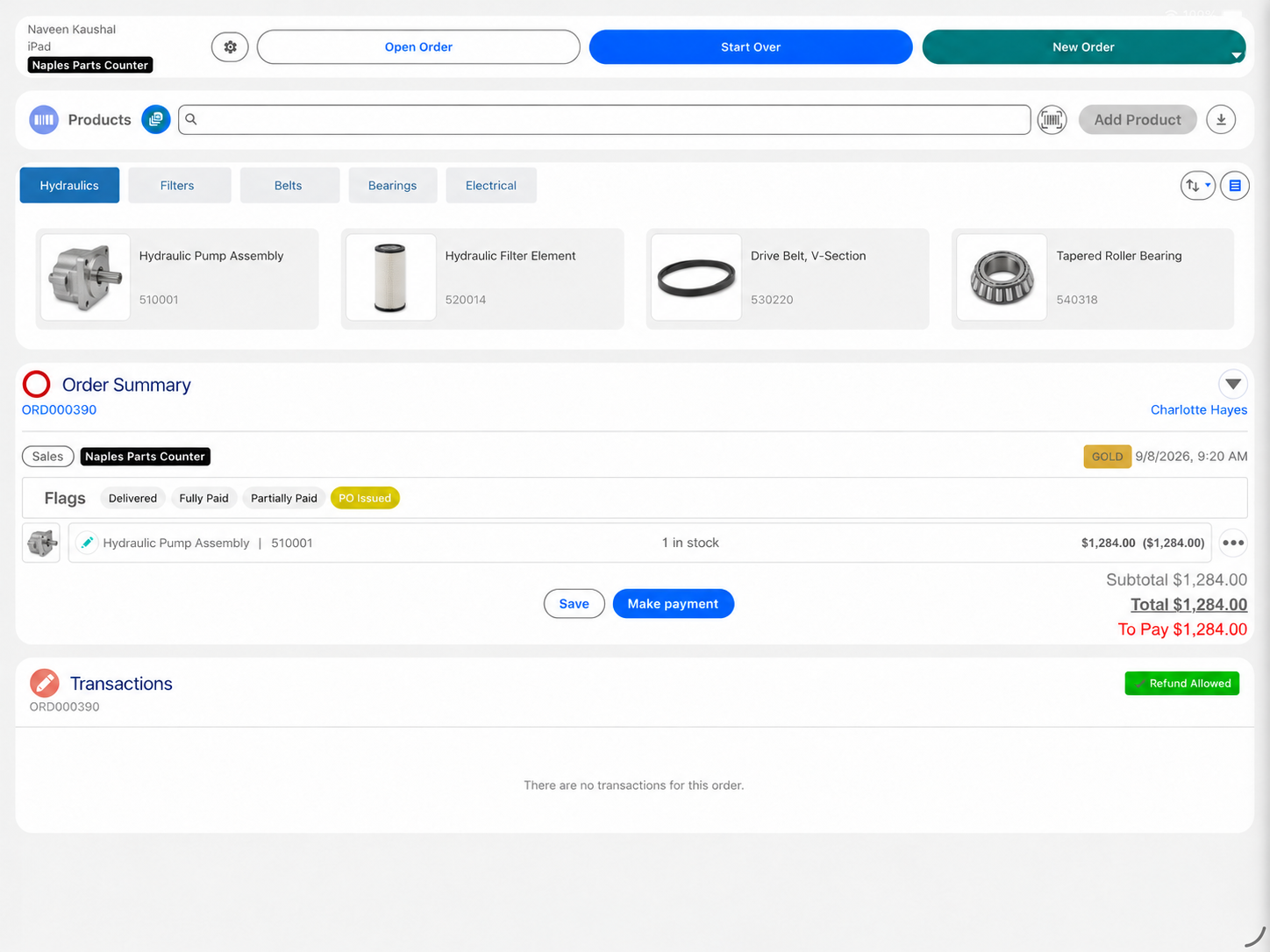
Many manufacturers, dealers and distributors run customers, equipment and service in Salesforce, but the counter sale still happens in ERP screens or a separate counter tool. Eposly brings it into Salesforce. Counter staff find the part, apply the customer's pricing, take payment and create the order on the account record, with ERP still running finance and fulfillment.
- Counter and branch sales on the customer's Salesforce account record
- Contract, dealer and account pricing applied as the order is built
- Card, cash, deposits and payment links in one payment step
- ERP stays in place for finance, inventory master and fulfillment
Which manufacturing and industrial businesses does Eposly work with?
Eposly fits manufacturers, dealers and distributors that sell parts and products over a counter, to customers they already manage in Salesforce. Choose your business type.
Selling tires and installation at a counter? See tire and auto service.
What does an industrial counter need from a point of sale?
An industrial counter needs a point of sale that knows the account, applies the right contract price and creates an order ERP can use, without the counter rep leaving Salesforce.
Industrial counter sales are not retail checkout. The rep identifies the part, prices it for this customer, checks availability and creates an order that finance and fulfillment can act on. When that happens in ERP screens, Salesforce knows the relationship but not the moment of sale.
How does a manufacturing POS run inside Salesforce?
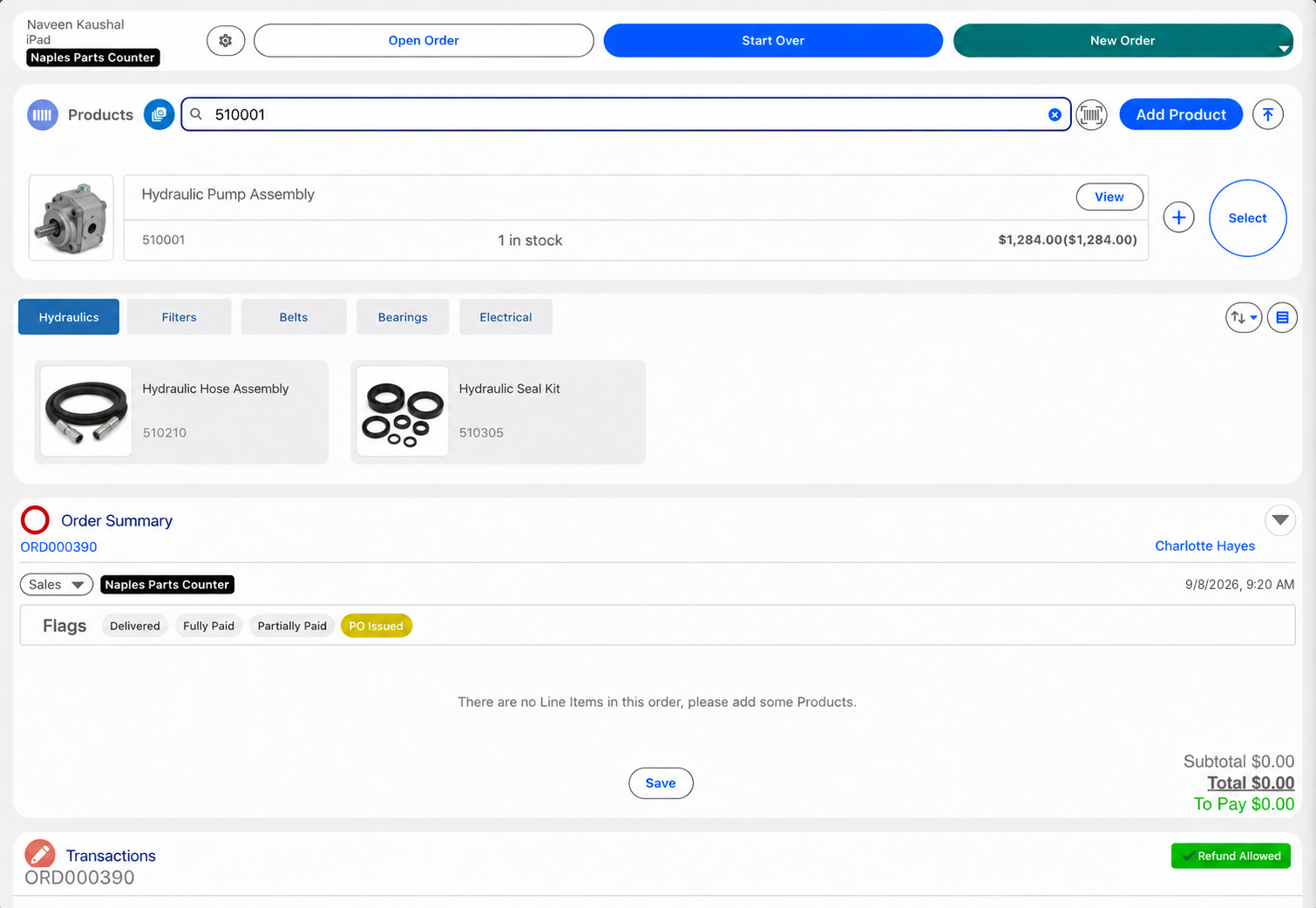
The counter rep works in Eposly inside Salesforce: open the account, add the parts, apply the customer's pricing, take payment and create the order. The order and payment sit on the account record, and your integration passes the order to ERP for fulfillment and finance.
A parts order at the counter
How does one counter sale work from start to finish?
One order on the account record, from the part to the payment.
Payments
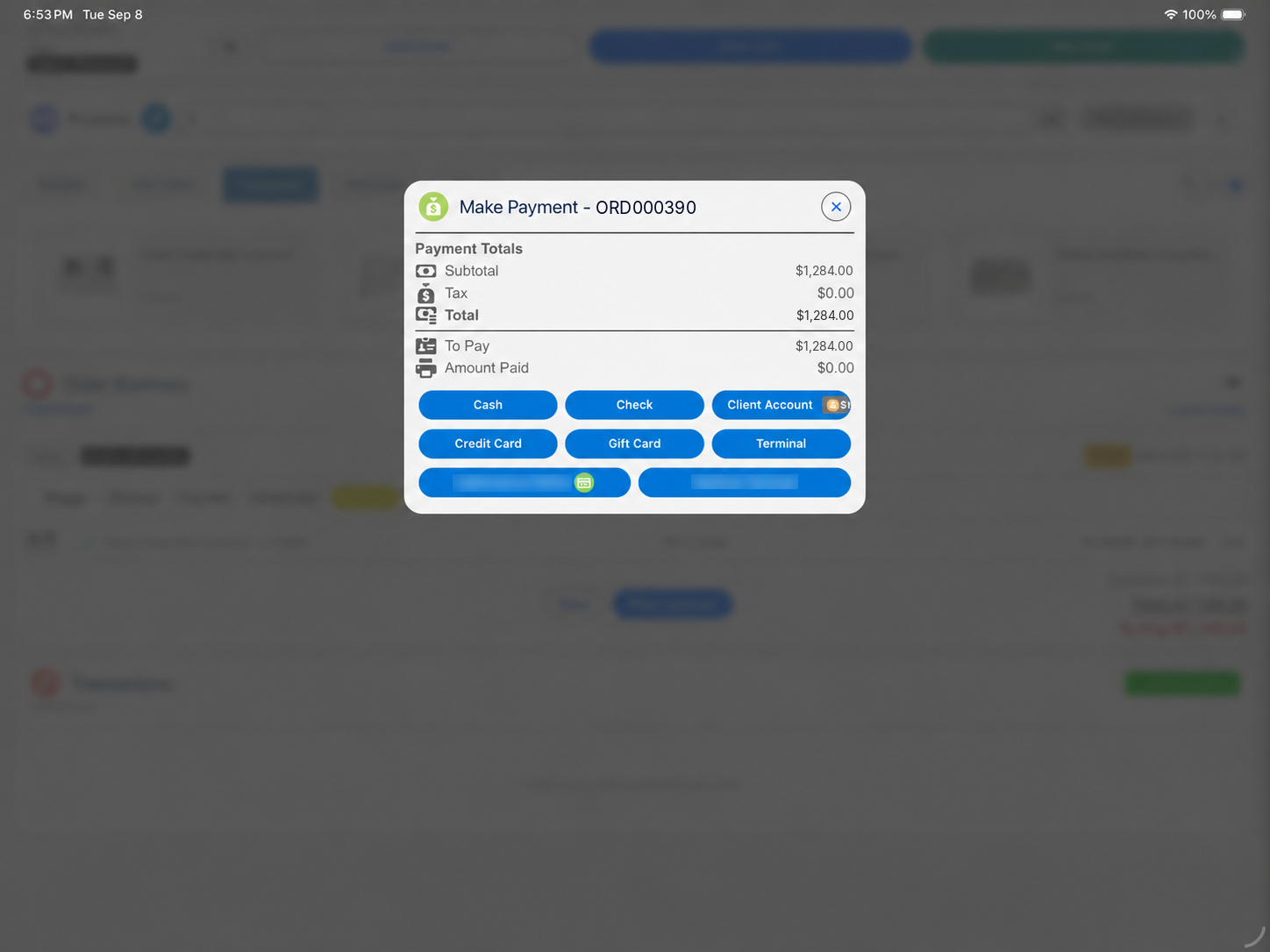
How are counter payments taken?
- Parts collected todayCard, cash, gift card or a split, in one step.
- Special-order partsDeposit at order, balance at pickup.
- Phone or email orderPayment link for part or all of the amount.
How many systems does an industrial counter actually need?
Fewer than most run. When the counter sale runs inside Salesforce, the separate counter tool, and the re-keying between it and Salesforce, drop out. ERP stays.
Eposly does not replace ERP. ERP stays responsible for finance, the inventory master and fulfillment.
What does the record and audit trail show?
After every counter sale, Salesforce shows:
- Which account bought, and which rep made the sale, at which branch.
- Which parts were sold, at which price, and any adjustment.
- How it was paid: methods, deposit and balance.
- The order and its status.
- Refunds and returns against the original order.
These are standard Salesforce records, so they follow your Salesforce permissions and audit controls. Card details are tokenized by the connected PCI-compliant payment provider and kept out of the account record.
No manufacturing customer is published yet. The closest published counter deployment:
California DMV selected Eposly's Salesforce-native Point of Sale and Cash Register module for permit and registration payments on Salesforce Government Cloud.


Manufacturing one-pager
Take this page to your team
The key points of this page in one document to share with your team.
By downloading, you agree to our privacy policy.
Is Eposly the right fit for your business?
Eposly fits manufacturers, dealers and distributors that:
- Run customers, dealers or service in Salesforce
- Sell assisted at a counter or branch today, outside Salesforce
- Apply contract, dealer or negotiated pricing
- Keep ERP for finance and fulfillment
Another option is a better fit when:
- There is no Salesforce footprint
- The strategy is to run every front-end process in ERP
- Distribution is ecommerce only
- Pricing is simple list pricing
One note for planning: every counter rep who sells through Eposly needs a Salesforce user license.
Questions buyers ask
Does Eposly replace ERP?
No. ERP stays responsible for finance, the inventory master and fulfillment. Eposly runs the counter sale inside Salesforce and creates the order your integration passes to ERP.
Does Eposly work with ERP inventory?
Yes, through your integration. Stock held in ERP can be shown at the counter while the order is built, and the Inventory module shows stock across locations in Salesforce.
How does ERP integration work?
Product, pricing and stock data can sync into Salesforce from ERP, and completed orders pass back to ERP through your integration. The integration is part of each implementation.
Can counter sales run across several branches?
Yes. Every branch sells from the same Salesforce org, with branch-level users, tax set by location, order types by location and reporting across branches.
Bring your counter sales into Salesforce
Contract pricing, payment and the order on the customer's account, with your ERP left in place. California DMV selected Eposly for its permit and registration counters.