Manufacturing and industrial counter sales
Counter sales software for parts counters, inside Salesforce
Sell parts at the counter in Salesforce, at the customer's contract price, without switching to ERP screens.
Try the interactive demo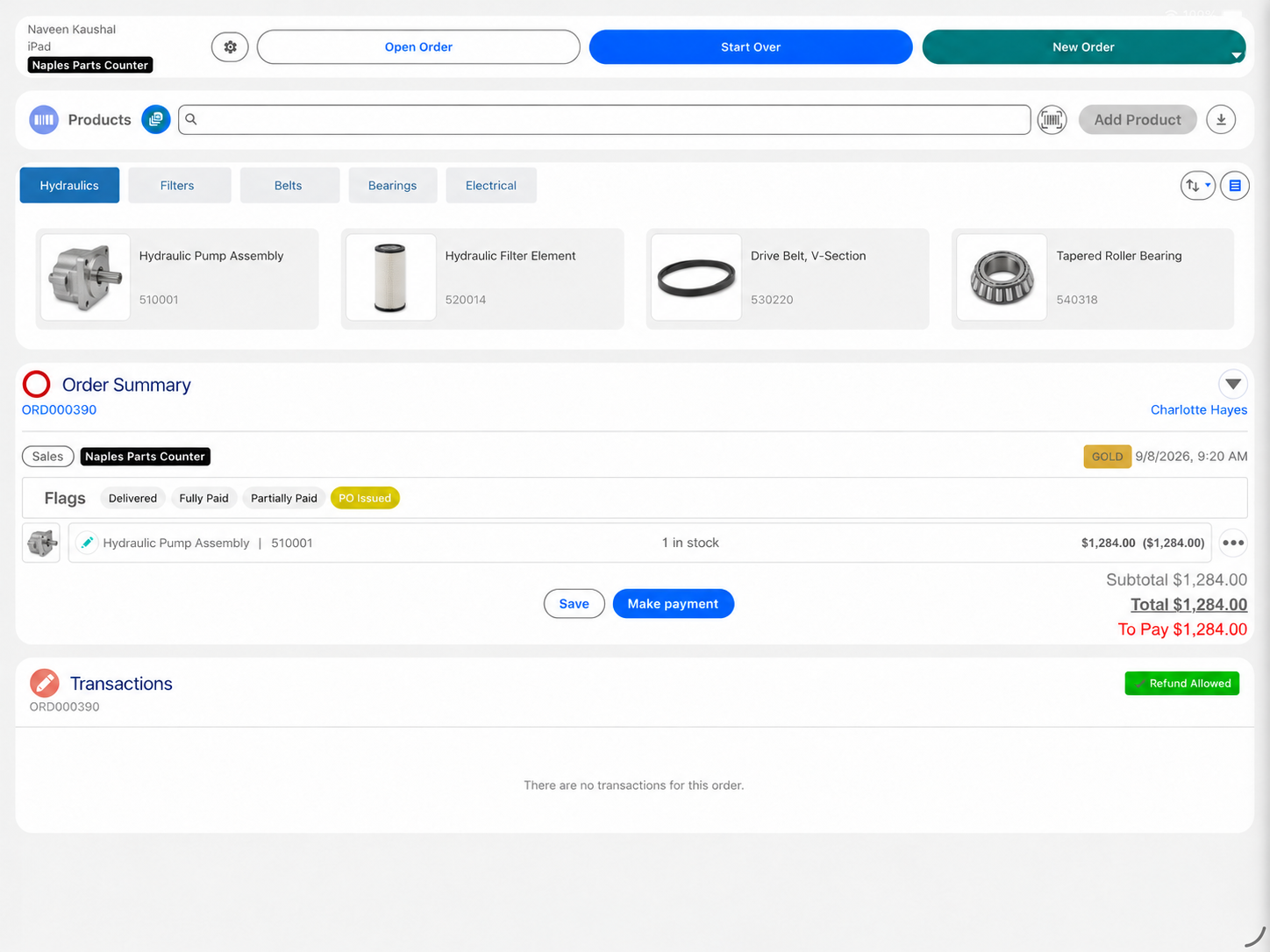
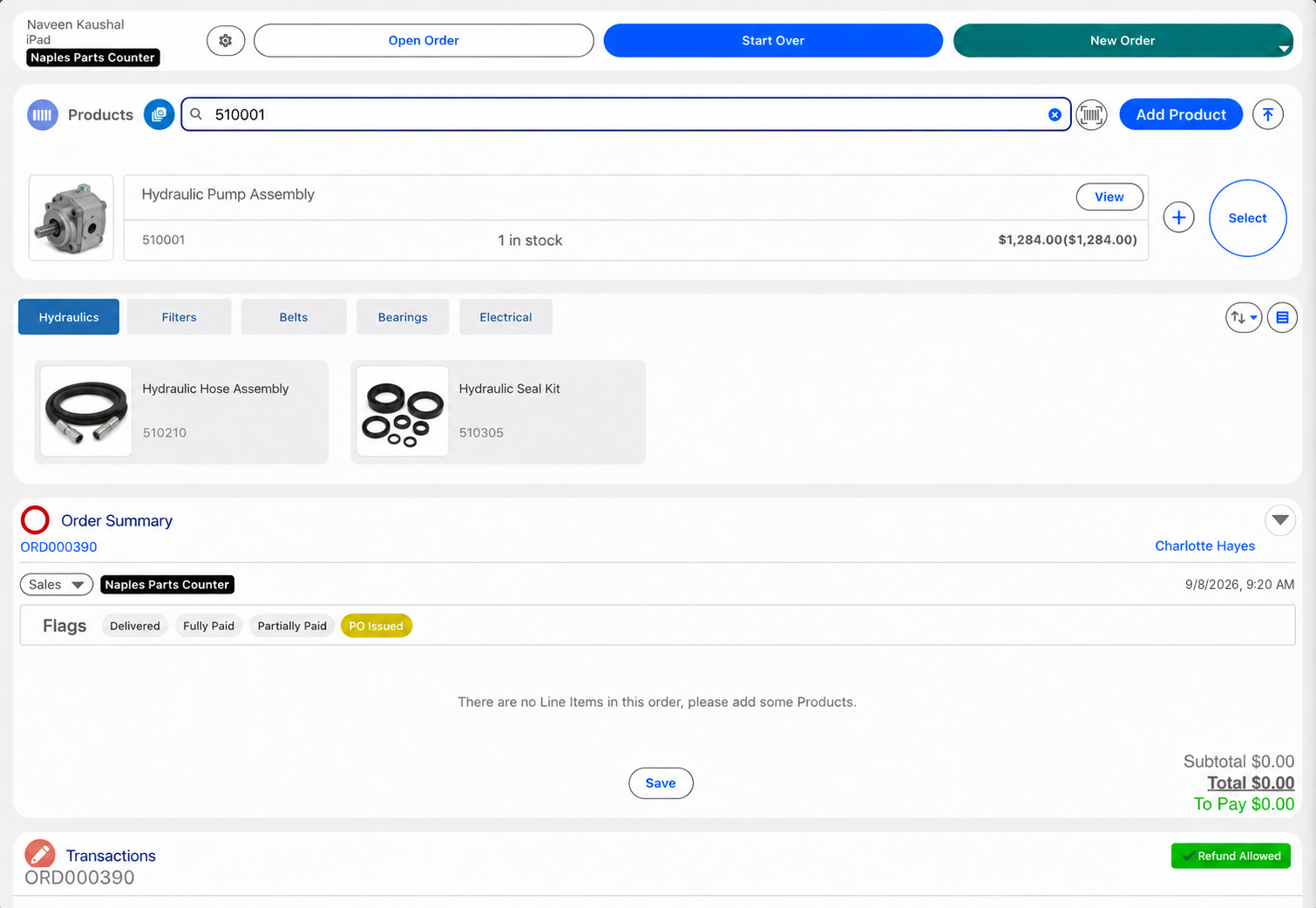
Eposly puts the parts counter inside Salesforce. The counter rep opens the customer's account, finds the part with stock across branches in view, and the customer's contract or dealer pricing applies as the order is built. The rep takes payment or a deposit and creates the order on the account record, ready for pickup, delivery or ERP.
- Contract and dealer pricing applied at the counter
- Stock across branches in view while the order is built
- Payment, deposits and payment links on the account record
At the parts counter
What makes selling at a parts counter different?
A parts sale is a lookup, a price and an order, not a basket.
The part has to be right
A wrong part means a second trip, a delayed repair or a return.
The price depends on the account
Contract, dealer and trade customers each pay their own rates.
Stock decides the answer
If the part is not on the shelf, the rep needs to know which branch has it.
Many sales are on hold
Special-order parts take a deposit and wait for pickup or delivery.
The customer comes back
Trade customers buy from the same counter week after week.
A special-order part
How does Eposly handle a parts order at the counter?
One order on the account record, from the lookup to pickup.
What does a parts counter need that an order form cannot provide?
An order form records what the customer asked for. A parts counter also needs the customer's contract price, stock across branches and the payment, at the moment of sale. Eposly brings those together on the order in Salesforce.
What should counter sales software handle?
Can counter staff sell without switching to ERP screens?
Yes. The rep finds the part, sees the price and stock, takes payment and creates the order in Eposly inside Salesforce. ERP data reaches the counter through your integration, and the order goes back to ERP the same way.
Payments
How do trade customers pay at the counter?
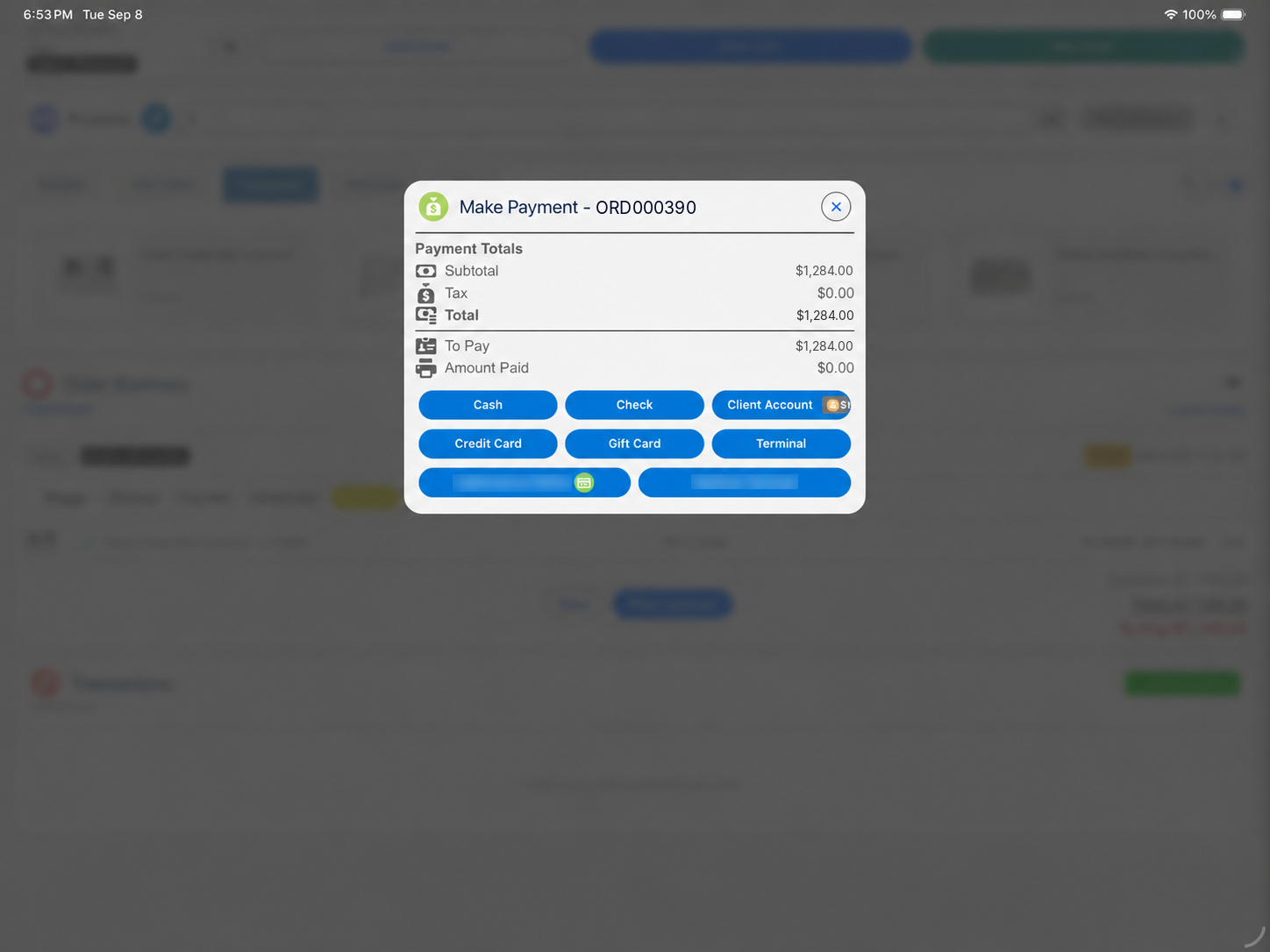
- Parts collected todayCard, cash, gift card or a split, in one step.
- Special-order partsDeposit at order, balance at pickup.
- Phone or email orderPayment link for part or all of the amount.
No parts counter customer is published yet. The closest published counter deployment:
California DMV selected Eposly's Salesforce-native Point of Sale and Cash Register module for permit and registration payments on Salesforce Government Cloud.

Where do parts counters fit within manufacturing?
OEM parts and trade counters are one of the businesses Eposly serves with manufacturing payment processing: an account customer, a contract price and an order that ERP fulfills. For tires and installation at a counter, see tire and auto service.
Parts counter one-pager
Take this page to your team
The key points from this page in one document to share with your team.
By downloading, you agree to our privacy policy.
Questions buyers ask
Can contract pricing be applied at a parts counter?
Yes. Your Salesforce setup can hold contract, dealer and trade price books, and Eposly applies the customer's pricing as the order is built, at every branch.
Can will-call, pickup and delivery be handled at the counter?
Yes. Order types can be set up by location, so the rep chooses pickup, will-call or delivery on the order, and a special order can carry a deposit until it is collected.
Can parts be linked to the customer's equipment?
Your Salesforce setup can hold the customer's equipment records, so orders can be linked to the machine the part is for. How that link is set up depends on your implementation.
Bring the parts counter into Salesforce
See how a point of sale runs inside Salesforce.