SALESFORCE-NATIVE PAYMENTS
Collect Salesforce payments on the record your team already has open
The simple way to collect payments inside Salesforce.
Book a demo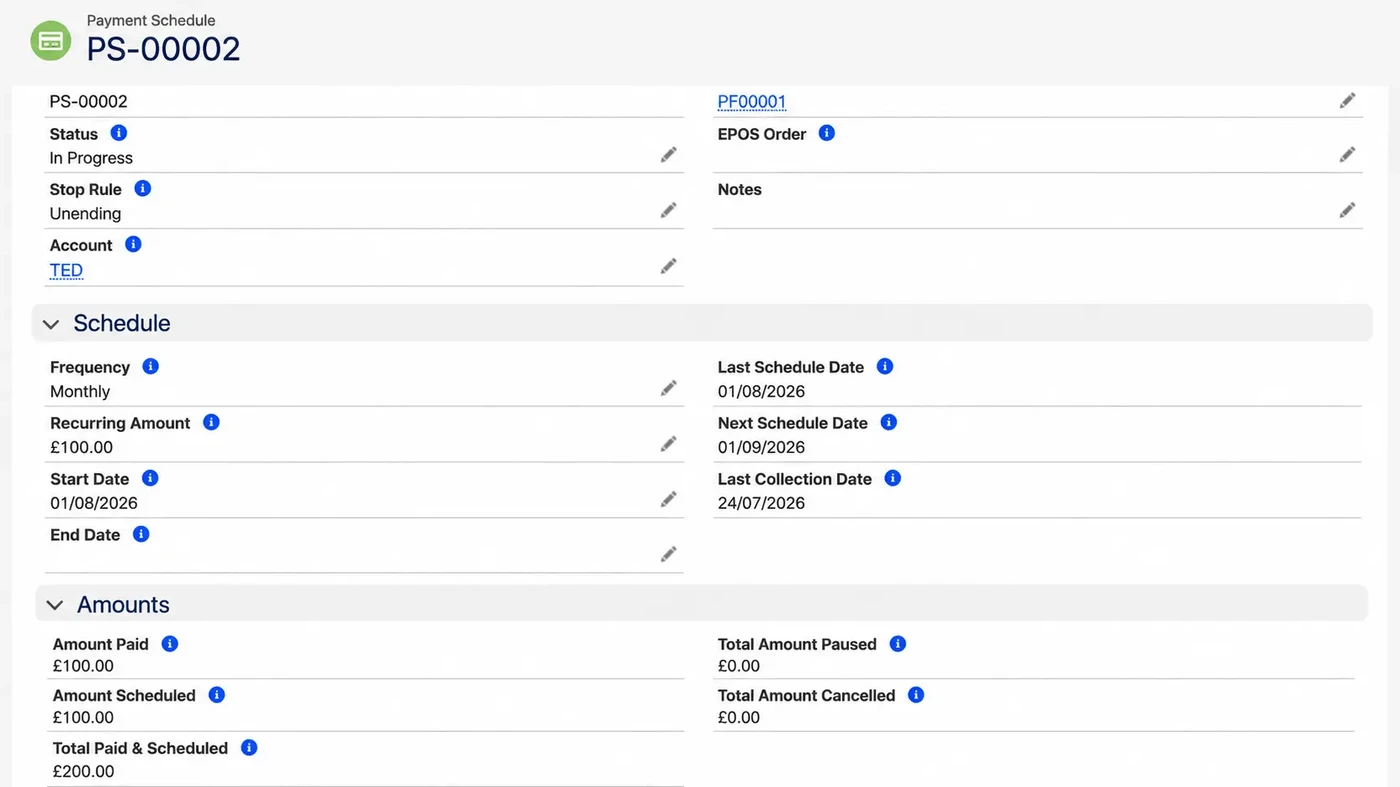
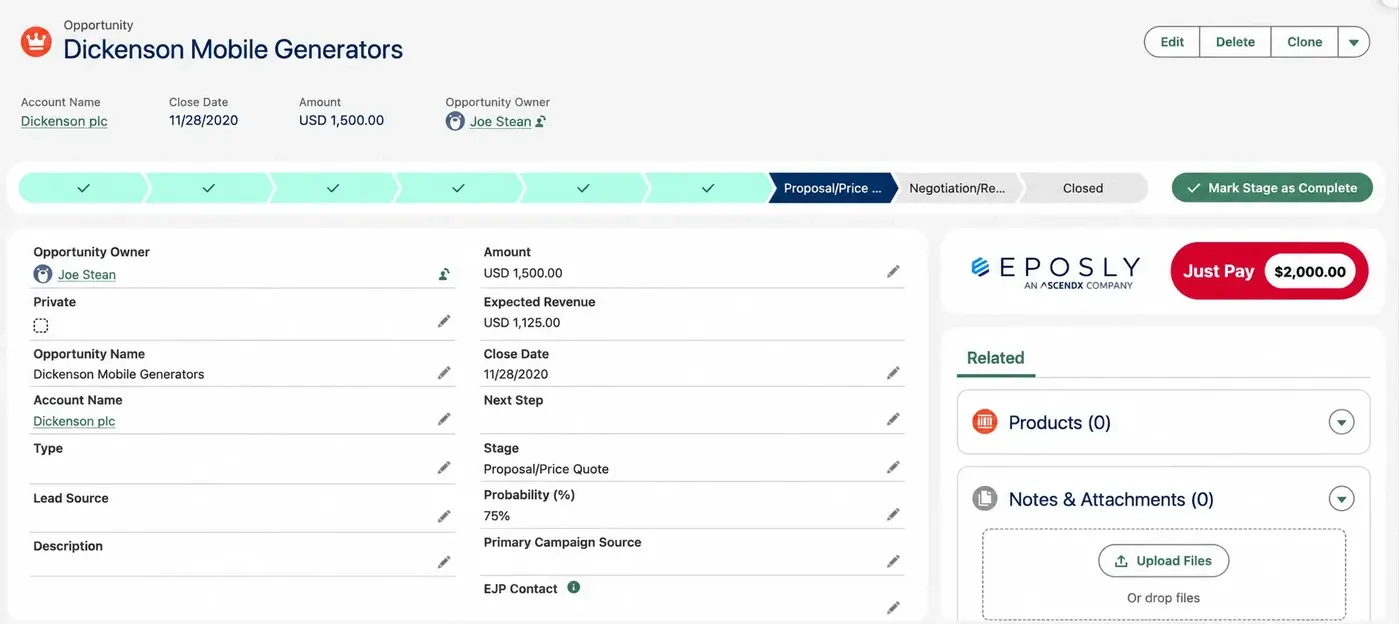
Salesforce payments can be collected from the object your team already works from, one-off or recurring, without leaving the record. Every payment result is written to Salesforce as a record, so reports, Flows and service consoles read payment activity the same way they read any other data. Eposly Payments is the layer that runs the collection.
Payment methods
Card in person and over the phone, cash, and one-time bank payments in the US.
Recurring collection
On a saved card, with the frequency and the stopping rule set when you set it up.
Customer service
Your agent answers a payment question from the record already in front of them.
Automation
A Flow starts when a payment succeeds or fails, in the builder your admin already uses.



%20--%3e%3csvg%20version='1.1'%20id='Layer_1'%20xmlns='http://www.w3.org/2000/svg'%20xmlns:xlink='http://www.w3.org/1999/xlink'%20x='0px'%20y='0px'%20viewBox='0%200%20122.2%2054'%20style='enable-background:new%200%200%20122.2%2054;'%20xml:space='preserve'%20fill='%23333333'%3e%3cg%3e%3cpath%20d='M85.7,2.6H75.6L61.9,31.7L45.6,2.6H36c2.7,1.7,4.3,3.9,6.4,7.9l17.1,29.8L75.6,7.1v31.2c0,3.6-0.7,5.8-3.8,7.9h13.9%20c-3.1-2.1-3.8-4.3-3.8-7.9V10.5C81.9,6.9,82.6,4.7,85.7,2.6'/%3e%3cpath%20d='M111.2,40.5c-6.1-9.2-7.8-12.9-15.7-13.9c5.6-0.4,11.2-5.4,11.2-12.3c0-6.9-4.3-11.7-13.7-11.7h-1.6c7.2,1.7,8,8.8,8,12.3%20C99.6,20,97,26,88.3,26v0.3c7.1,0.4,10.5,6.9,15.1,14.2c3.8,6,6.9,11,13.3,11c2.1,0,4-0.6,5.5-1.5%20C115.8,49.3,113.7,44.2,111.2,40.5'/%3e%3cpath%20d='M18.1,2.6H0c3.1,2.1,3.8,4.3,3.8,7.9v27.8c0,3.6-0.7,5.8-3.8,7.9h18.9c15.6,0,21-12.1,21-21.8C39.8,11.3,31.9,2.6,18.1,2.6%20M16.5,44.5c-5,0-6.4-2.5-6.4-6.2v-34l0,0h8.2c9.5,0,14.3,7.4,14.3,20.1C32.5,37.5,28.6,44.5,16.5,44.5'/%3e%3cpath%20d='M42.2,38.1C42.2,38.1,42.2,38.1,42.2,38.1c-0.2,0.9-1.5,5.8-6.1,8.1c0,0,0,0,0,0h12.4C43.3,43.7,42.2,38.1,42.2,38.1'/%3e%3c/g%3e%3c/svg%3e)

Eposly is rated 5.0 from 26 verified reviews on the Salesforce AppExchange
THE PROBLEM
Why collect payments inside Salesforce?
Because the payment and the customer record end up in the same place, so you never move between systems to take a payment, check whether it succeeded, or follow one up.
When your payment processing sits outside Salesforce, your staff switch systems to take a payment, check its status or investigate a failed collection. Each switch is a small cost on its own. Together they decide how long your customer waits at the counter, and how confidently your agent answers a question on a call.
You switch systems
Taking a payment means leaving the Salesforce record for a separate application, then coming back.
Status is not on the record
Your customer service team cannot confirm whether a payment succeeded without opening another system.
Follow-up takes investigation
You have to find the payment details before you can follow up with the customer.
TAKE A PAYMENT
How does a team take a payment in Salesforce?
You start from the Salesforce record you are already working on, choose a supported payment method, and collect the agreed amount. For electronic payments, the payment provider handles processing.
-
0101Open the Salesforce record the payment belongs to.
-
0202Choose the payment method your customer is using.
-
0303Collect the agreed amount. Electronic payments are processed by the payment provider.
-
0404The result is written to Salesforce as a record against that customer.
-
0505Your reports, Flows and service console read that record like any other data.
RECURRING PAYMENTS
How do you automate a recurring payment in Salesforce?
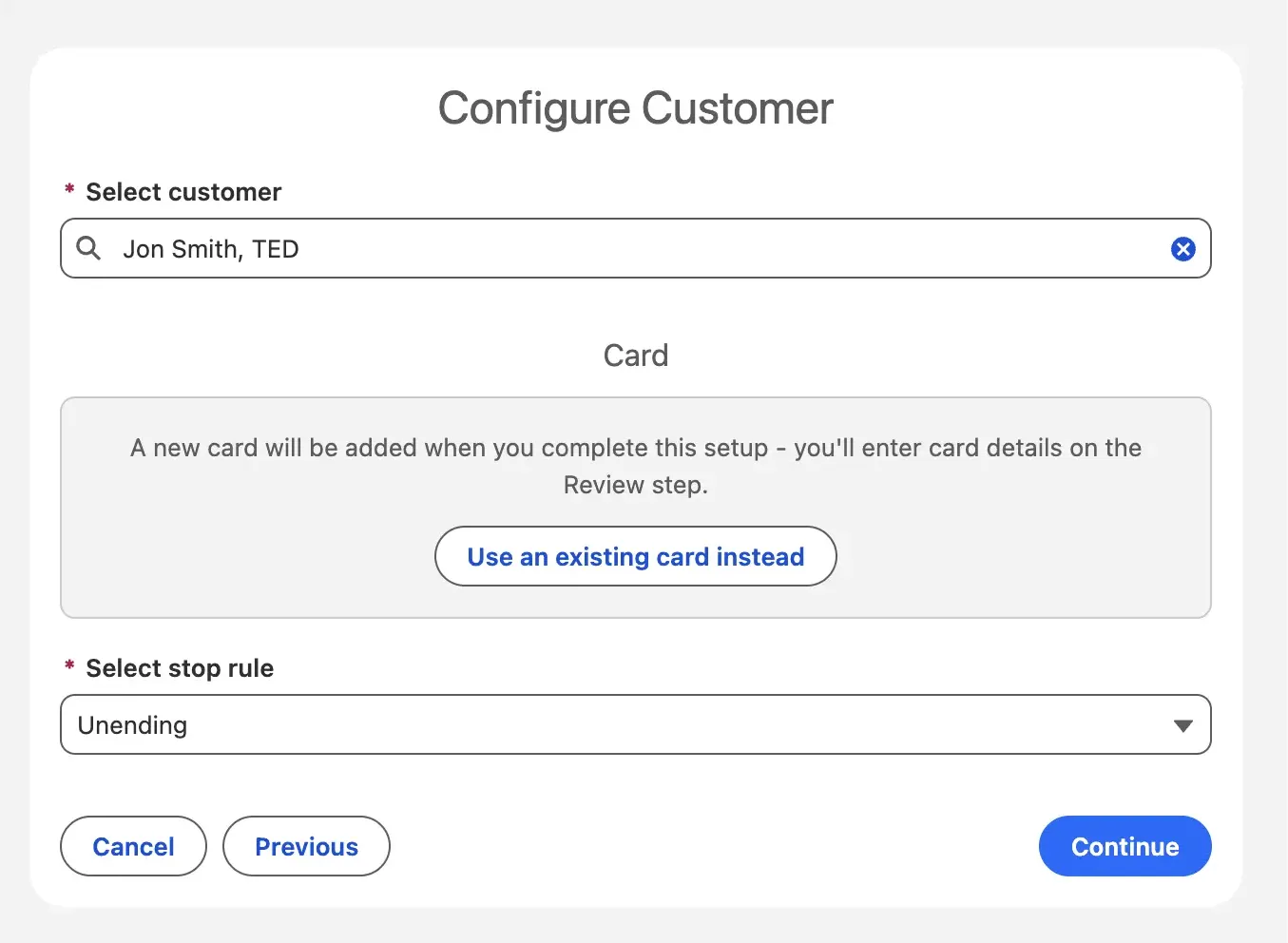
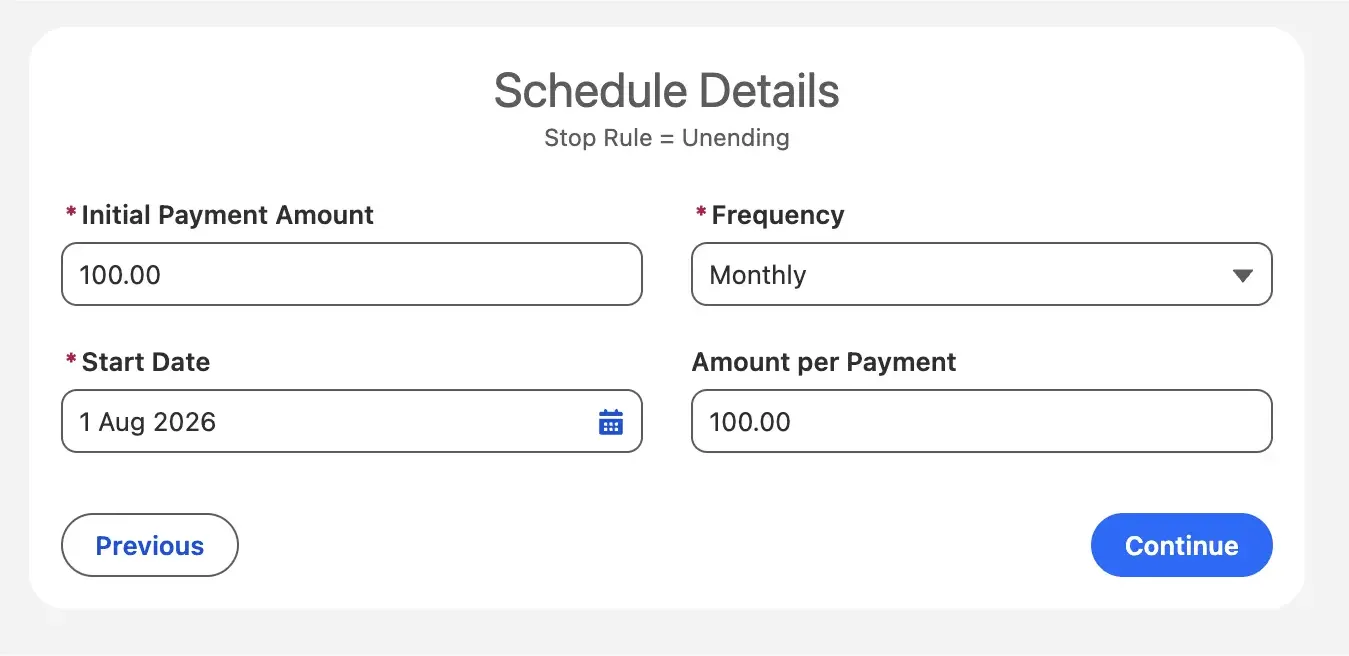
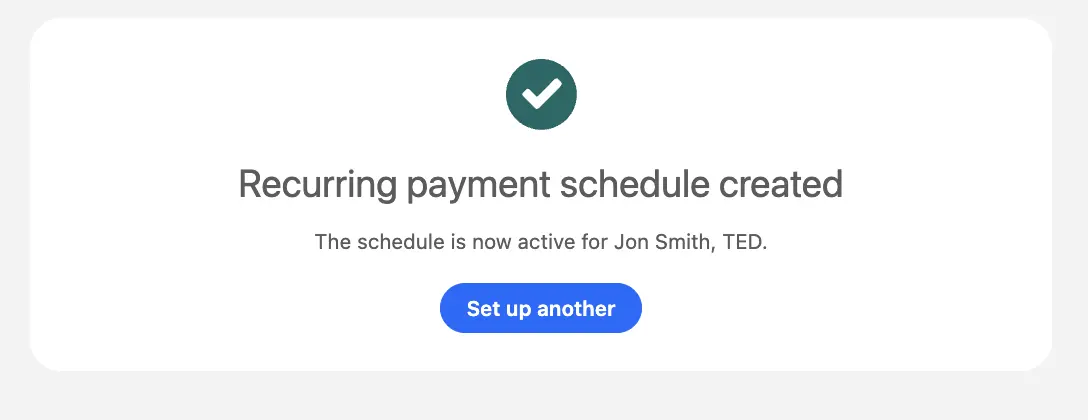
You choose the customer and a saved card, then set the payment frequency and when collection should stop. Eposly collects each payment as it falls due, without you opening the record again.
Memberships, donations and payment plans all collect from the same customer repeatedly. Set the frequency anywhere from daily through to biannual, or use a rule such as every few days or the first Monday of the month.
Four schedule types decide when collection stops:
- An end date
- A count
- A balance
- Open-ended
You can take an initial payment and save the card in the same setup, and an expired card is blocked at setup rather than failing on the first collection.
Eposly pauses the schedule, records a reason, and includes the failed collection in a Salesforce report so you can follow it up.
PAYMENT GATEWAYS
Is Eposly a payment processor?
No. Eposly does not process payments itself. The payment provider does that. Eposly runs the collection inside Salesforce and records the result on your customer record.
The distinction matters when you are working out what you are buying and what you already have. The payment provider carries on doing what it already does. What changes is where the collection starts, and where the result ends up.
-
Eposly runs the collection on your Salesforce record
-
The payment provider processesand settles the funds
-
The result is written to Salesforce as a record
The provider processes
The payment provider processes the transaction and settles the funds.
Eposly collects and records
Eposly runs the collection on your Salesforce record and writes the result to it.
Card data stays tokenised
Saved cards are tokenised, so card numbers are not held in Salesforce.
What does Salesforce-native mean here?
It means the payment runs inside your platform rather than beside it: the same objects, the same automations, the same data model, the same security and the same audit model you already have. There is no middleware, no separate database and nothing to sync back afterwards.
PAYMENT METHODS
Which payment methods can you collect in Salesforce?
Card payments in person and over the phone, cash, and one-time bank payments in the US.
| Method | When you use it |
|---|---|
| Card, in person | Counter and front-desk payments on a terminal |
| Card, over the phone | Call-centre and card-not-present payments |
| Cash | Recorded in Salesforce alongside every other method |
| Bank payments, one-time, US ACH | Your customer enters their bank details, tokenised, with a mandate and a confirmation email |
| Digital wallets, one-time | Wallet and alternative payment methods, collected and recorded the same way as a card |
Saved cards are tokenised. Card surcharging is supported on card payments.
REPORTING AND AUTOMATION
Where do Salesforce payments appear for reporting and automation?
Each payment result is written to Salesforce as a record, so your reports, Flows and service consoles read it like any other data.
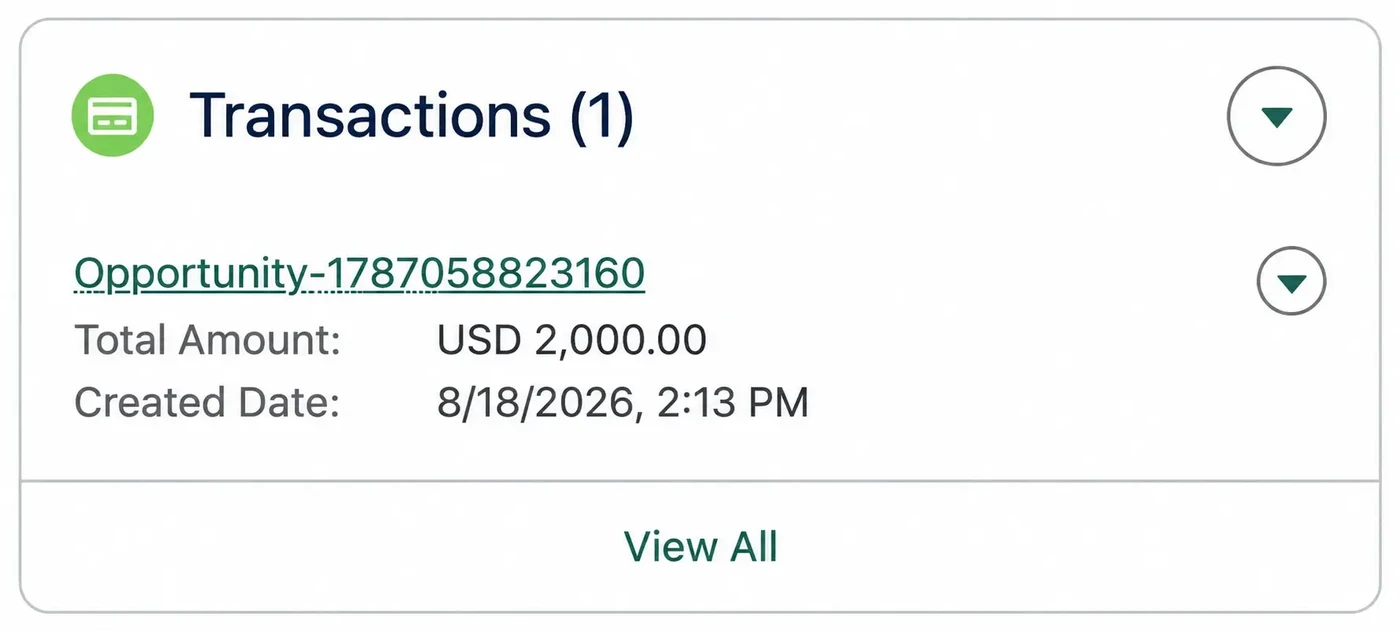
- See your completed and failed collections in a report.
- Answer a customer's payment question from the Salesforce record in front of you.
- Start a Flow when a payment succeeds or fails, using the same builder your admin already uses.
- Keep payment history alongside the rest of your customer's record.
Not sure which product fits? Compare Eposly Payments and Point of Sale
CHOOSE AN EPOSLY PRODUCT
Do you need Eposly Payments or Eposly Point of Sale?
Choose Payments when the amount you are collecting is already agreed. Choose Point of Sale when you also have to select and price what you are selling.
| Comparison category | Eposly Payments | Eposly Point of Sale |
|---|---|---|
| Your situation | The amount you need to collect is already agreed. | You still have to work out what you are selling and what it costs. |
| What you do | Collect a one-off or recurring payment on the Salesforce record. | Select and price products, create the order, complete checkout. |
| Where you see it | Service desks, clinics, call centres and membership organisations. | Counters, front desks and stores selling from a catalogue. |
PREREQUISITES
What do you need to run Eposly Payments?
Your existing Salesforce org, and a payment provider.
Your Salesforce org
Eposly Payments installs into the org you already have and runs on the records your team already uses.
A payment provider
Eposly does not process payments itself. Collection runs through a payment provider.
When this is not for you
If you need to select, configure and price what you are selling before collecting, Point of Sale is the right product. Payment links your customer follows themselves are not part of Payments today.
IN PRACTICE
What can you use Eposly Payments for?
If you run a service desk, a clinic, a call centre or a membership organisation, you use it to collect an amount that is already agreed, once or on a schedule, from the Salesforce record you are already working on.
You collect a donation while viewing the supporter record.
Your agent takes a payment during a customer conversation.
A permit or licence fee is collected on the case record that raised it.
A clinic takes an agreed deposit or co-pay on the patient record.
GO DEEPER
Where do you find more detail?
Three published articles cover the compliance, field and cash questions this page raises.
QUESTIONS
Frequently asked questions
Collect your payments inside Salesforce
See what the workflow looks like for your team, and how it fits the Salesforce setup you already have.
Book a demo