Services
Salesforce-native payments and POS for med spas
When a patient pays, that payment should be connected to their record before they reach the door. Eposly executes the medical spa transaction inside Salesforce, so treatments, packages, and deposits stay on the patient record.
Can a med spa run payments and POS on Salesforce Health Cloud?
Yes. With a Salesforce-native point of sale for medical spas, the transaction executes on the patient record inside Salesforce, so payment, packages, and deposits stay connected to the record as care becomes revenue, without a separate POS database.
How Eposly fits medical spas
Eposly executes the transaction inside Salesforce, on the patient record of medical spas. The consultation is captured in Salesforce, services and packages are selected, payment is executed, and the transaction is connected to the patient record in one flow with no system switch. The Salesforce transaction record stays in Salesforce and uses the org's roles, permissions, field security, and audit controls, while sensitive card data is handled through the connected payment gateway and only the permitted reference or token is retained. Eposly completes the Salesforce stack at the point of care rather than adding a disconnected POS beside it.
How medical spa payments connect to the Salesforce patient record
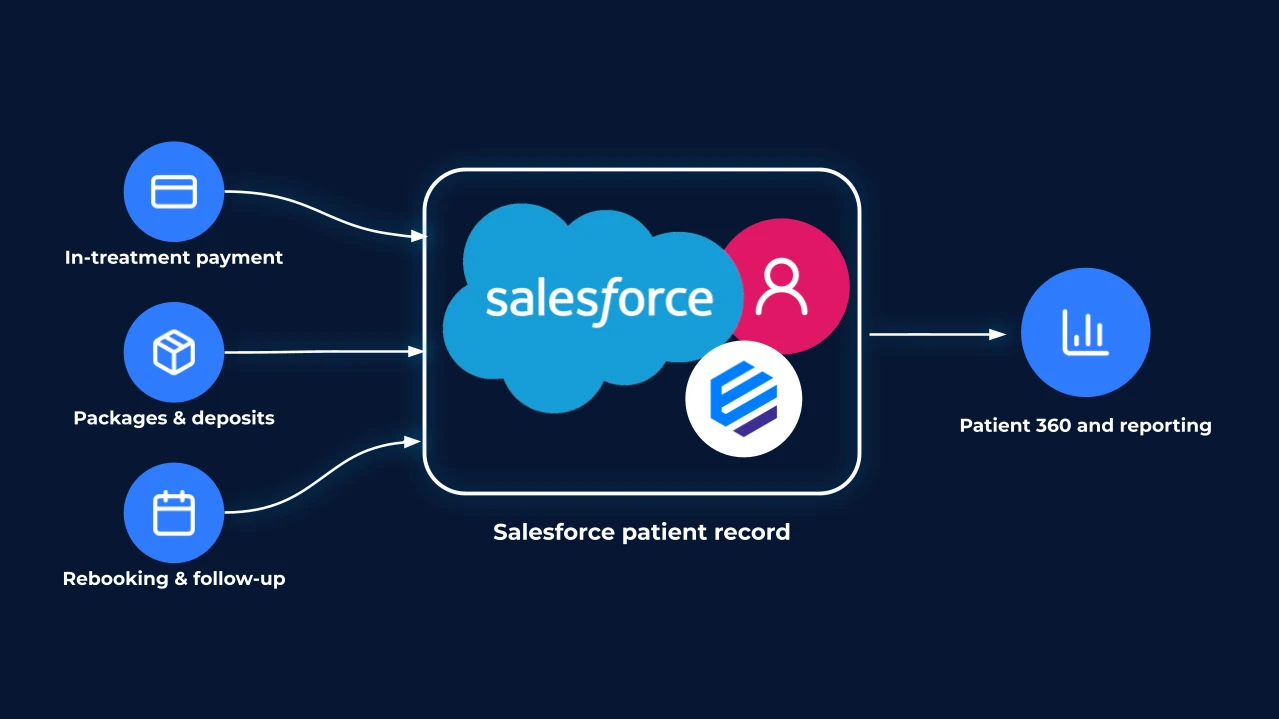
Eposly's medical spa POS processes in-treatment payments, packages, deposits, and follow-up bookings directly within Salesforce. By capturing every transaction on the patient record, clinics gain a complete Patient 360 view, real-time reporting, and unified customer data for personalized care that drives loyalty.
What you get and how Eposly works on Salesforce for medical spas
-
Payments on the med spa's patient record
Eposly executes the patient-paid transaction inside Salesforce, often Health Cloud, so payment and packages stay on the patient record as care becomes revenue.
-
Medical spa treatment packages and deposits
Deposit, split, and partial patient payments run natively on the patient record, suited to treatment packages and staged courses of care.
-
Reduced data duplication
Running the transaction in Salesforce cuts duplication, simplifying governance and audit. HIPAA, PCI, privacy, and data-handling requirements are easier to comply with when the whole transaction execution from sales process to payments and customer and patient data handling happens in Salesforce.
-
Salesforce security and audit controls
The transaction record uses the org's roles, permissions, field-level security, and audit controls; connected payment services keep their own compliance responsibilities.
-
Tokenized card handling
Card data is handled by the connected payment gateway, and only the permitted token is retained in Salesforce. Gateways include Adyen, Stripe, Square, CardConnect, and TSYS.
-
A clear commercial scope
Eposly handles the commercial, patient-paid transaction, from pricing and package configuration to compliant payment processing.
Salesforce-native by design
Every element of the transaction is executed inside Salesforce. No parallel POS system, no reconciliation back from a separate database.
-
Same objects, automations, security, and audit model
The transaction lives on the standard Salesforce record with the org's roles, permissions, field security, and audit controls.
-
No middleware, no separate database, no sync
The sale is created in Salesforce as it happens, so there is no external POS dataset to reconcile back.
-
PCI-compliant payment gateways connected natively
The Salesforce transaction flow connects to gateways including Adyen, Stripe, Square, CardConnect, and TSYS.

Questions buyers ask
Explore capabilities and use cases
Ready to run the whole sales process inside Salesforce?
See how this would work in your Salesforce setup.