The POS for service businesses that runs inside Salesforce

    Sell services, packages, memberships and products directly in Salesforce, with every payment recorded against the customer record.
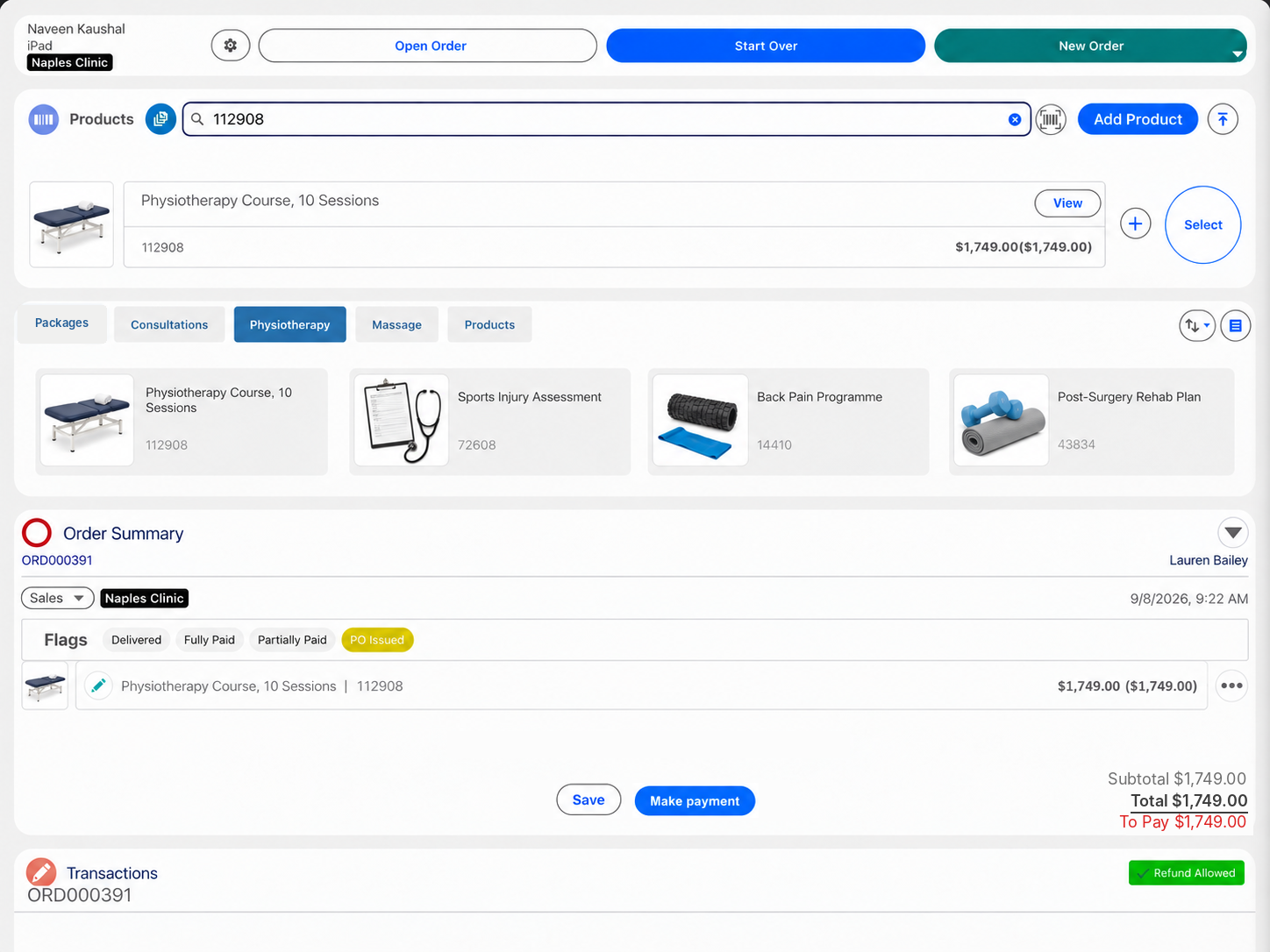
    A service package on a customer's order in Eposly on iPad

    Eposly is the point of sale for service businesses that run Salesforce. Staff open the customer, add a service, package, membership or product to one order and take payment at the desk, on the move or by payment link. Deposits, balances and scheduled card payments are recorded against the customer record in Salesforce, with no separate POS database to reconcile.

    • Services, packages, memberships and products on one order.
    • In person, on iPad or mobile, or by payment link.
    • Deposits, balances and scheduled card payments on the customer record.
    • Customer history in view while staff sell.

    Which service businesses does Eposly work with?

    Eposly fits service-led organisations that sell to known customers, members or supporters and need to manage sales and payments in Salesforce. Choose your business type.

    Healthcare

    Patient-paid treatments, products and balances on the patient record.

    Med spas

    Treatment packages and aftercare skincare, with deposits and balances.

    Gyms and fitness

    Memberships, training and retail at the front desk, with monthly payments.

    Members' clubs

    Dues, pro shop, lessons and events across every outlet in the club.

    Wineries

    Tasting room, event and wine club sales on the customer record.

    Nonprofits

    Donations, admissions, memberships and shop sales at the desk and at events.

    What does a service business need from a point of sale?

    A service business needs a point of sale that knows the customer, sells services and products together, and keeps track of payments that continue after the visit.

    A retail checkout is built for one anonymous payment for a fixed basket. A service sale is different: the customer is known, a package or membership may involve repeat visits, deposits or payments collected over time, and the next visit starts from what was bought last time.

    A service business needs to
    How Eposly handles it
    Capability
    Know the customer at the desk
    Purchases, open orders and balances on the customer record during the sale
    Sell services, packages and products together
    Services, packages, memberships and products from your Salesforce catalogue on one order
    Price for the customer
    Your Salesforce setup can hold member, package and customer-specific pricing, and Eposly applies it as the order is built
    Take payment wherever the customer is
    Card, cash, gift card or a split at the desk, card on iPad or mobile with a connected card machine, or a payment link
    Run several locations
    Location-level users, tax set by location, cash register sessions and reporting from one Salesforce org
    Use what was sold
    Every sale and payment is in Salesforce, ready for reports, follow-up and Marketing Cloud campaigns

    A package sale

    How does a package sale work from start to finish?

    One order on the customer record, from the first payment to the last.

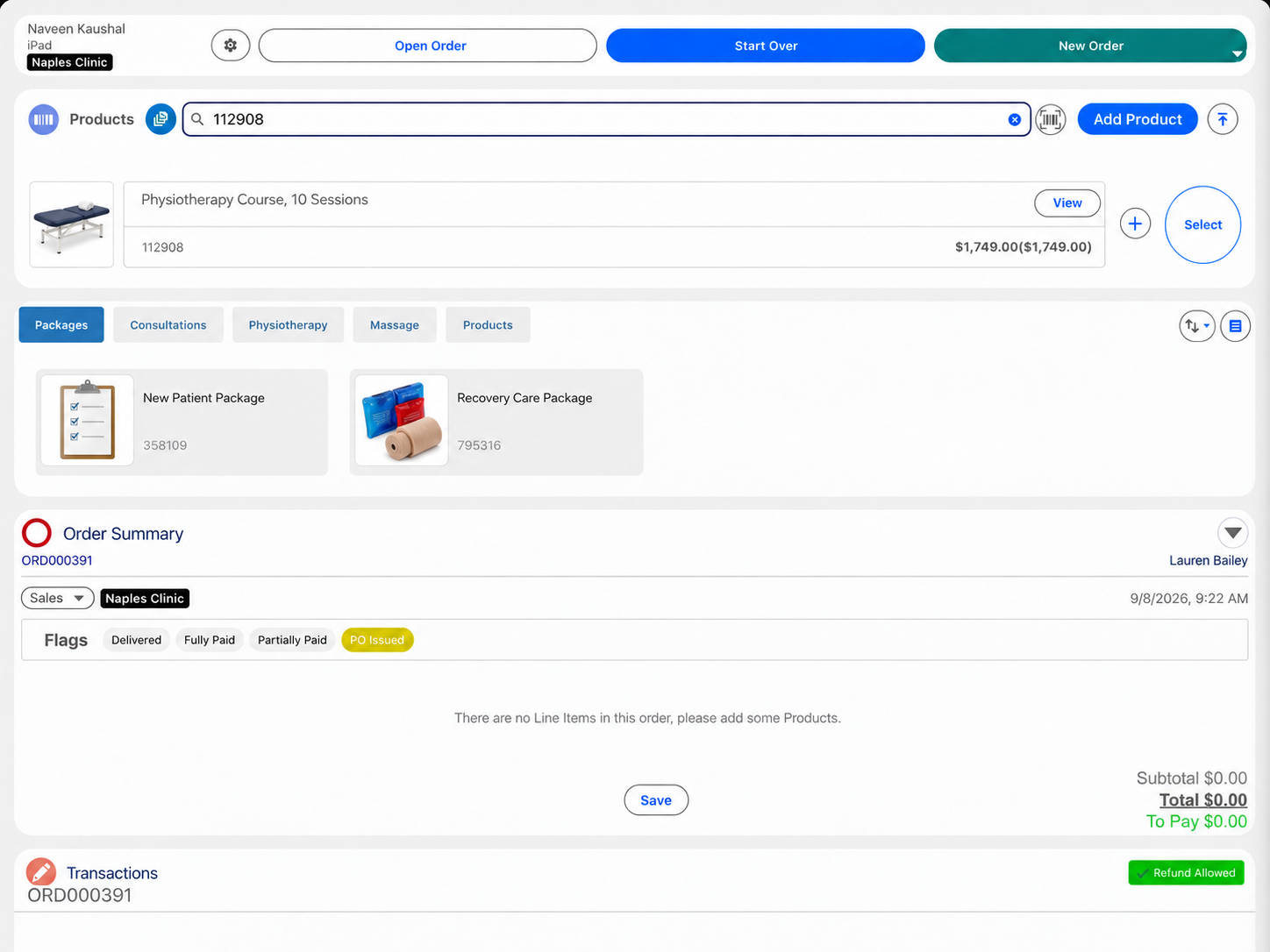
    1. Finding a service while starting a customer's order in Eposly
    2. A package added to the customer's order in Eposly
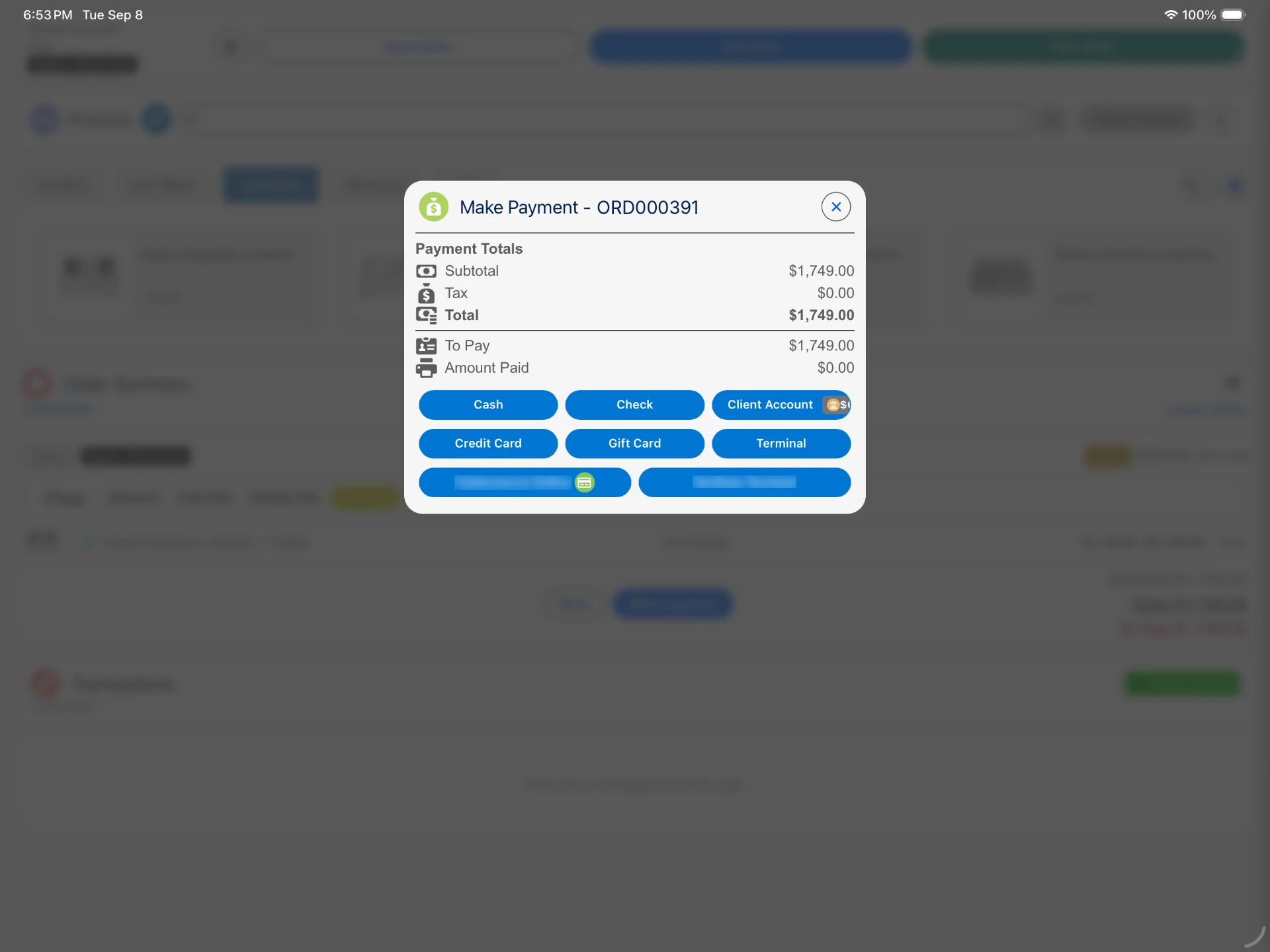
    3. Taking a first payment on a package in Eposly
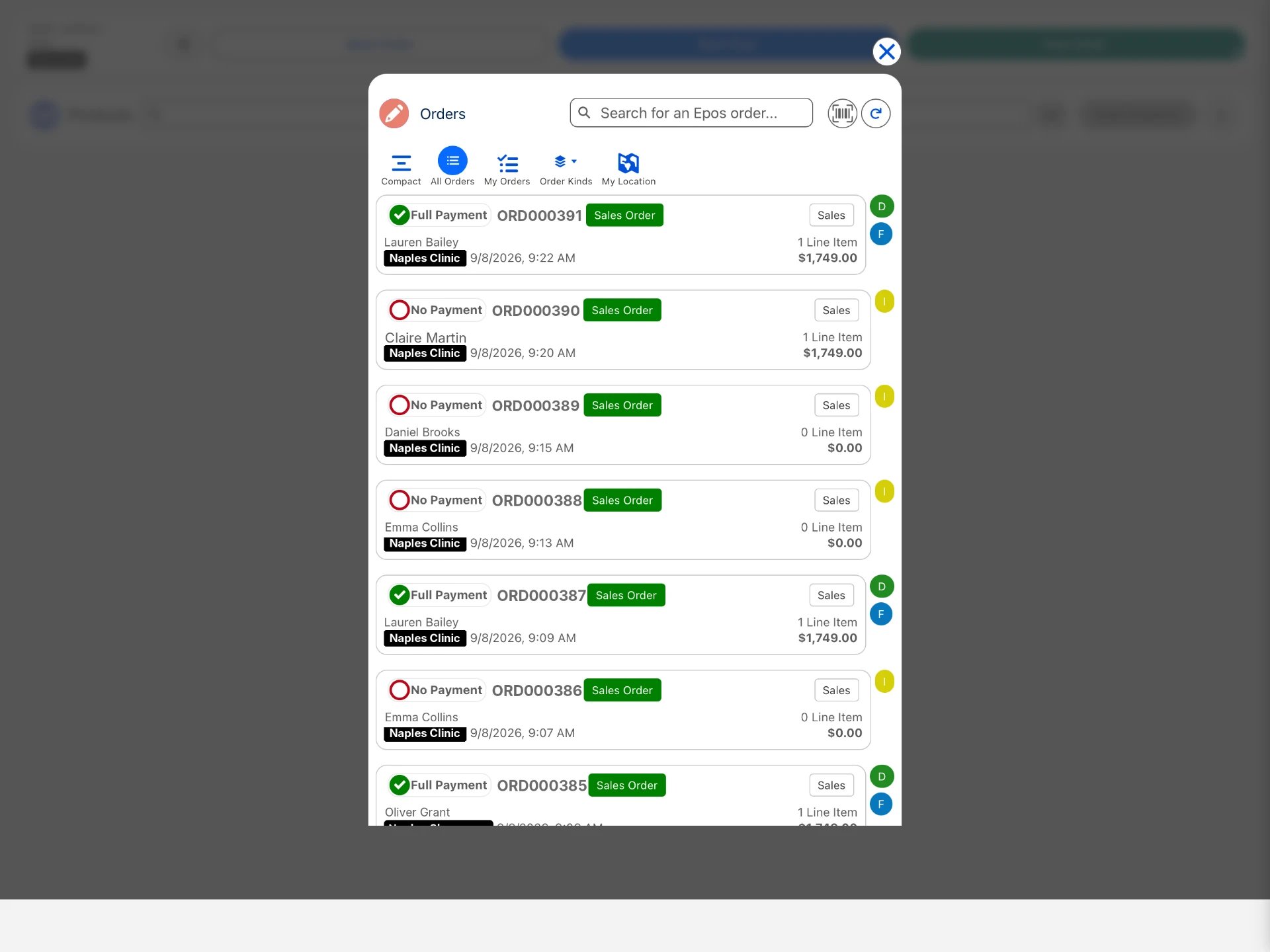
    4. The order with its payment status in the Eposly order list
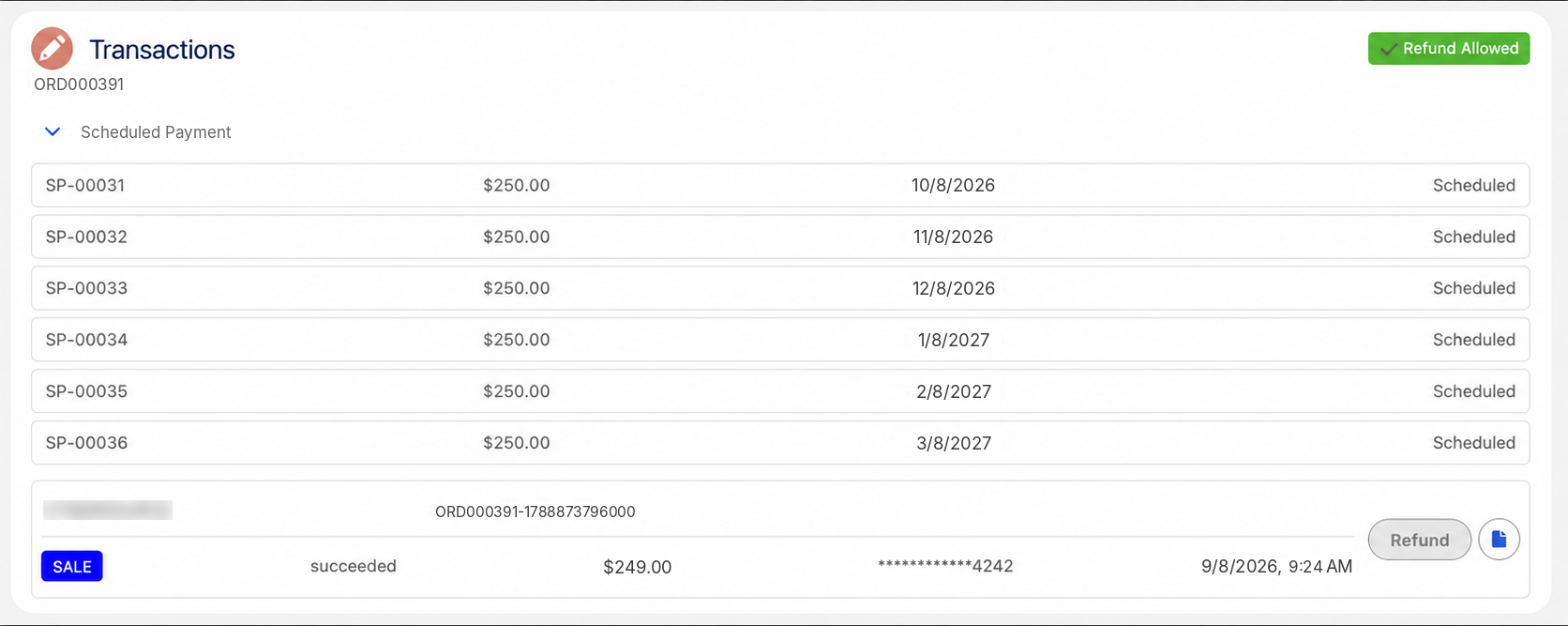
    5. The payments on the order in Salesforce
    Finding a service while starting a customer's order in Eposly

    How are payments taken, including deposits and recurring payments?

    Situation
    How it is paid
    A service or product today
    Card, cash, gift card or a split, in one step
    A package or course of treatments
    Deposit at booking, balance at a later visit
    Away from the desk
    Card on iPad or mobile with a connected card machine
    The customer is not there
    Payment link for part or all of the amount
    Memberships, dues, rentals and payment plansNew
    First payment at the desk, then a recurring schedule on the customer's saved card

    Recurring schedules run with a supported payment provider. If a collection fails, the schedule pauses and the payment shows in a Salesforce report for follow-up.
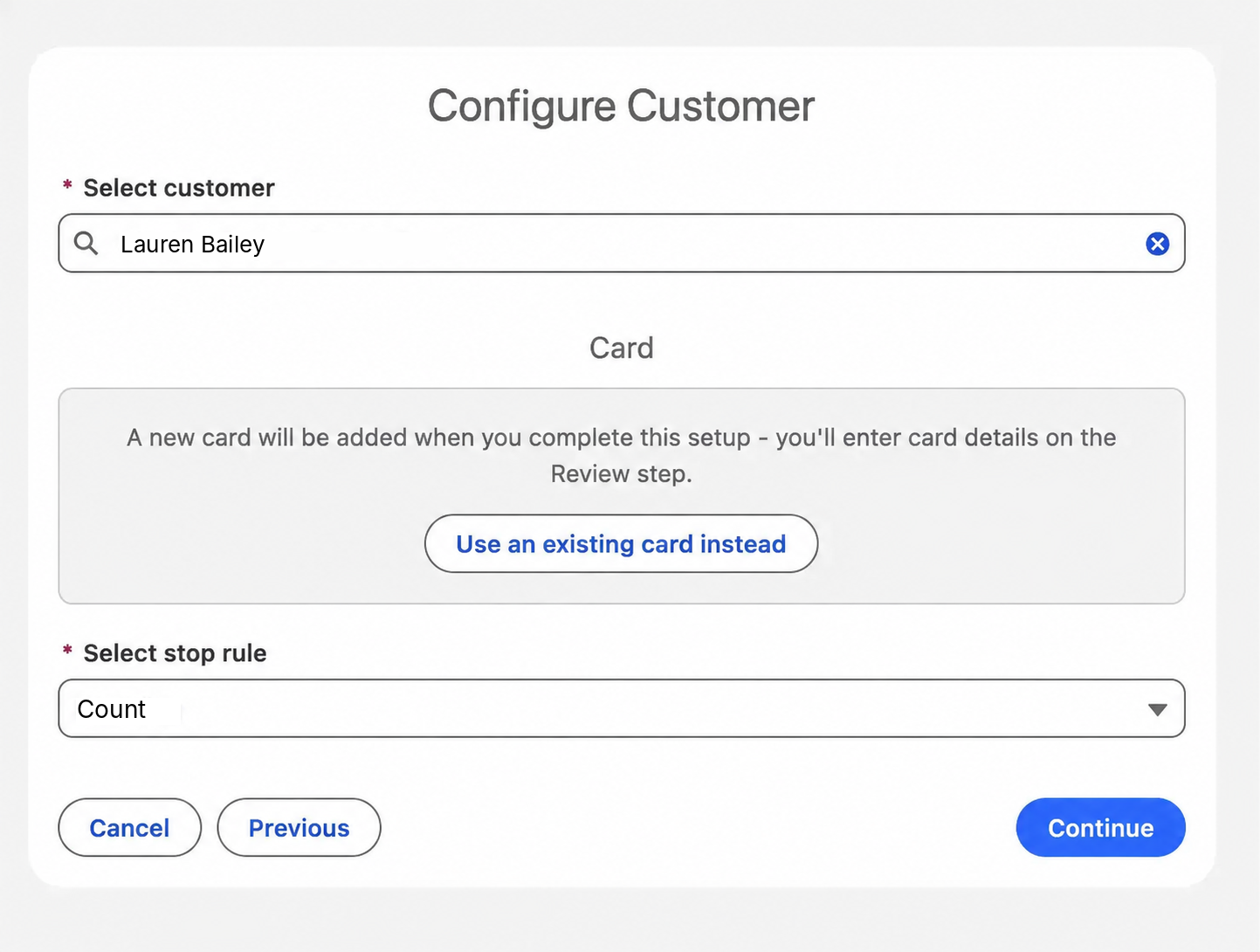
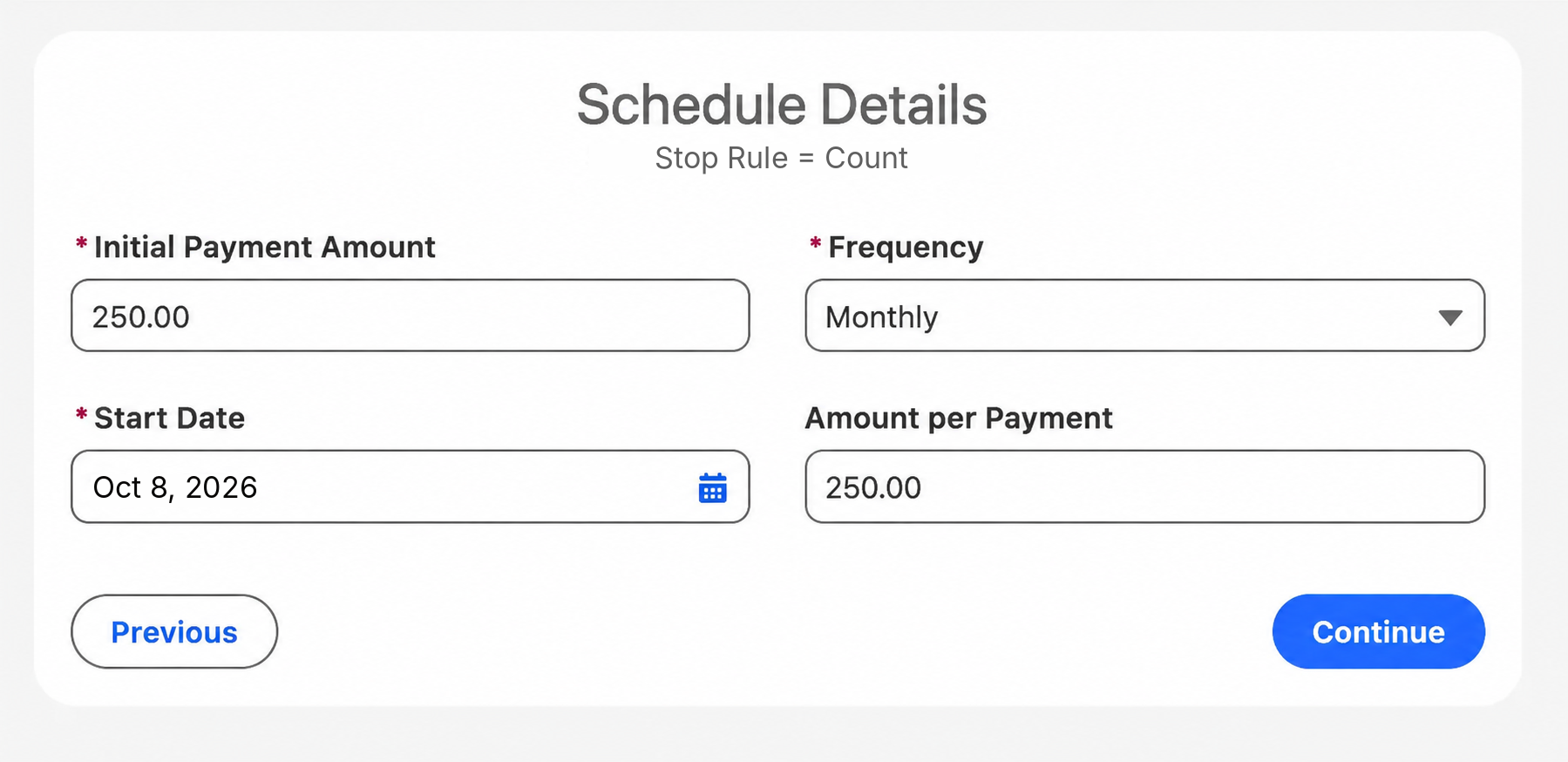
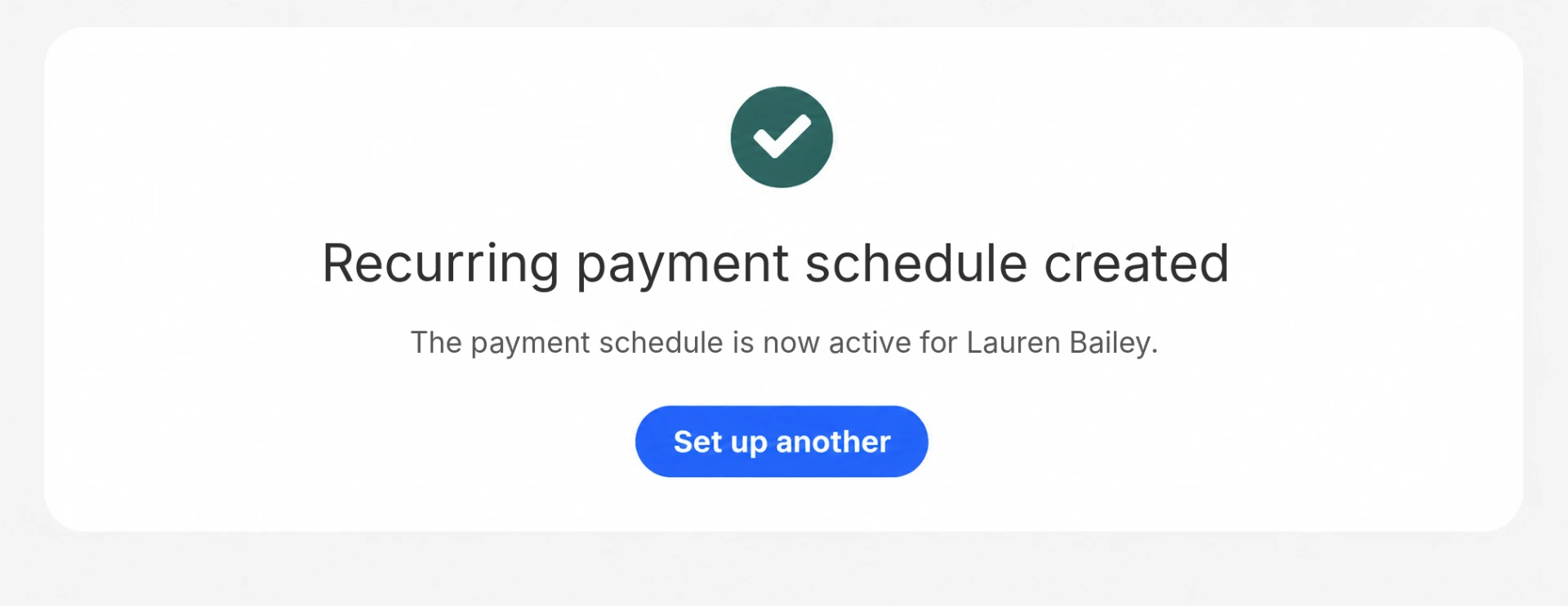
    Setting up scheduled card payments on a customer's saved card in EposlySchedule details: monthly payments and start dateConfirmation that the payment schedule is active

    How many systems does a service business actually need at the desk?

    Fewer than most run. When the sale and the payment run inside Salesforce, the separate POS database and the sync that keeps it aligned drop out.

    Layer
    Typical service business stack
    With Eposly in Salesforce
    Customer record
    Salesforce
    Salesforce
    Point of sale
    Separate POS with its own customer and sales data
    Eposly, inside Salesforce
    Card payments
    Payment provider, linked to the POS
    Payment provider, linked to Eposly in Salesforce
    Keeping the two aligned
    Sync or middleware between the POS and Salesforce
    No separate POS database to reconcile
    Booking, scheduling, charting or club management
    Specialist software
    Unchanged
    Finance and accounting
    Finance system
    Unchanged, fed from Salesforce

    Eposly does not replace practice, booking or club management software, or the finance system. It replaces the separate POS and the work of keeping it aligned with Salesforce.

    What does the record and audit trail show?

    After every sale, Salesforce shows:

    • Who the customer was, and which staff member made the sale, at which location.
    • What was sold: services, packages, memberships and products.
    • How it was paid: methods, deposits, balances and any payment schedule.
    • The order and its payment status.
    • Refunds and returns against the original order.

    These are standard Salesforce records, so they follow your Salesforce permissions and audit controls. Card details are tokenised by the connected PCI-compliant payment provider and kept out of the customer record.

    Which service businesses already run on Eposly?

    100% rental and sales inventory accuracy. 8.5% sales increase year to year.

    Omring, site-reported results

    A Dutch senior-care provider running mobility-aid sales and rentals inside Salesforce, with a mobile point of sale designed for an elderly client base.

    “Eposly enabled us to connect our vineyard stores, our website and tasting rooms all to Salesforce. Not only the data we captured helped us provide tailored wine recommendations to our patrons.”
    Milton Mednick, Managing Director, Pearl Morissette

    A boutique Ontario winery whose sommeliers take payments in the vineyard store, the tasting room and at off-site events.

    Service businesses one-pager

    Take this page to your team

    The key points of this page in one document to share with your team, including the service businesses we cover.

    By downloading, you agree to our privacy policy.

    Is Eposly the right fit for your business?

    Eposly fits service businesses that:

    • run Salesforce as the system for their customers, not only for reporting;
    • sell face to face to known customers, often services and products together;
    • sell packages, memberships or payment plans that are paid over time;
    • want every sale and payment on the customer record, ready for the next visit.

    Another option is a better fit when:

    • the business needs insurance billing, claims or clinical revenue cycle management;
    • the business does not run Salesforce, or plans to leave it;
    • booking, scheduling and charting are the main need, rather than the sale and the payment.

    One note for planning: every staff member who sells through Eposly needs a Salesforce user licence.

    FAQ

    A service sold face to face to a known customer, often with products alongside it and payments that continue after the visit. Clinics, med spas, gyms, members' clubs, wineries, nonprofits, medical equipment rental and tyre and auto service all work this way.

    Yes. They are products in your Salesforce catalogue, sold on orders against the customer record, with deposits, balances and scheduled card payments recorded against the same record. How sessions are redeemed and counted depends on your Salesforce implementation.

    No. Eposly runs the sale and the payment in Salesforce. Booking, scheduling, charting, access control and club management stay in the systems built for them.

    Salesforce on its own is a CRM. With Eposly, staff build the order, take payment and record it against the customer in Salesforce in one flow.

    Related reading

    Run your service sales in Salesforce

    See how a point of sale runs inside Salesforce.