Specialty retail POS that runs the whole sale inside Salesforce

    Configure products, apply pricing and take payment in Salesforce, with the details of each sale linked to the client record.
    A Salesforce client record open beside the Eposly cart, showing purchase history during a jewellery sale

    Eposly is a specialty retail POS built for stores where the sale needs a conversation. Staff configure the item, apply pricing, take payment and create the order on the client's Salesforce record, in one flow. Deposits, part-payments and scheduled card payments are recorded against the client record in Salesforce, with no separate POS database to reconcile.

    • Runs inside Salesforce, under your Salesforce permissions and audit controls.
    • Configured items and price adjustments are recorded with the sale.
    • Deposits, split tender, part-payments and scheduled card payments on the client record.
    • Staff see purchase history and preferences during the sale.
    • Rated 5.0 on the Salesforce AppExchange.

    Which specialty retail businesses does Eposly work with?

    Eposly fits retailers whose sales are assisted, considered and tied to a known client. Choose your business type.

    Jewellers

    Configured pieces, pricing and payments, with the client's history in view.

    Furniture

    Quotes, deposits and payments, from the showroom to delivery.

    Home and lighting retailers

    Showroom sales, deposits and delivery, with showroom, warehouse and online teams on the same customer record.

    What does a specialty retail counter need from a point of sale?

    A specialty retail POS has to carry the context of the sale, not just the total: who the client is, what was configured, how the price was reached, and how the balance will be paid.

    That is the difference from a standard retail POS. A standard POS is built for fast, anonymous checkout of fixed-price items. Specialty retail sells through conversation, options change the price, and the client comes back.
    What the counter needs
    How Eposly handles it
    Capability
    Know the client at the start of the sale
    Purchase history, preferences and open orders are visible on the client record during the sale
    Price configured and bespoke items
    Options set the price, and price adjustments are recorded on the order
    Take payment the way the client wants to pay
    Card, cash, gift card, split tender, deposits and part-payments in one payment step
    Create the order without re-keying
    The order is created on the client record as payment completes
    Run several stores from one setup
    Store-level users, location-specific tax and order types, reporting across stores
    Use sales data for the next conversation
    What was configured, priced and bought is in Salesforce, ready for reports, segments and Marketing Cloud campaigns
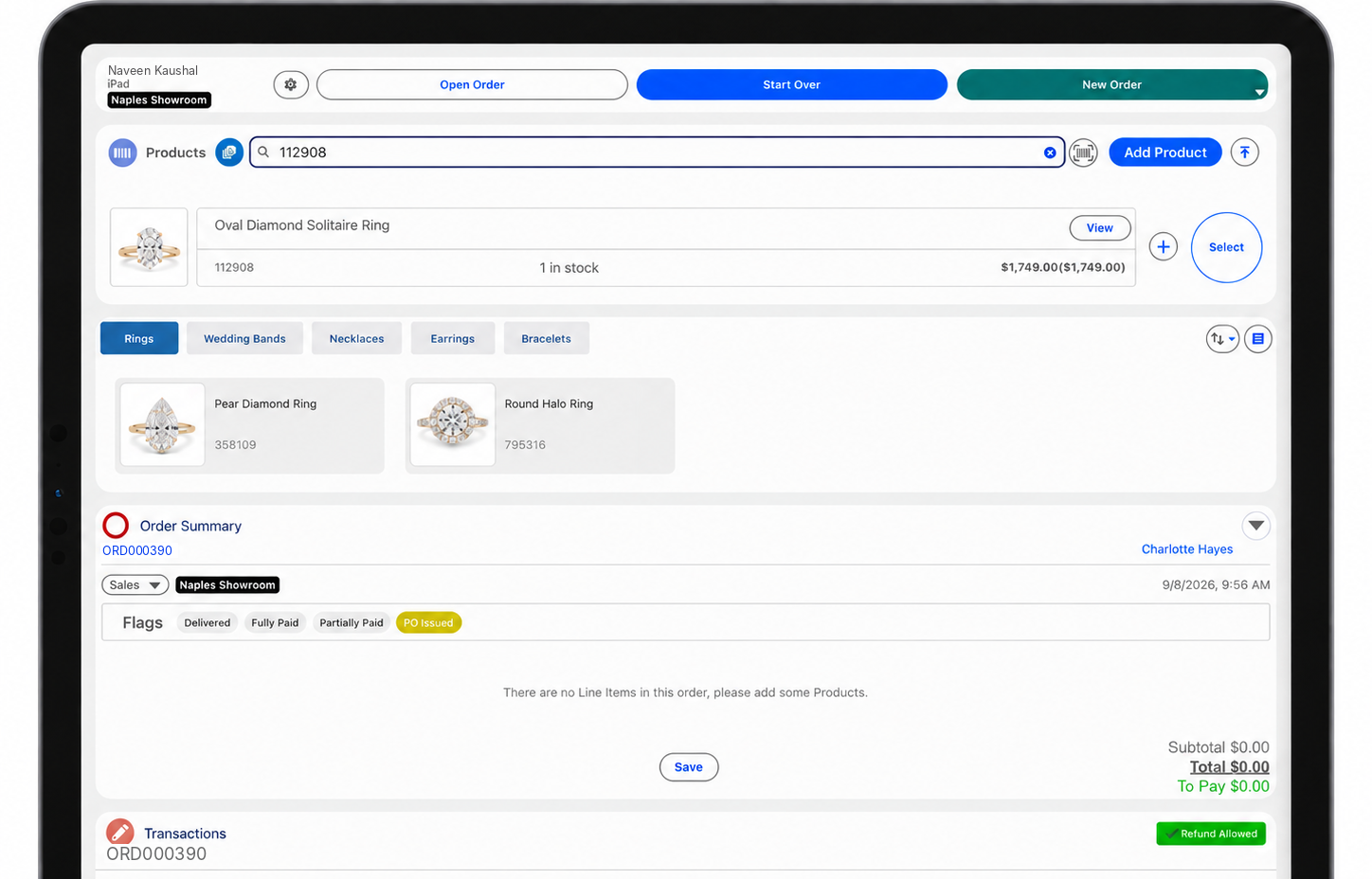
    A configured item in the Eposly cart with a recorded staff price adjustment

    One sale

    How does one sale work from start to finish?

    From the client record to the order, in one flow.

    1. Finding a client and their purchase history in Eposly inside Salesforce
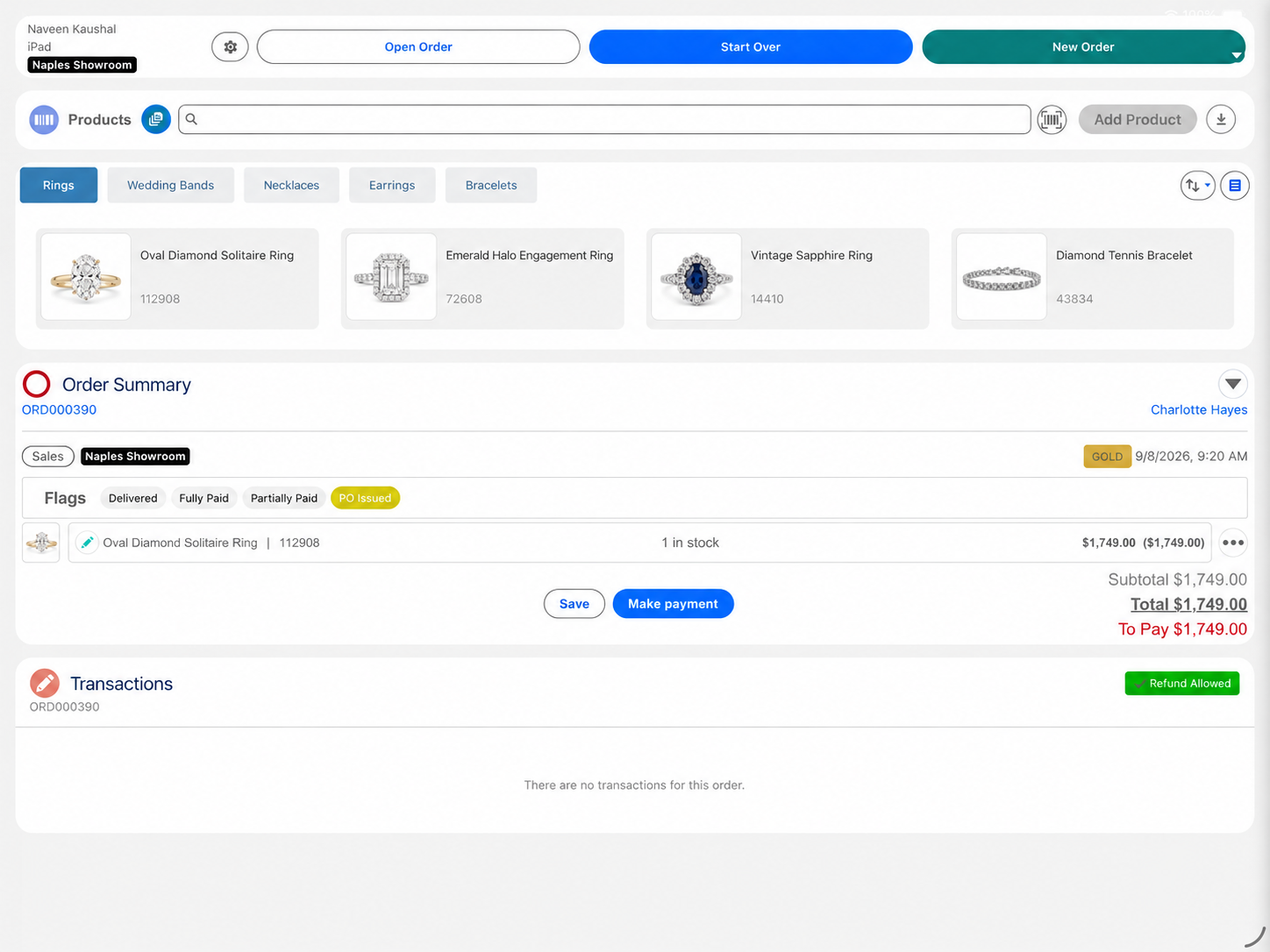
    2. A configured item in the Eposly cart
    3. A configured item in the Eposly cart with a recorded staff price adjustment
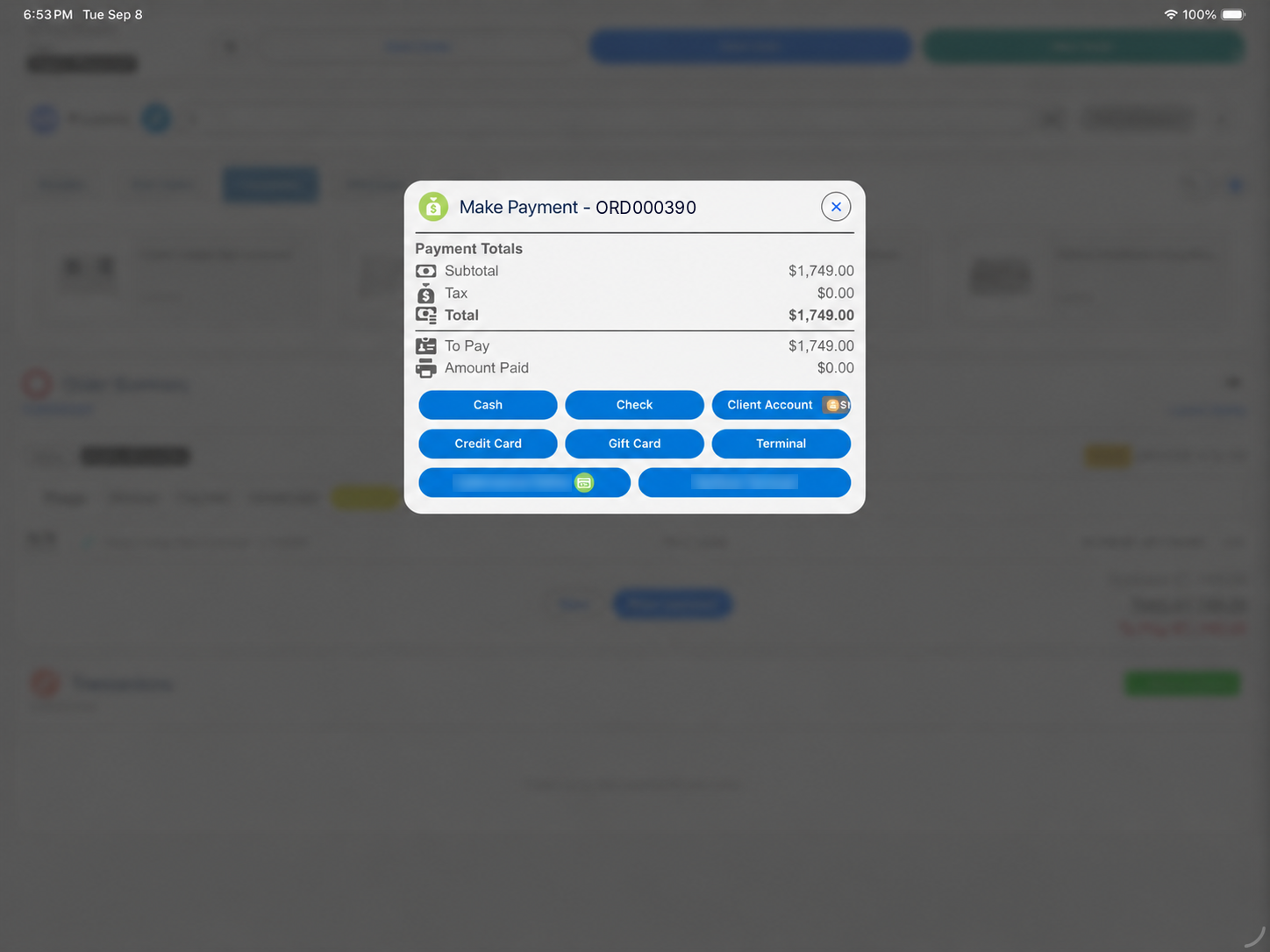
    4. Taking a deposit at the payment step in Eposly
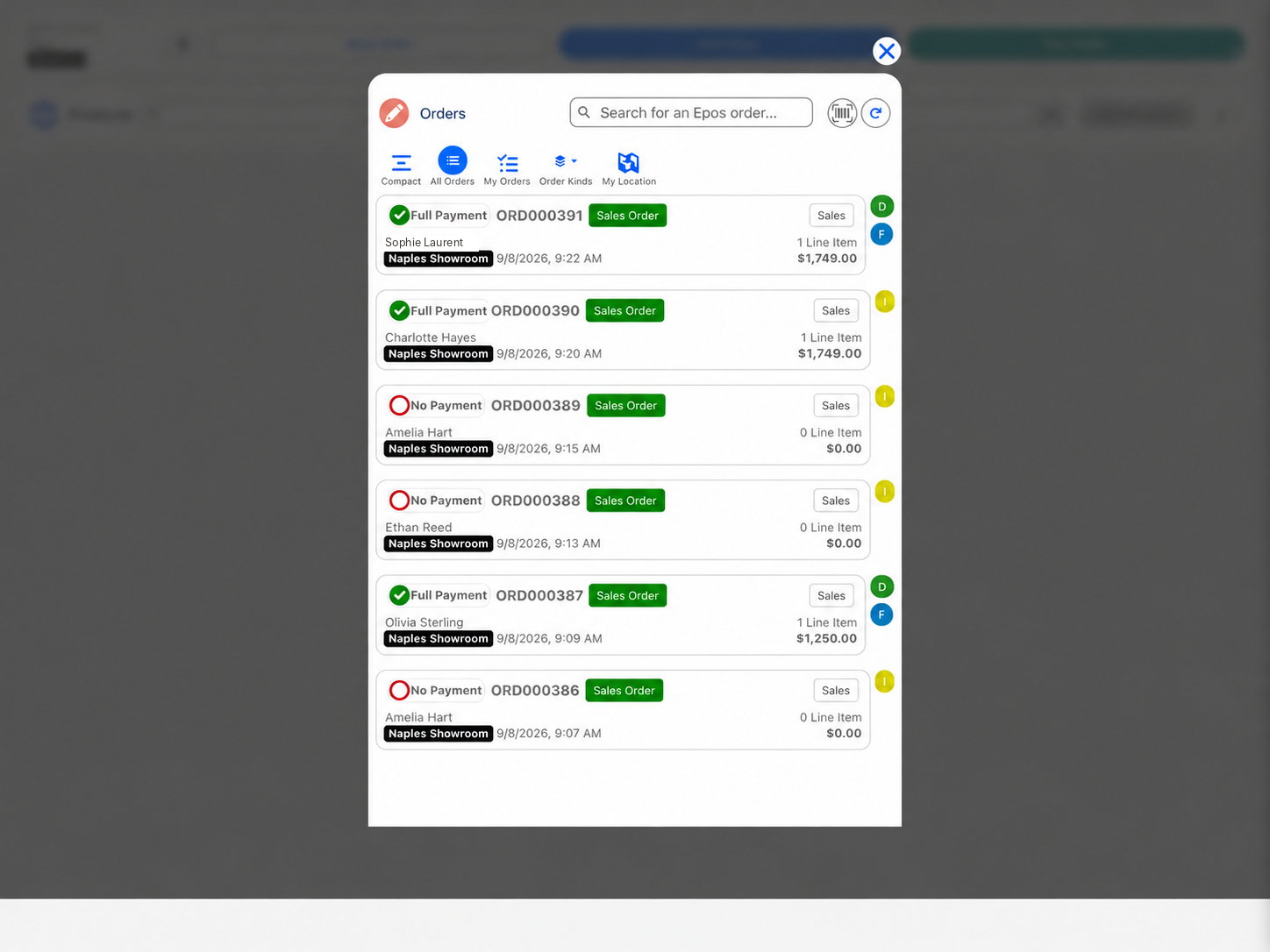
    5. The order in the Eposly order list
    6. The order in the Eposly order list
    7. The order and its payments on the client record in Salesforce
    Finding a client and their purchase history in Eposly inside Salesforce

    How are payments taken, including deposits and recurring payments?

    For orders involving deposits, part-payments or balances, Eposly records each payment against the order in Salesforce:

    • Deposits

      Take a deposit in the payment step. The order carries a deposit status, and staff mark it finalised or picked up when the client completes it.

    • Part-payments and balances

      Collect the balance at the next visit, or send a pay-by-link for part or all of the outstanding amount.

    • Split tender

      Card, cash and gift card in one transaction.

    • Scheduled card paymentsNew

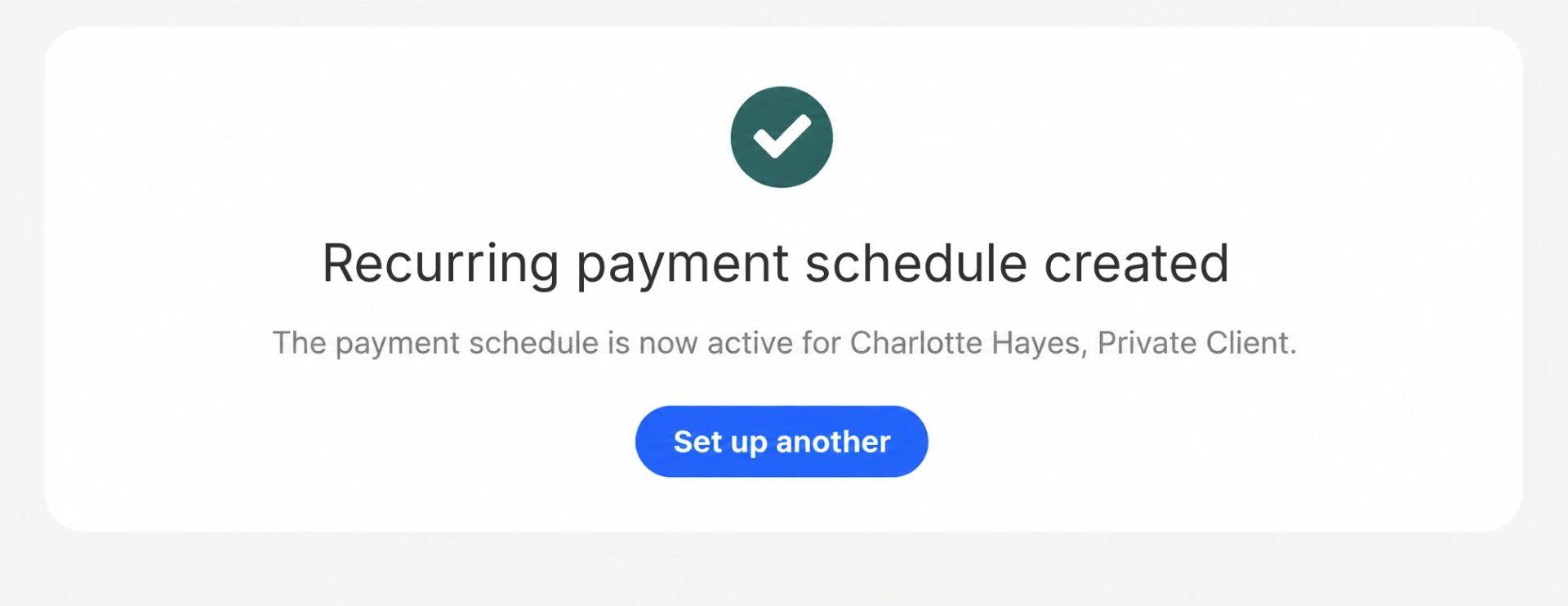
      Set up a schedule on the client's saved card, for example a payment plan on a high-value piece, directly from the order. A failed collection pauses the schedule and shows in a Salesforce report for follow-up. Recurring schedules run with a supported payment provider.

    Every payment is recorded against the order and the client record in Salesforce, so the balance and payment history sit next to the order.
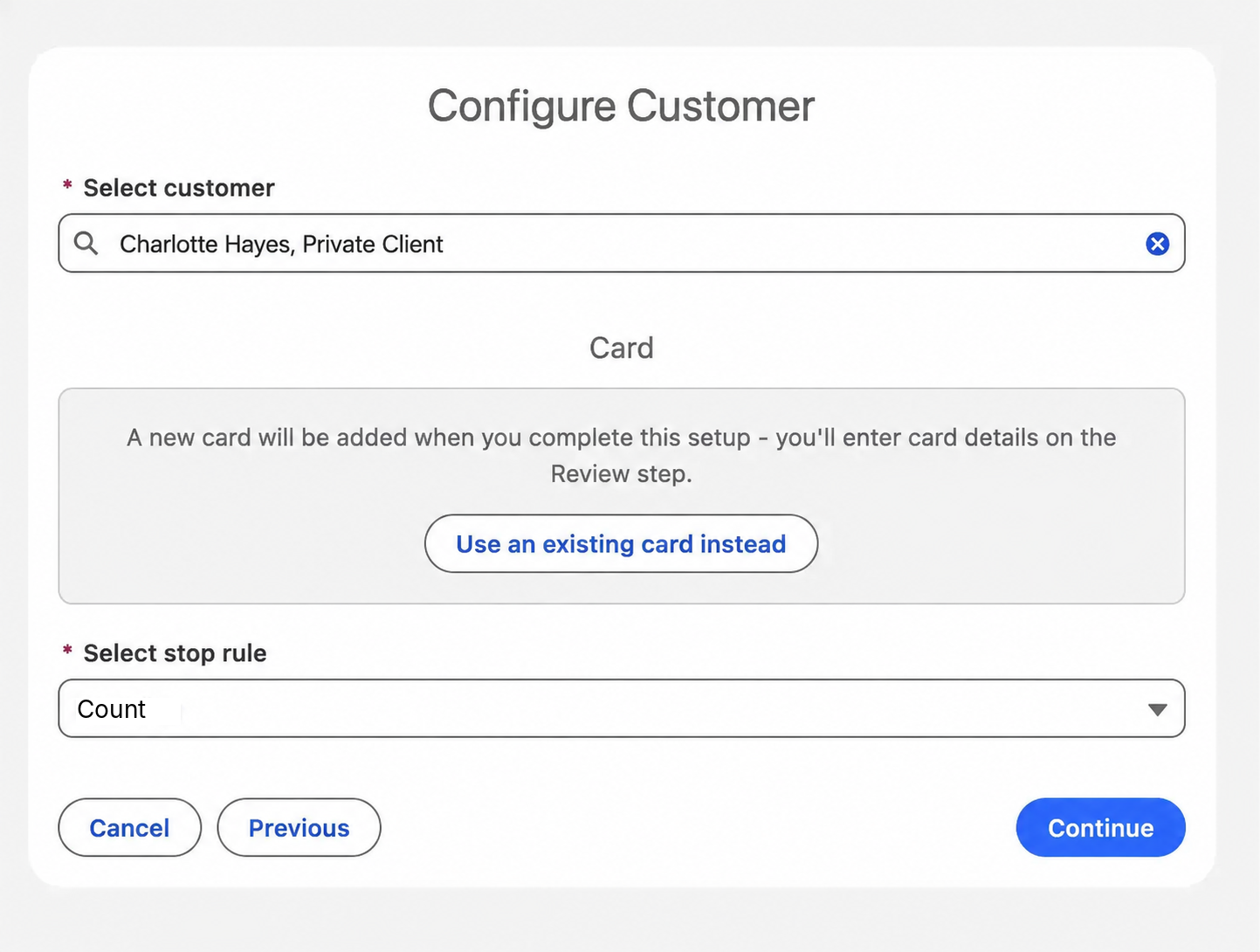
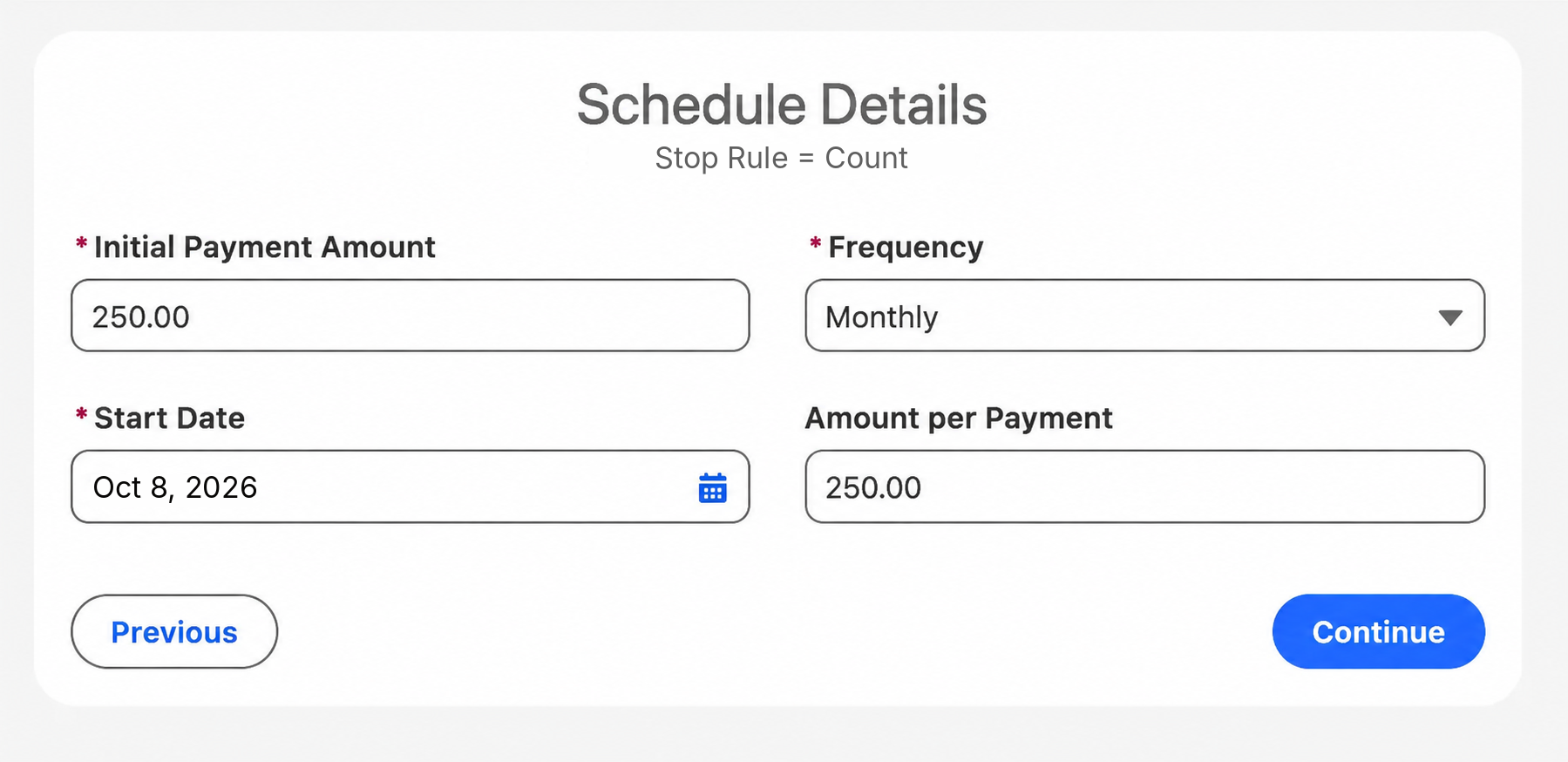
    Setting up scheduled card payments on a client's saved card in EposlySchedule details: monthly payments and start dateConfirmation that the payment schedule is active

    How many systems does a specialty retail counter actually need?

    Fewer than most retailers run. When the transaction runs inside Salesforce, the separate POS database and the sync that keeps it aligned drop out.

    Layer
    Typical specialty retail stack
    With Eposly in Salesforce
    Client record
    Salesforce
    Salesforce
    Point of sale
    Separate POS with its own customer and sales database
    Eposly, inside Salesforce
    Payment terminal and provider
    Payment provider, linked to the POS
    Payment provider, linked to Eposly in Salesforce
    Keeping the two aligned
    Sync or middleware between POS and Salesforce, maintained by IT or an integrator
    No separate POS database to reconcile
    Order record
    Created in the POS, copied to Salesforce later
    Created in Salesforce at payment
    Sales reporting
    POS reports plus Salesforce reports, reconciled
    Salesforce reports
    ERP, inventory, warehouse
    ERP or WMS
    Unchanged: ERP or WMS, fed from Salesforce

    Eposly does not replace the ERP, warehouse or finance system. It replaces the separate POS and the work of keeping it aligned with Salesforce.

    What does the record and audit trail show?

    After every sale, the Salesforce record shows:

    • Who the client was, and which associate made the sale, at which store.
    • What was sold and how it was configured.
    • The price, and any adjustment.
    • How it was paid: methods, deposit, balance and any recurring schedule.
    • The order and its status through fulfilment or pickup.
    • Refunds and returns against the original order.

    Because these are standard Salesforce records, they follow your Salesforce permissions and audit controls, and finance can report on them without exporting from a separate POS. Card details are tokenised by the connected PCI-compliant payment provider and kept out of the client record.
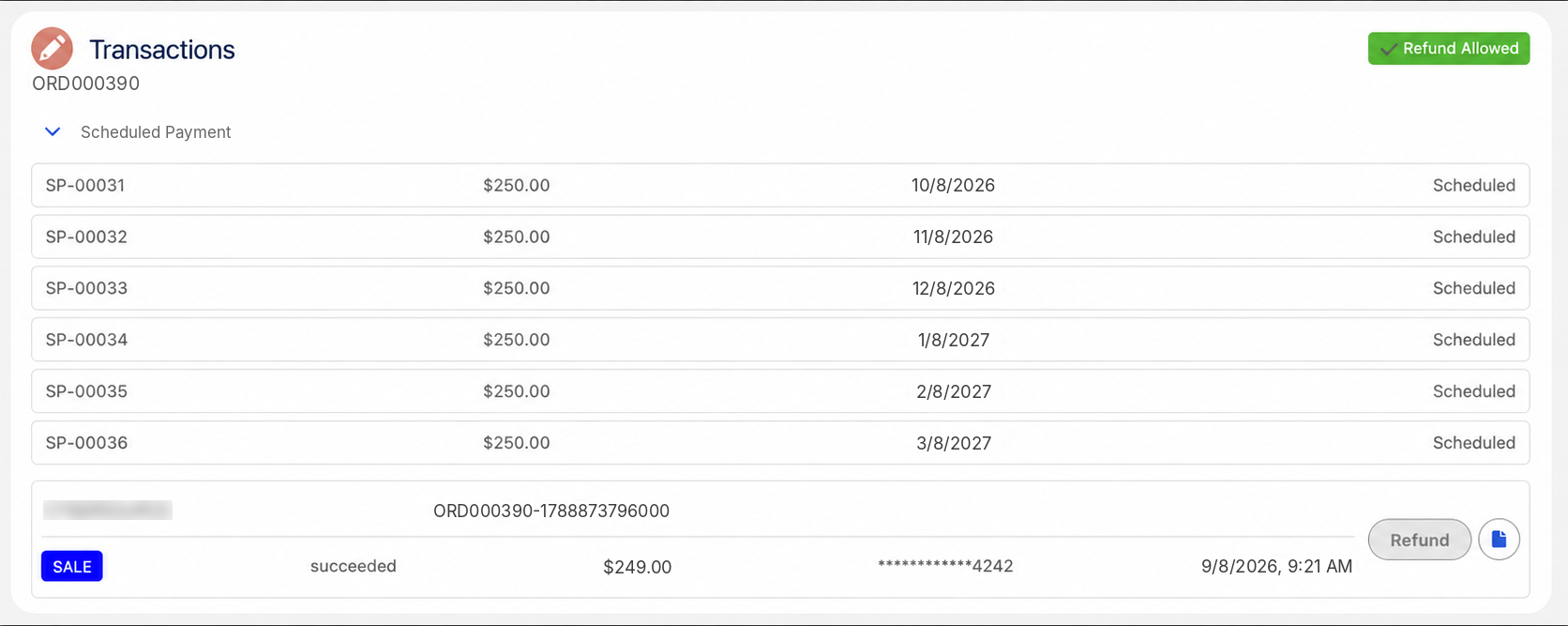
    A Salesforce client record after a sale, showing the order, payments and transaction history

    Which specialty retailers already run on Eposly?

    “Eposly is transforming our business. Enabling retail stores to connect better with customers and allow us to meet critical distributor KPIs.”

    Jo Cameron, Digital Transformation Lead, DMR
    David M RobinsonQLF Brands

    David M Robinson, a European fine jewellery and watch retailer, runs its stores on Eposly. Management sees sales by store, client and associate in real time.

    QLF Brands, a Dutch homewares and lighting retailer, runs Eposly across its showrooms, warehouse and online store. QLF reports 125% more time spent with customers and 50% less time lost on fulfilment management.

    Eposly is rated 5.0 on the Salesforce AppExchange.

    Specialty retail one-pager

    Take this page to your team

    The key points of this page in one document to share with your team, including the specialty retail businesses we cover.

    By downloading, you agree to our privacy policy.

    Is Eposly the right fit for your business?

    Eposly fits specialty retailers that:

    • run Salesforce as the system for their clients, not only for reporting;
    • sell through assisted conversations, often with configuration or price discretion;
    • take deposits, hold open orders or collect balances later;
    • want the sale on the client record so the next conversation starts from it.

    Another option is a better fit when:

    • checkout is high-volume, anonymous and fixed-price, with many registers per store;
    • the business does not run Salesforce, or plans to leave it;
    • the stores must run offline as their main mode;
    • local law requires a fiscalised POS, as in parts of the EU.

    One note for planning: every associate who sells through Eposly needs a Salesforce user licence.

    FAQ

    Yes. Staff configure the item, options update the price, and any adjustment is recorded with the sale. The order can stay open with a deposit until the item is ready.

    Yes, for assisted specialty retail. Eposly takes the place of the separate POS and runs the sale inside Salesforce. It does not replace your ERP, warehouse or finance system.

    No. Clienteling tools act on client data. Eposly makes that data complete by recording what was configured, priced and bought on the client record at the moment of sale.

    Salesforce on its own is a CRM. With Eposly installed, retail teams configure, price, take payment and create the order inside Salesforce, so Salesforce becomes the point of sale.

    Related reading

    Bring your hardest specialty retail sale

    Show us how your associates sell today. We will walk through the same sale in Salesforce: client, configuration, price, deposit and order.