Specialty retail
The home decor point of sale that runs inside Salesforce
Sell in the showroom, take deposits and set delivery directly in Salesforce. Showroom, warehouse and online teams work from the same customer record.
Try the interactive demo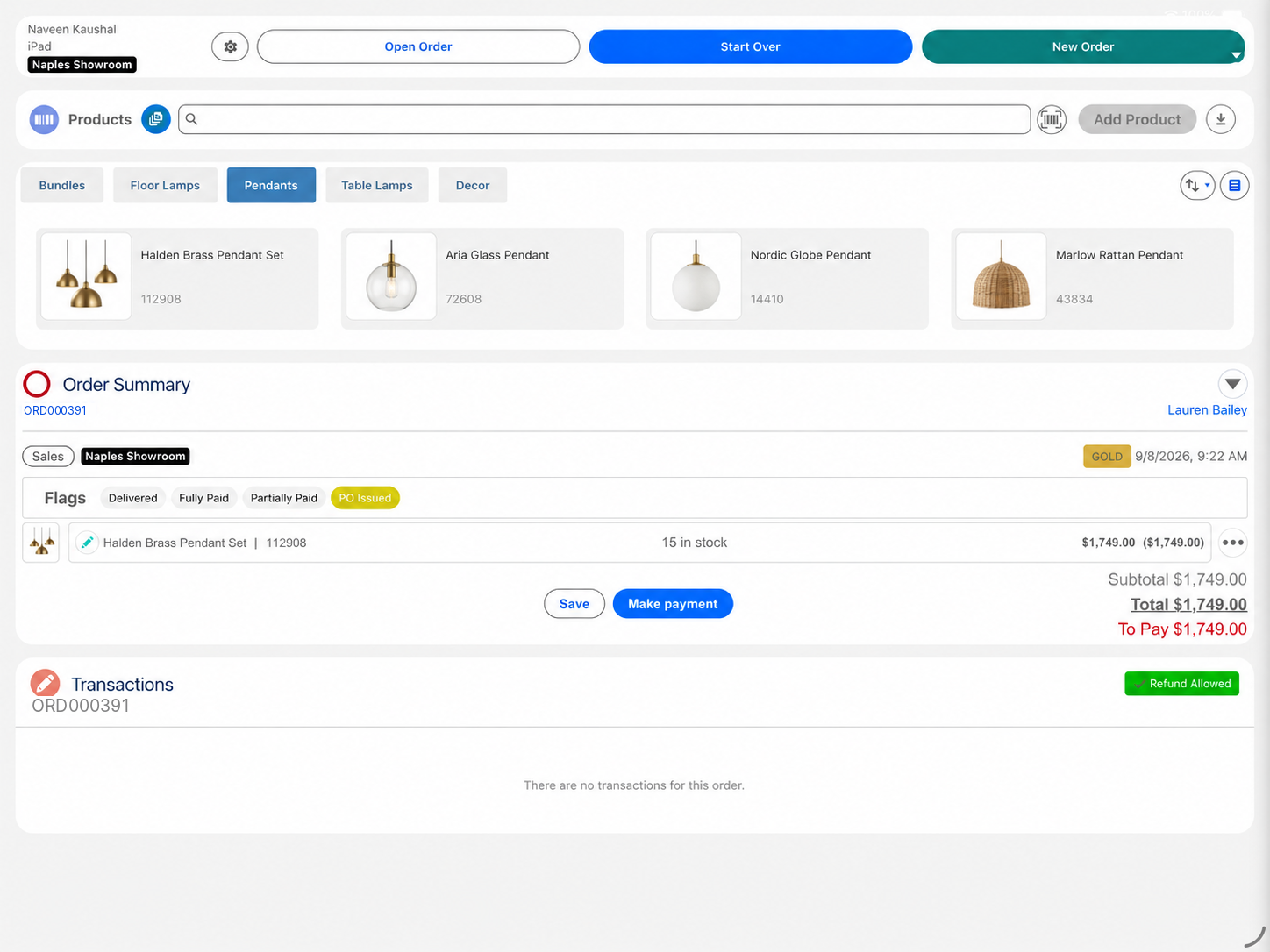
Eposly brings home and lighting sales and payments directly into Salesforce. Staff capture showroom visitors, build the order with stock in view, take a deposit on special orders and set delivery for each item. The order and payments stay connected to the customer record your showroom, warehouse and online teams already use.
- Showroom visitors captured as leads or customers in Salesforce
- Deposits on special orders, balance collected on delivery
- Delivery set for each item on the order
In the showroom
What makes selling home decor and lighting different?
A home and lighting sale runs across channels and weeks.
Customers shop across channels
They browse online, visit the showroom and expect staff to see both.
Not every visit ends in a sale
Showroom visitors who are not ready to buy need following up.
Special orders take weeks
A deposit now, and the balance when the items arrive.
Orders arrive in parts
A room's worth of lighting and decor can be delivered on different dates.
Trade buyers come back
Interior designers expect their pricing and order history to follow them.
A special order
How does Eposly handle a special order from showroom to delivery?
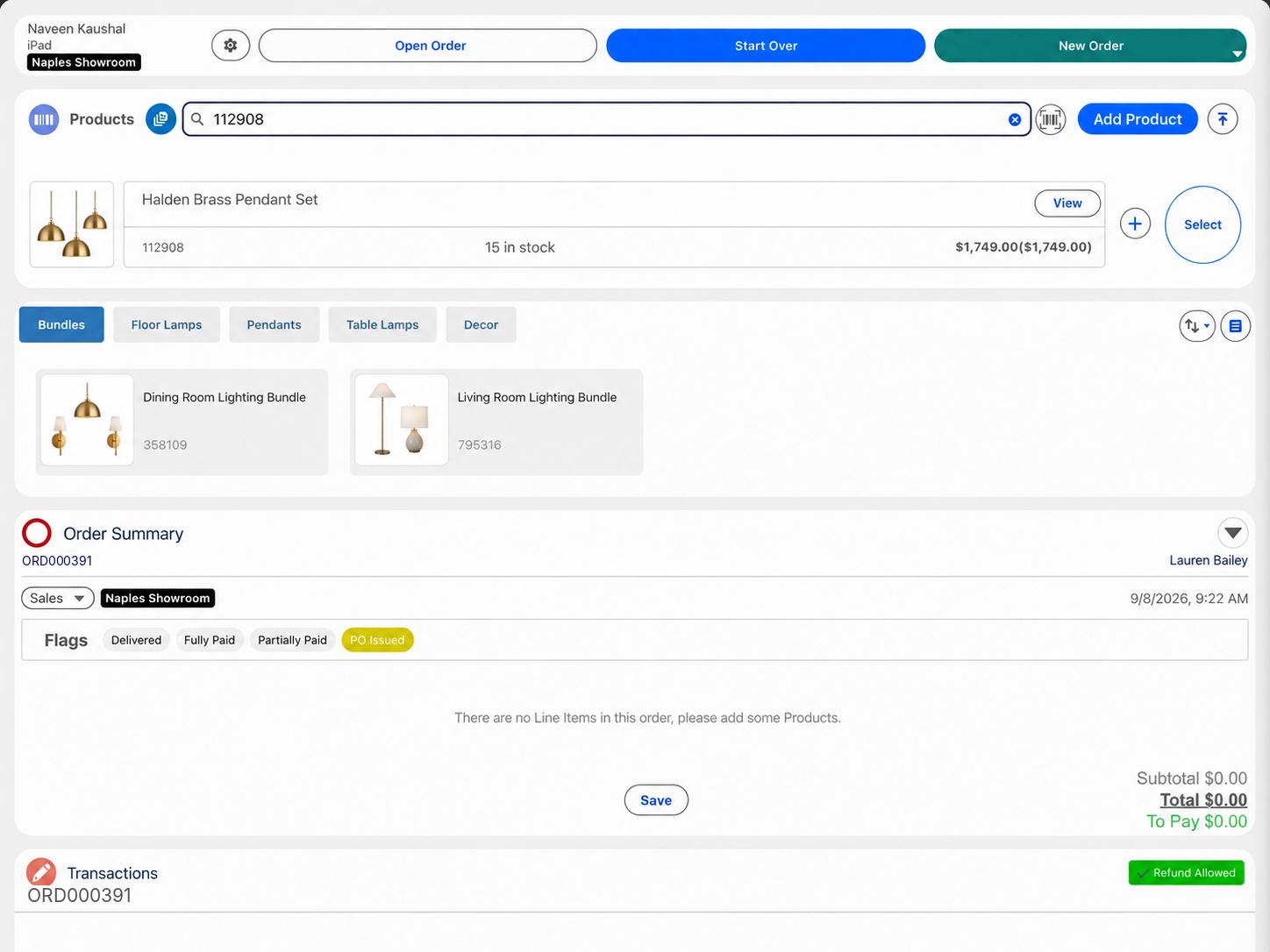
One open order on the customer record, from showroom visit to the last delivery.
What does a home and lighting retailer need from its point of sale?
How do showroom, warehouse and online sales stay on one customer view?
The order and the payment are created in Salesforce at the moment of sale, on the customer record your online and warehouse teams already use. There is no separate POS customer list to merge later.
Payments
How do customers pay for home decor and lighting?
- In-stock item taken todayCard, cash or mobile payment in one step, anywhere in the showroom on a tablet.
- Special orderDeposit at order, balance on delivery.
- Balance once delivery is bookedPay-by-link for part or all of the amount due.
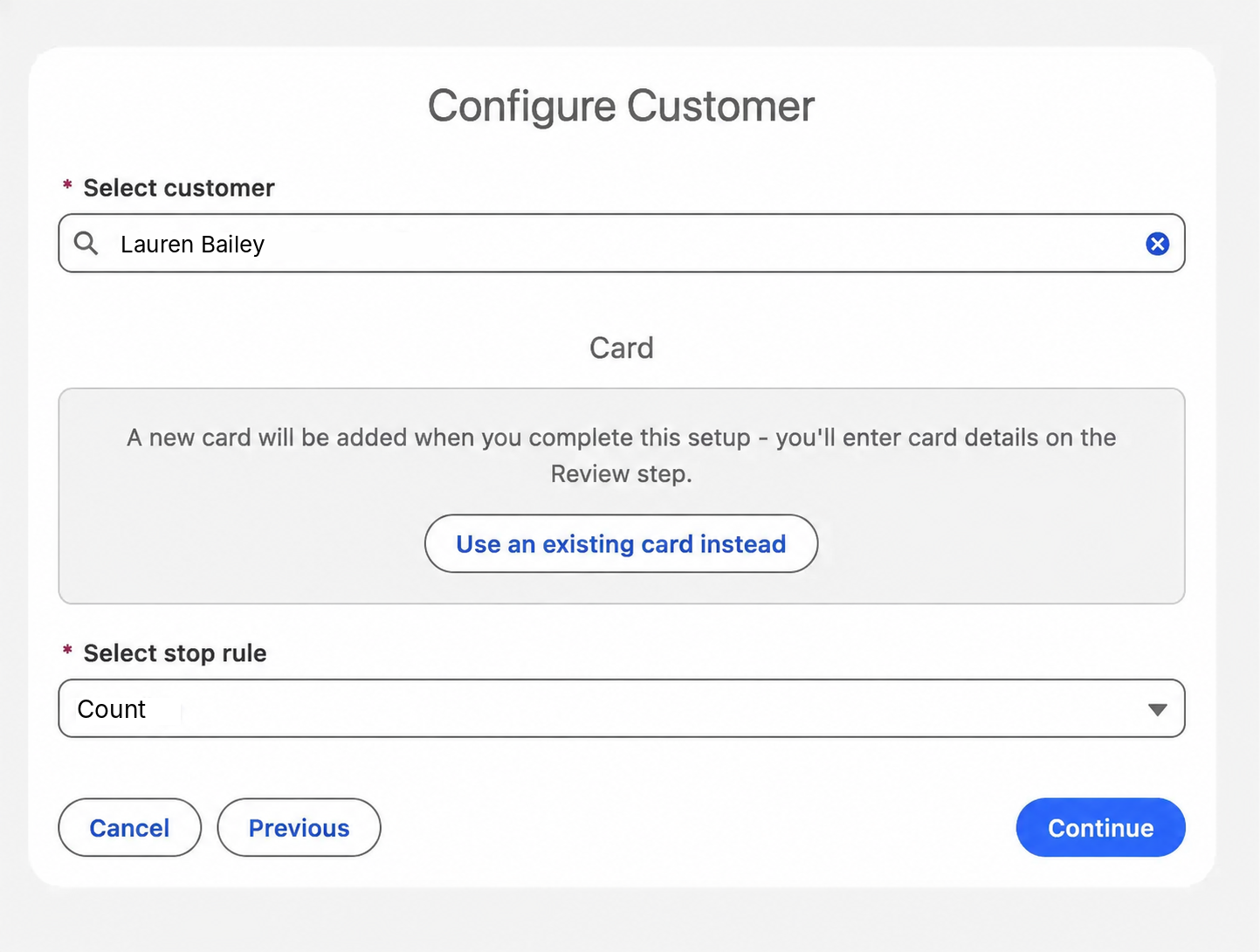
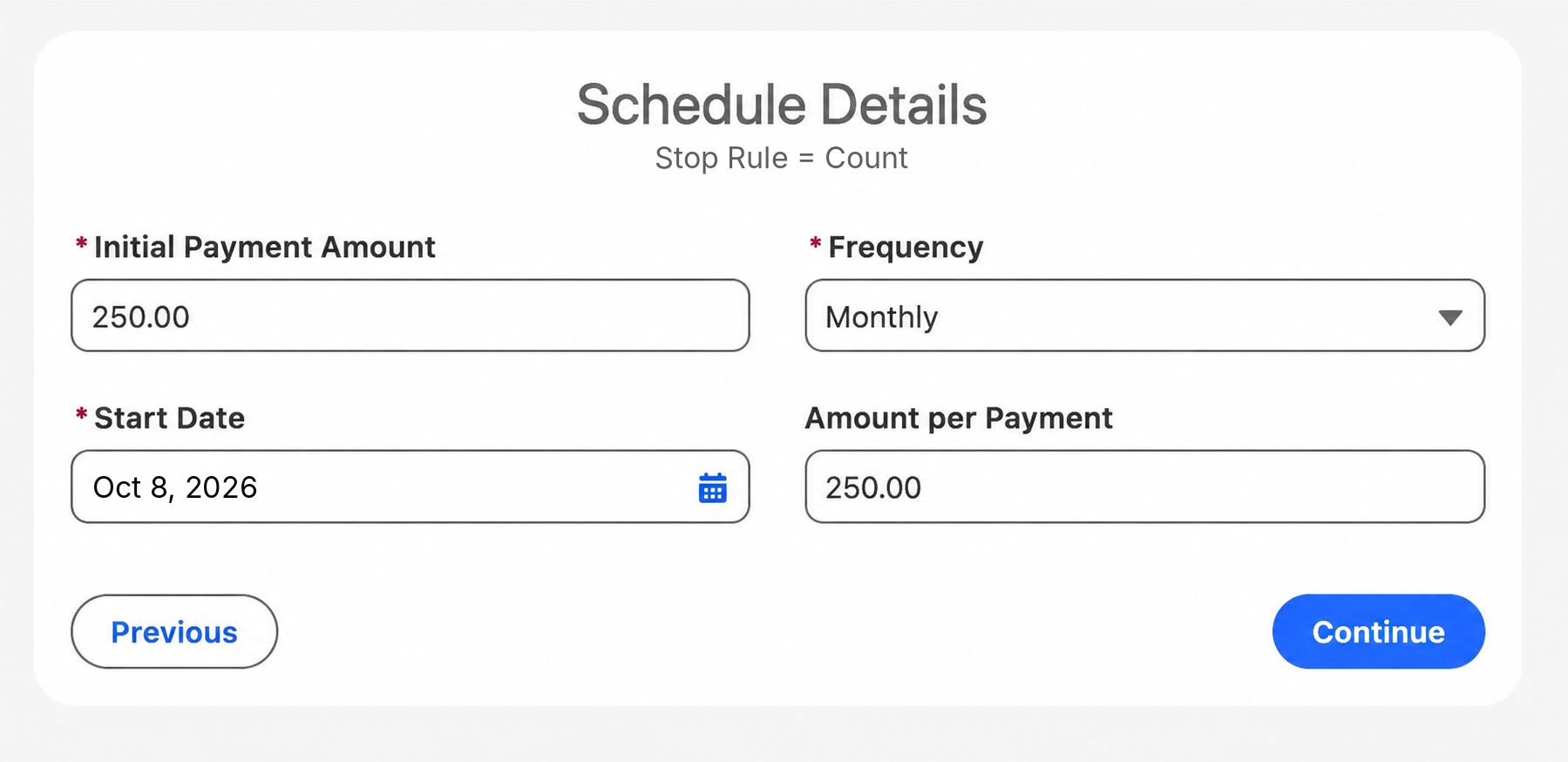
- Scheduled card payments on a larger purchaseNewA recurring schedule on the customer's saved card that stops once the order is paid off. Each payment is recorded against the order.
125% more time spent with customers. 50% less time lost managing fulfilment.QLF Brands, site-reported results

A Dutch homewares and lighting retailer running Eposly across its showrooms, warehouse and online store on Salesforce Sales and Service Cloud.
 5.0 on Salesforce AppExchange
Where do home and lighting retailers fit within specialty retail?
Home and lighting retail follows the specialty retail pattern: an assisted sale, a known customer and an order that stays open until delivery.
Home and lighting POS one-pager
Take this page to your team
The key points from this page in one document to share with your team.
By downloading, you agree to our privacy policy.
Questions buyers ask
Can we capture showroom visitors who are not ready to buy?
Yes. Staff record the visitor as a lead or customer in Salesforce while they are in the showroom, so your team can follow up.
Can one order be delivered in parts?
Yes. Fulfilment is set for each item on the order, and the deposit, payments and delivery stay on that one order until the last item is delivered and paid.
Can staff take payment anywhere in the showroom?
Yes. Staff sell from a tablet on the showroom floor, with the customer record and the order on screen, and take card, cash or mobile payment in the same flow.
Bring your home and lighting sales into Salesforce
See a showroom order run inside Salesforce.