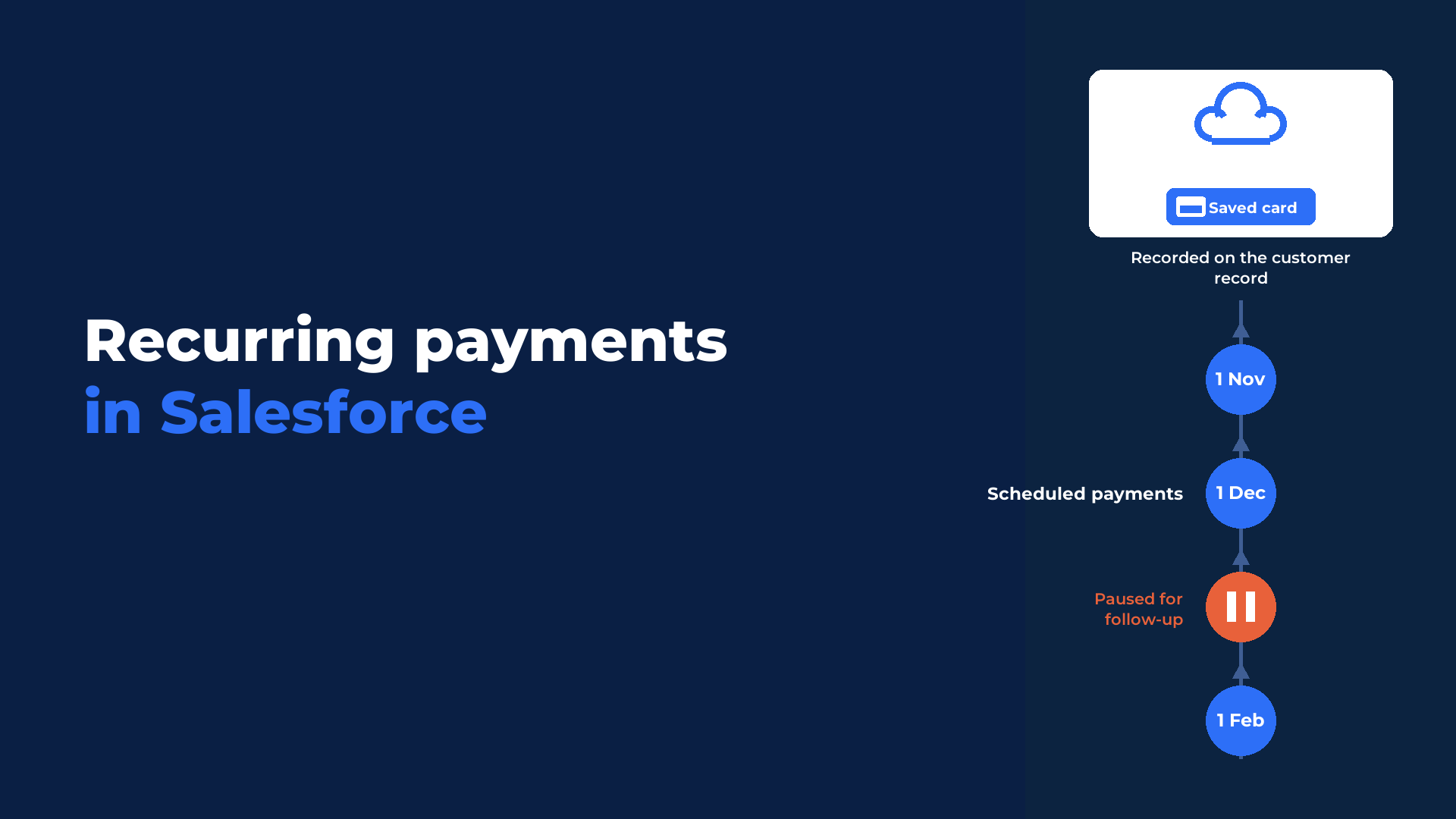
Recurring payments in Salesforce let your team collect agreed payments from the same customer on a schedule, using a saved card. In Eposly, you define the collection schedule and how it ends. Eposly then collects each payment as it falls due and records the result in Salesforce. If a payment fails, the schedule pauses and is flagged for follow-up.
The key points of this article, in brief:
- Scheduled collection uses a saved card. A new card can also be saved during setup.
- The collection frequency is flexible.
- A schedule ends on a set date, after a number of payments, once a balance has been collected, or stays open-ended.
- Each payment and its outcome stays in Salesforce, connected to the customer.
- A failed payment pauses the schedule and needs manual follow-up. There are no automatic retries.
- Recurring payments are available in both Eposly Point of Sale and Eposly Payments.
What counts as a recurring payment?
A recurring payment is an agreed charge taken from the same customer on a repeating schedule, using a card the customer agreed to save.
Memberships, payment plans, donations and service plans all work this way. A clinic collecting payments for an agreed treatment plan and a service desk collecting a monthly fee follow the same pattern. Eposly collects the scheduled payments; it does not run the membership, donation programme or service plan itself. For context, the Federal Reserve's 2025 Payments Study found that cards accounted for over three quarters of US noncash payments by number in 2024.
| Pattern | What it looks like | What it needs in Eposly |
|---|---|---|
| Fixed schedule | The same amount on a regular frequency, such as a monthly membership | A saved card, a collection frequency and a stop rule |
| Instalments | An agreed total paid in parts, such as a payment plan | A saved card, a collection frequency, and a schedule that ends after a number of payments or once the balance is collected |
| Initial payment, then a schedule | An optional first payment now and the rest on a schedule | An initial payment taken during setup, with the card saved for the payments that follow |
| Usage based (outside Eposly's scope) | An amount that changes each cycle with what the customer used | A billing or subscription system. Eposly collects agreed amounts and does not calculate charges from usage |
What do recurring payments in Salesforce support today?
Recurring payments collect agreed amounts on a saved card, with a flexible collection frequency and four ways for a schedule to end: a set date, a number of payments, a collected balance, or open-ended.
Due payments are collected automatically, and each payment and its outcome is recorded in Salesforce alongside the rest of the customer's data.
Recurring payments are available in the October 2026 Eposly Point of Sale release. The release highlights are on the recurring payments What's New page.
Recurring payments are available in both Eposly Point of Sale and Eposly Payments. In Point of Sale, recurring collection sits alongside Eposly's broader sales and transaction capabilities.
Recurring collection depends on a saved card. How card-on-file works is explained in what card-on-file is, and how it works on a Salesforce record.
What happens when a payment fails?
When a scheduled payment fails, Eposly pauses the schedule, records the reason and flags it for follow-up in Salesforce. Failed payments are not retried automatically.
The follow-up sits with your team, in the same Salesforce environment they already work in. Agree in advance who owns it.
When do you still need a subscription billing system?
You still need a billing or revenue management system when the process has to calculate usage-based charges, issue invoices or manage revenue recognition. Eposly's role is narrower: it collects agreed scheduled payments and records the result in Salesforce.
Eposly is not a subscription billing, invoicing or revenue-recognition platform, and broader subscription lifecycle management stays elsewhere. Settlement with the payment provider and general-ledger reconciliation also stay in your finance processes.
| Task | Where it is handled |
|---|---|
| Collecting each scheduled card payment | In Salesforce, by Eposly |
| Recording each payment and its outcome | In Salesforce, by Eposly |
| Pausing and flagging a failed payment | In Salesforce, by Eposly |
| Following up a failed payment | By your team. Eposly does not retry automatically |
| Issuing invoices | In a billing system |
| Calculating usage-based charges | In a billing system |
| Recognising revenue | In a billing or revenue management system |
| Settlement and general-ledger reconciliation | In your finance processes |
Which payment gateways support recurring payments?
Recurring card payments require a supported payment gateway configured in the Salesforce org. They currently work with CardConnect / Stitch Payments in the US and Stripe in most regions. Recurring payments rely on card-on-file support.
Eposly handles card payments in line with PCI DSS, the card industry's security standard, whose current version 4.0.1 was published by the PCI Security Standards Council in June 2024.
What should your team do next?
A good starting point is any payment your team already collects manually on a predictable schedule, for example a membership, payment plan, donation or service plan where the amount is agreed in advance and paid by card.
Settle these questions before the first schedule goes live:
- Has the customer agreed to their card being saved and charged on this schedule?
- Is the amount agreed in advance, or does it change with usage?
- Do you want to take an initial payment as part of setup?
- Should the schedule end on a set date, after a number of payments, once a balance is collected, or stay open-ended?
- Who in your team follows up when a payment fails?
Anything that needs invoices, usage-based charges or revenue recognition stays with a billing system.
How to set up recurring payments directly in Salesforce
Recurring payments are set up directly in Salesforce. Choose the customer, card and schedule once, then let Eposly handle the payments that follow. Start by opening the Setup Recurring Payment component in Salesforce.
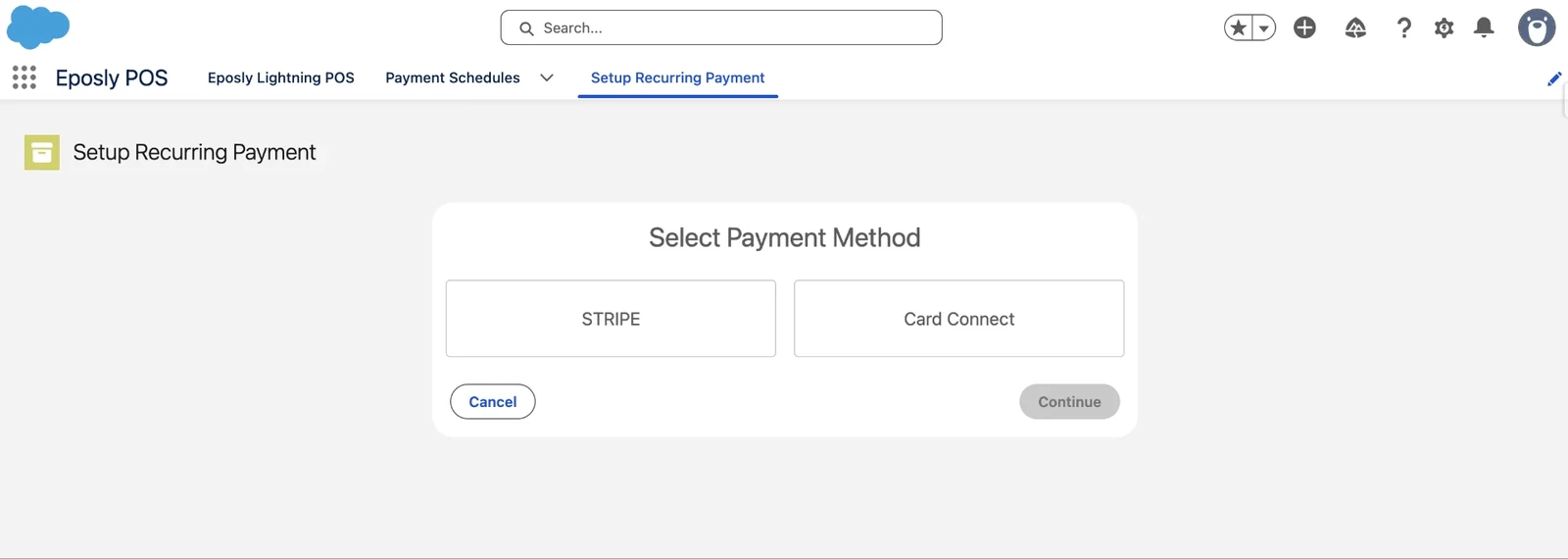
1. Choose the payment gateway
Select the supported payment gateway configured in your org.
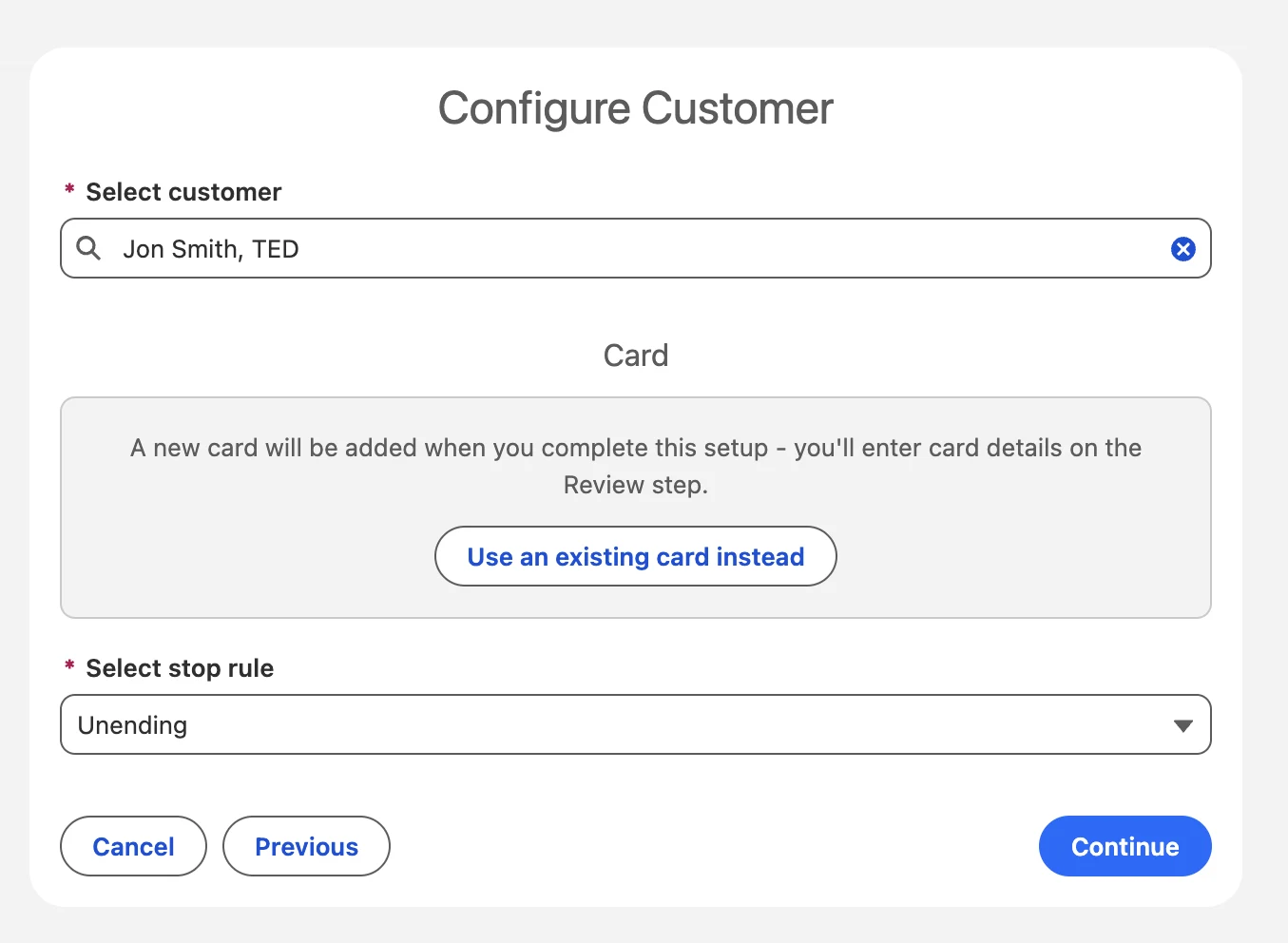
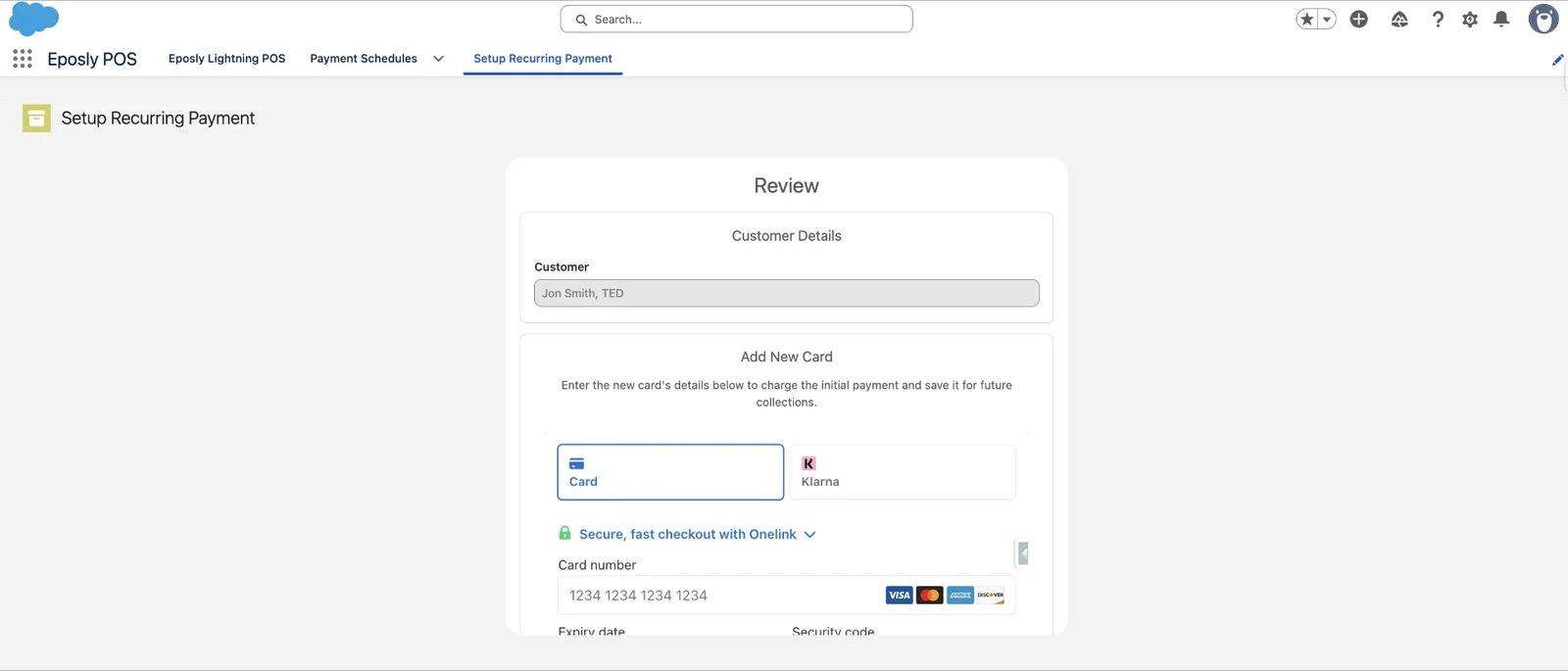
2. Choose the customer and card
Find the customer, then use an existing saved card or add a new card during setup.
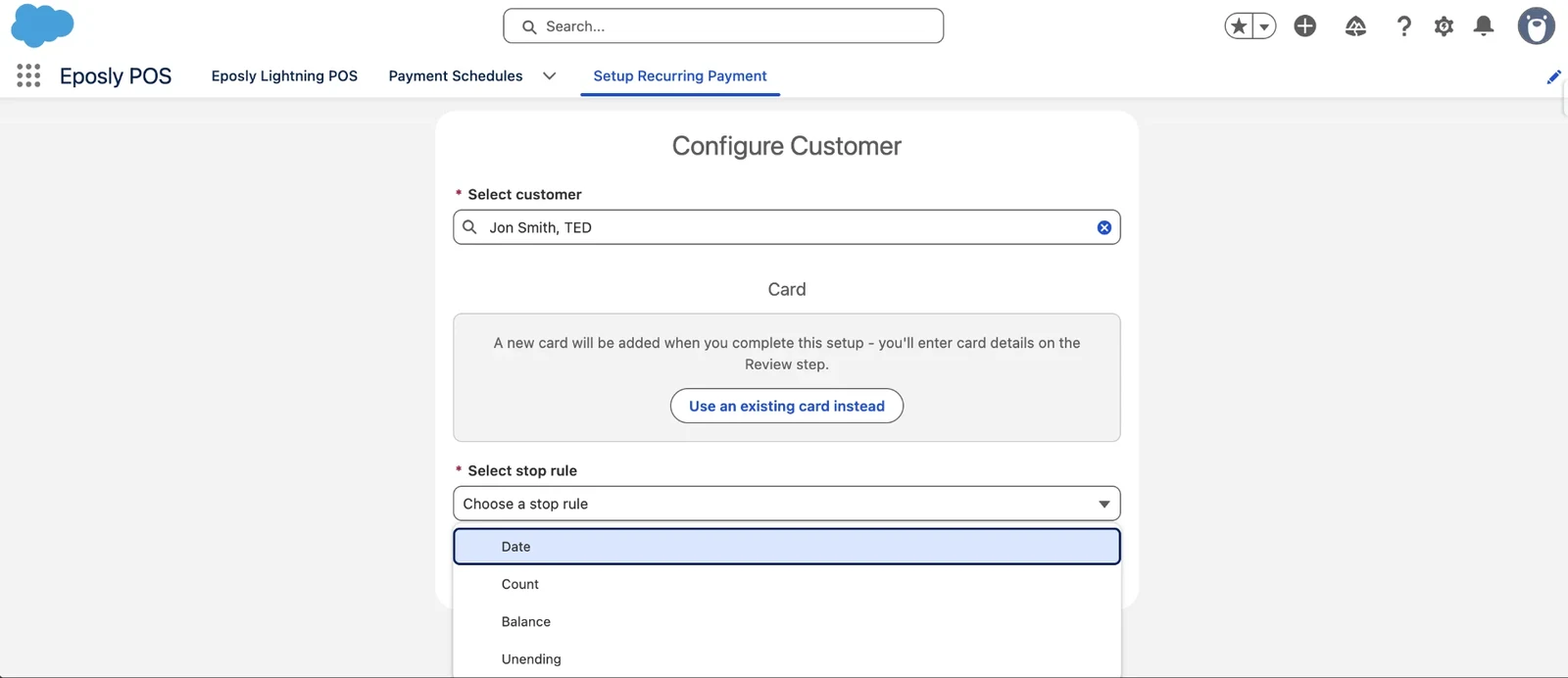
3. Decide how the schedule ends
Choose the stop rule: a set date, a number of payments, a collected balance, or open-ended. In the screen these appear as Date, Count, Balance and Unending.
4. Set the payment schedule
Choose the collection frequency, the start date and the amount for each recurring payment. If you want to take an initial payment, add it here; it is optional.
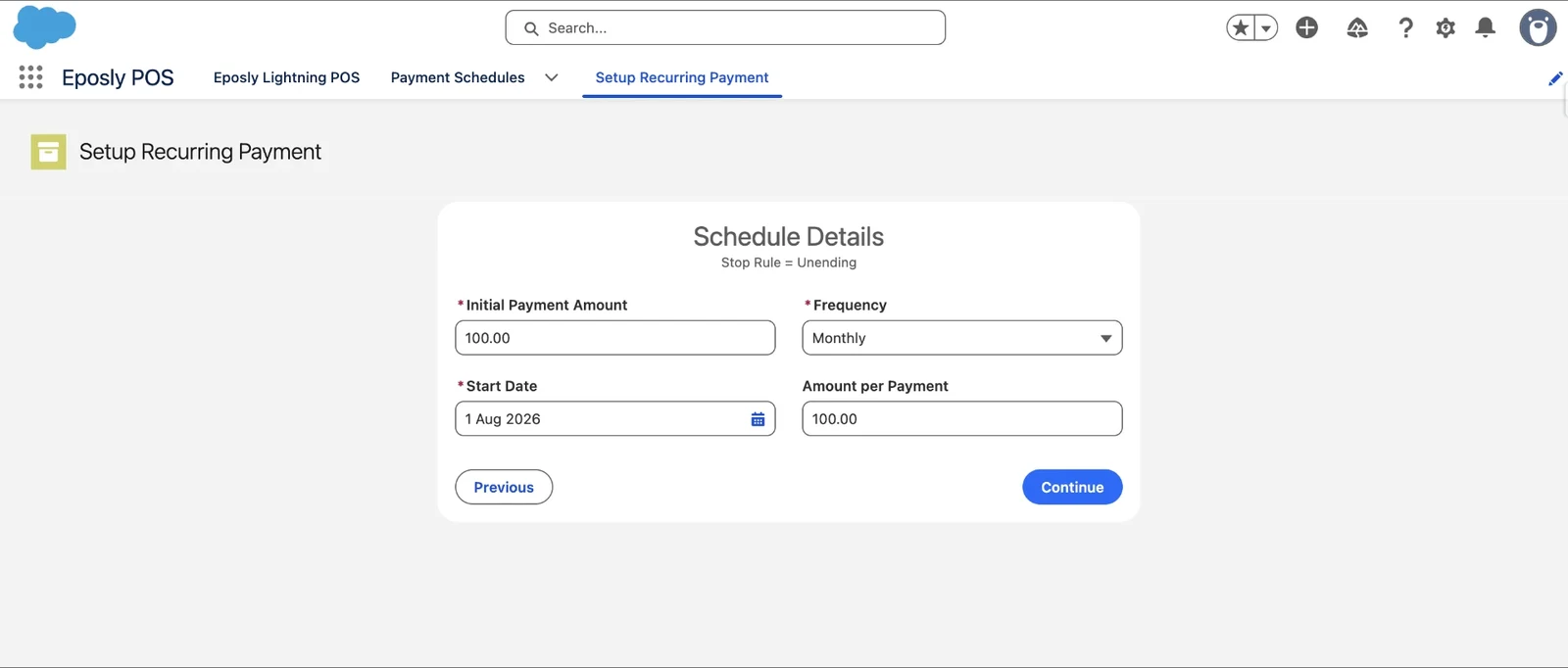
5. Review and initiate
Review the setup and initiate the schedule. If you are taking an initial payment, it can be processed as part of the same setup.
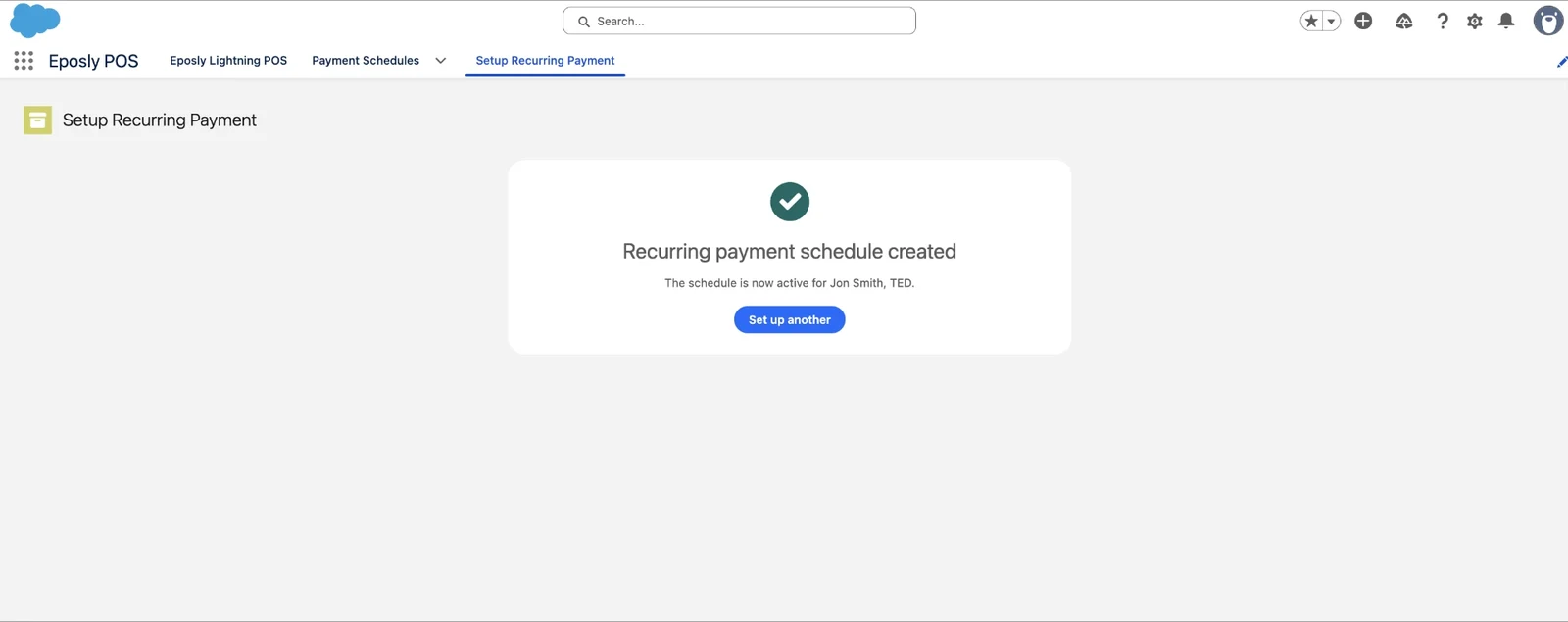
6. The schedule is created
Once created, the schedule is active and Eposly collects each payment as it falls due.
Follow the schedule over time
The payment schedule record shows its status, stop rule, frequency, amounts and key dates in one place.
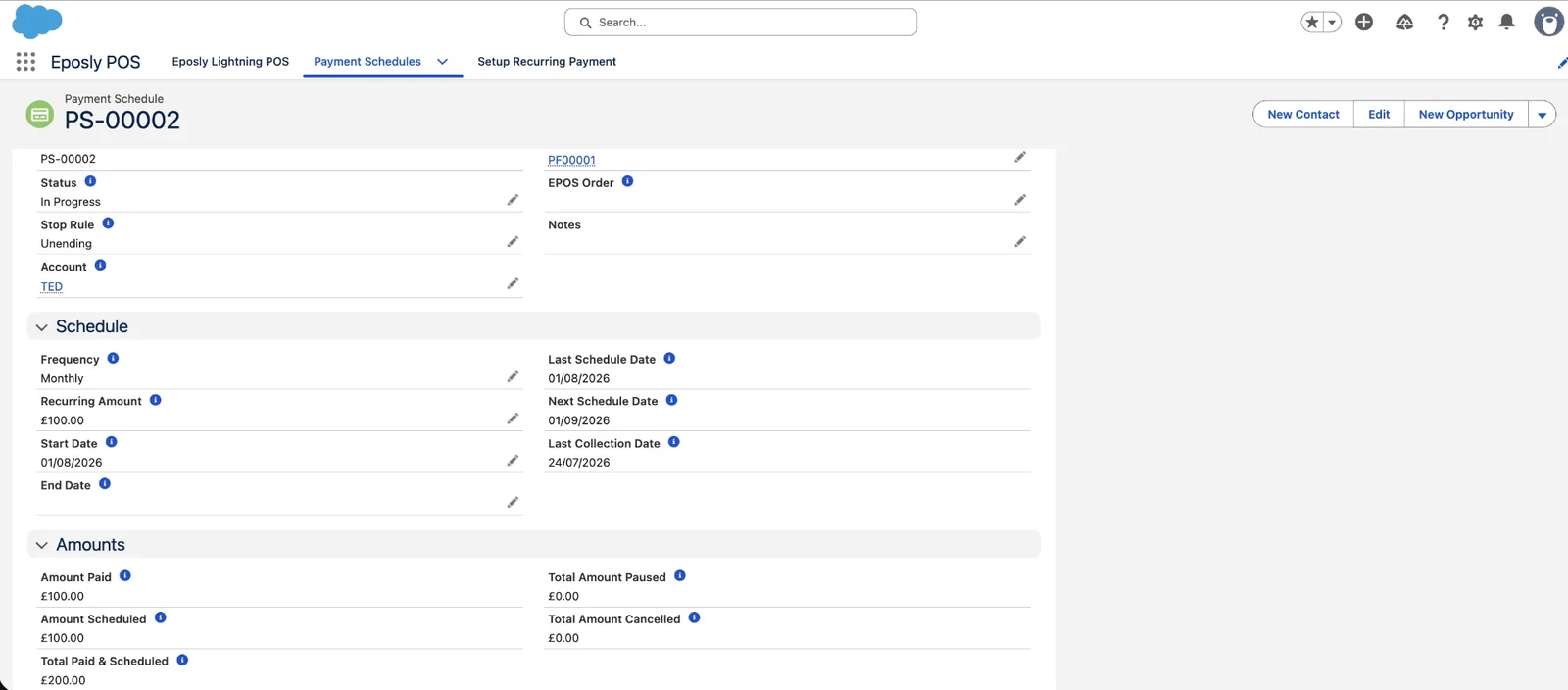
Upcoming scheduled collections and completed payment activity also appear together.
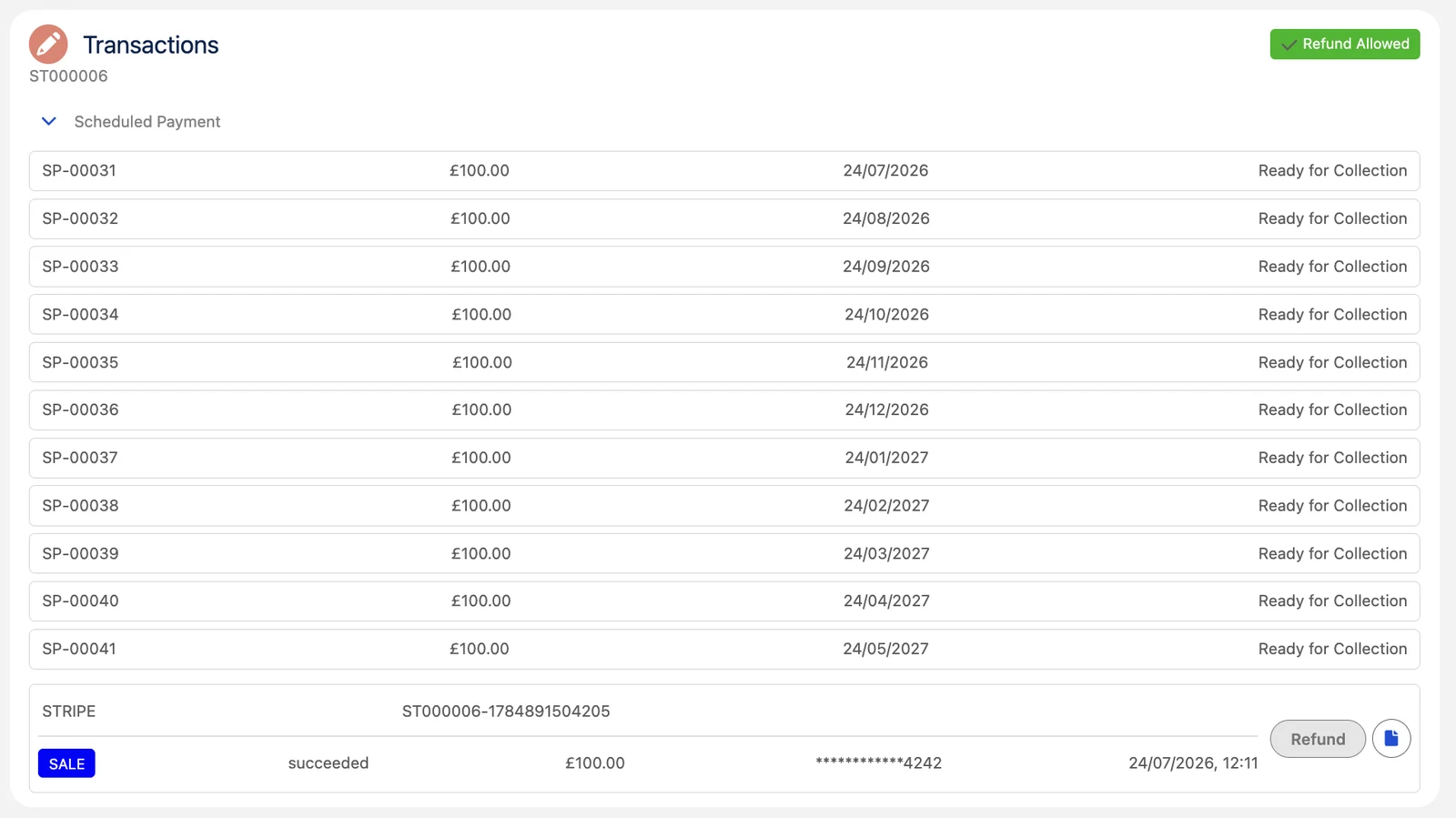
Every payment stays connected to the customer
Each payment and its outcome stays connected to the customer in Salesforce.
One setup does more than automate the next collection. Because every payment and its outcome remains connected to the customer in Salesforce, teams keep payment activity in the same environment as the wider customer relationship, rather than in a disconnected payment system. That gives them a clearer view of what has been paid, what is scheduled and what needs attention.
To see everything that shipped alongside recurring payments, read the Eposly Point of Sale October 2026 release notes.
Set it up once. Let Eposly handle the payments that follow.
Frequently asked questions
Are failed recurring payments retried automatically? No. A failed payment pauses the schedule and is flagged for follow-up in Salesforce. There are currently no automatic retries.
Which Eposly products include recurring payments? Recurring payments are available in both Eposly Point of Sale and Eposly Payments.