Skip to content

How a Salesforce Native POS Tames Seasonal Inventory

Abstract visual of sales and inventory data merging.

The Christmas shopping rush highlights a familiar problem for UK retailers. Success or failure often hinges on seasonal inventory management. Many businesses rely on disconnected systems and historical data that fail to capture real-time customer behaviour. The core mistake is separating inventory data from sales data, creating a blind spot between what is on the shelves and what customers are actually buying. This disconnect leads to lost sales from unexpected stockouts and high holding costs from overstocking unpopular items. The solution is a unified system where sales and inventory data are one. A Salesforce native POS provides this single source of truth, turning every transaction into immediate inventory intelligence and moving beyond guesswork.

Achieving Real-Time Stock Accuracy with a Salesforce Native POS

During peak periods like Black Friday, maintaining stock accuracy is not just an operational goal – it is a necessity. The common failure point is a delay between a sale occurring and the central inventory record being updated. A Salesforce native POS solves this by centralising all inventory records directly within Salesforce. The workflow is simple and immediate, eliminating data silos that cause stock discrepancies.

When a sale is made at the till, the master inventory record in Salesforce is updated instantly. This updated stock level is then reflected across all sales channels, from the e-commerce site to other physical stores. This prevents the frustrating and brand-damaging scenario of selling an item online that just sold out in-store. By unifying all product and stock information, retailers can trust their data. This is the foundation of effective product data management and ensures every channel has access to the same accurate information. The key performance indicator to watch here is the Inventory Accuracy Rate. A high-performing system should maintain an accuracy of 99% or higher, even during the most intense sales periods.

Using Predictive Analytics for Smarter Forecasting

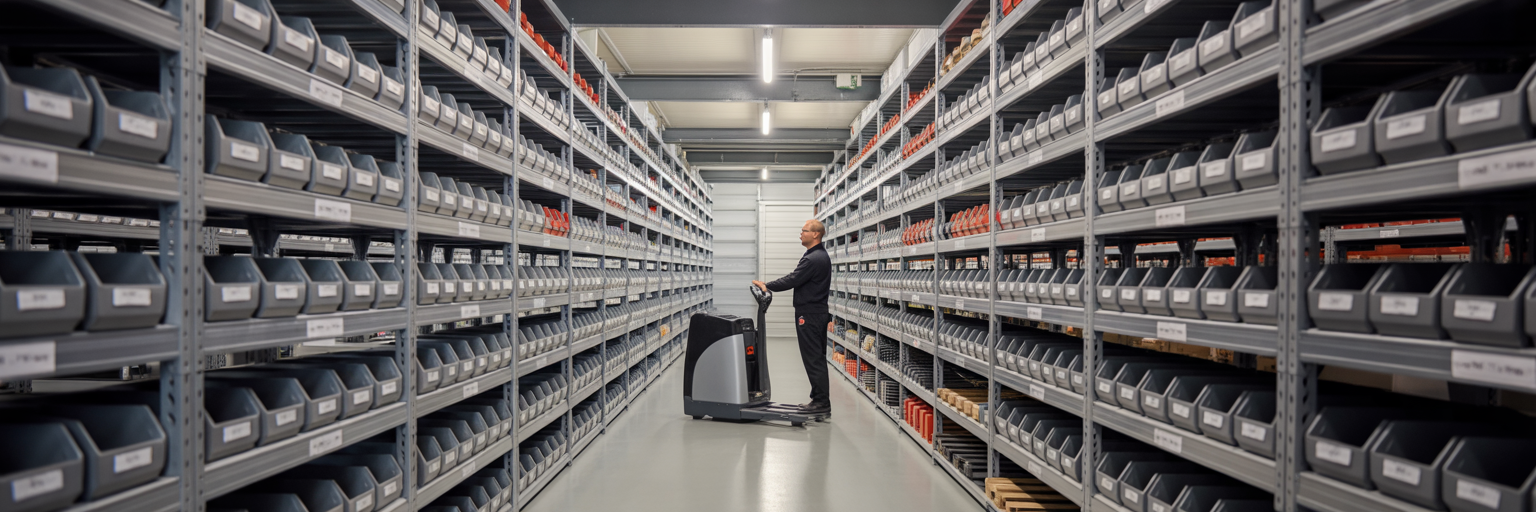
Organised retail stockroom with data flow overlay.

Reacting to stock levels is one thing but proactively predicting demand is where retailers gain a significant competitive edge. Relying on last year’s sales data alone is insufficient because it ignores current trends and customer behaviour. A Salesforce native POS improves forecasting by combining historical data with real-time sales velocity, creating a much richer and more accurate picture of demand. As Salesforce’s own documentation on retail inventory management highlights, this predictive capability is central to modern retail operations.

Consider a UK retailer preparing for the back-to-school season. The system can analyse last year’s sales trends for items like blazers and stationery alongside the current sales velocity of those same products. It can then recommend adjusting stock levels for high-demand items before they sell out. This insight allows retail managers to shift from placing large speculative orders to making smaller, more frequent purchases based on automated recommendations. This approach to retail inventory automation reduces the financial risk of overstocking and ensures capital is not tied up in slow-moving products. The actionable intelligence from these POS reports transforms forecasting from a reactive guess into a data-driven strategy.

Automating Adjustments During Peak Seasons

During busy seasons, the last thing a retailer needs is for experienced staff to be in the back office managing purchase orders instead of on the shop floor assisting customers. Manual inventory tasks are slow, prone to error and a significant drain on resources. Retail inventory automation within a Salesforce native system directly solves this operational bottleneck. Retailers can configure rules, such as setting minimum stock thresholds that automatically trigger replenishment actions.

The workflow is efficient and reliable. When a product’s stock level drops below a predefined minimum, the system automatically generates a purchase order draft for the preferred supplier and alerts the manager for final approval. This ensures timely restocking without manual intervention. This automated order management builds a resilient system that adapts to demand in real time. The difference between manual and automated processes is stark.

Task Manual Process Automated Workflow in a Salesforce Native POS
Stock Level Monitoring Staff manually run reports or check shelves System monitors stock levels in real time against set thresholds
Creating Purchase Orders Manager manually creates a PO, checks supplier details and pricing System auto-generates a PO draft with pre-filled supplier and product data
Replenishment Speed Delayed by hours or days depending on staff availability Triggered instantly when stock threshold is breached
Risk of Human Error High risk of incorrect counts or data entry mistakes Minimal risk as the process is system-driven

From Inventory Management to Inventory Optimisation

Abstract visualisation of automated data processing.

There is a critical difference between inventory management and inventory optimisation. Management is about knowing what you have. Optimisation is about having exactly what you need to maximise profit. A unified Salesforce native POS enables this strategic shift by providing a complete picture of sales, stock and supply chain data in one place. This allows retailers to address the persistent problem of dead stock. As research from Shopify confirms, holding onto unsold seasonal inventory incurs significant carrying costs that erode profitability.

An integrated system identifies slow-selling items early in the season. This allows for proactive measures like targeted promotions or bundling instead of relying on deep, margin-killing clearance sales at the end of the season. By using tools for dynamic pricing and special offers, retailers can stimulate demand for specific products without resorting to store-wide discounts. The key metric for this is the Inventory Turnover Ratio. A higher ratio indicates greater efficiency. An integrated system provides the real-time data needed to actively improve this metric by refining the product mix based on what is actually selling.

A Unified Approach to Seasonal Success

Effective seasonal inventory management depends on integrated data, not just harder work or more staff. A Salesforce native POS provides the single source of truth required to move from reactive problem-solving to proactive optimisation. This unified standard is what Eposly delivers. As a POS platform built on Salesforce, we embed these advanced inventory capabilities directly within your existing Salesforce environment. This gives retailers the tools to master seasonal demand, protect their margins and turn inventory into a competitive advantage. To see how this works in practice, explore our solutions for retail.

Share this article

Eposly fills the checkout whitespace in Salesforce

As the only fully native point of purchase / POS solution, Eposly brings robust, secure checkout functionality to Industry, Sales & Service, and Experience Clouds, as well as CPQ and OMS.

The only 100% Salesforce-native checkout solution

How Salesforce Native POS Fixes Disconnected Retail Operations

Legacy retail systems create operational drag; a unified Salesforce-native platform fixes the underlying data disconnect....

Learn more about Eposly’s unique benefits for any industry.