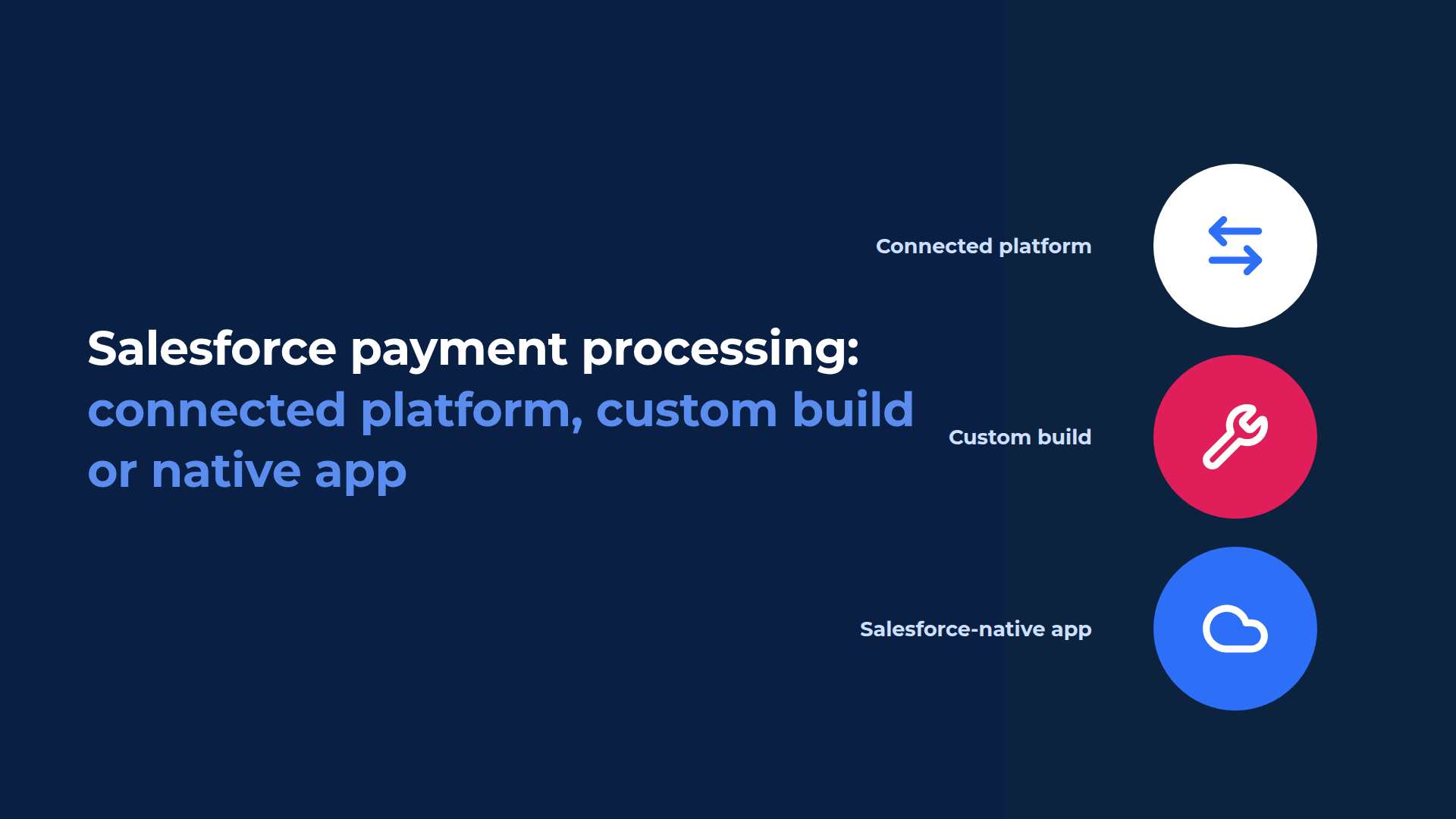
Salesforce payment processing comes down to architecture, because a payment provider moves the money whichever route you take. What you're choosing is where your staff work and where the operational payment record is created: in a payment platform connected to Salesforce, in something you build on a gateway API, or in a Salesforce-native payment app.
- A connected payment platform installs quickly. The operational record starts outside Salesforce and arrives through the integration.
- Build your own when no product covers your flow, and expect to own it for as long as you run it.
- With a Salesforce-native payment app, the payment record is Salesforce data from the start.
- Recurring collection, failed payments and reporting are where the difference shows up.
| Connected payment platform | Custom build on a gateway API | Salesforce-native payment app | |
|---|---|---|---|
| Where staff work | Between Salesforce and the platform's own interface | In what you build | On the Salesforce record |
| Operational record | Created outside Salesforce and returned through the integration | Created by what you build, and modelled by you | Created and managed as Salesforce data |
| Who maintains it | The vendor, plus your admin for the integration | Your team, permanently | The vendor, inside your org |
| Reporting on payments | Split between Salesforce and the platform, depending on what syncs | Whatever you model | Standard Salesforce reports |
| Typical fit | Collecting against an invoice, with little else touching Salesforce | A payment flow no product covers | Teams working in Salesforce who need payment status on the record |
What does Salesforce payment processing actually mean?
Two decisions, usually merged into one. Who processes the payment, and where your team does the work.
The first is settled by your payment provider. Stripe, Adyen, CardConnect and others move the money, hold the merchant relationship and set your rates. You'll have one of them whichever route you take.
The second decision is where your staff work. Where a payment starts, where the result lands, and where somebody looks when a customer rings to ask about it. Your service and finance teams live with that one daily.
Salesforce is the system of record your customer data already sits in, and it isn't the processor. Where Salesforce offers payment features, in Revenue Cloud Billing and in B2C Commerce, a provider still moves the funds. Eposly sits in that second layer as a Salesforce-native payment app: your team collects on the record, Eposly creates and manages the payment record as Salesforce data, and your provider processes the transaction.
What happens when the payment platform sits outside Salesforce?
An app connects Salesforce to a payment platform through a connector, a hosted payment page or an embedded frame. The operational payment record is created in that platform, and the integration returns it to Salesforce.
Quick to stand up. For a narrow requirement it's the right call: if finance collects against an invoice and nothing else in the business touches that payment, this architecture does the job and you can stop reading.
What it costs you later depends on the integration. Some are close to real time and deeply embedded in the Salesforce interface. Others aren't, and that's where the operational work turns up.
When the sync lags or fails, staff can end up checking the Salesforce record against the payment platform. Reconciliation then becomes another process somebody owns.
Then there's the agent on the phone. The Salesforce record is open, the customer wants to know whether last Tuesday's collection went through, and whether that answer is already on the record depends on what the integration writes back, and when.
Salesforce automation carries the same dependency. A Flow that should start when a collection fails can only start once the payment result reaches Salesforce.
What does a custom build really cost?
More than the build. You're taking on a payment system for as long as you run it.
The first version is small, which is the part that gets estimated. A developer, a gateway API and a Lightning component will take a card payment against a Salesforce record.
Then the rest arrives:
- gateway API versions and deprecations
- tokenisation, and where card data is allowed to travel under PCI DSS v4.0.1
- webhook handling, and replaying the notifications you miss
- failure, timeout and duplicate states
- voids and corrections
- an interface staff can use on a busy counter or a call
- permissions and sharing for payment data
- sandbox parity for testing
- someone to fix a broken collection on a Friday afternoon
Each line is ordinary engineering. The list is what costs you, because it never closes. It competes every quarter with the work your Salesforce team was actually hired to do, and it keeps that slot long after whoever wrote the first version has moved on.
So build when your flow is genuinely unusual, and when you can see yourself funding it in year 5.
What does "native" actually mean here?
The staff workflow and the operational payment record live in Salesforce. Salesforce reporting and automation use the result directly, and the payment provider processes the transaction.
Native describes an architecture, not a vendor. Several Salesforce payment applications are built natively. The questions worth asking are what runs in Salesforce, which records are created there, and how much of the payment workflow the product expects Salesforce to own.
What happens when a team collects a one-off payment with Eposly Payments:
- Start from the Salesforce record your team is already working on.
- Choose a payment method and collect the agreed amount.
- The payment provider processes the payment.
- Eposly records the result in Salesforce as a transaction on the record.
- Your existing reports, Flows and service consoles read it like any other Salesforce data.
Recurring collection follows the same pattern, with one setup instead of one payment. Choose the customer and a saved card, set the frequency, then choose when collection stops: an end date, a number of payments, a balance, or open-ended. Due payments collect automatically after that, and nobody opens the record again.
Until one fails.
When a scheduled payment fails, Eposly pauses the schedule, records the reason and surfaces the failed collection in Salesforce for follow-up.
A person picks it up from there. Invoicing, revenue recognition and automated retry sit with a billing platform.
How do you tell how native a payment app really is?
Ask where the operational payment record is created. If it's created in another platform and then synchronised into Salesforce, that's an integrated architecture rather than an on-platform payment record.
Four more worth asking on the demo call:
- Can an admin report on payment activity with standard Salesforce reporting, using no other tool?
- Can Salesforce Flow react directly to the payment record, without customer-managed middleware or a separate synchronisation layer?
- Do our sharing rules, field-level security and audit history apply to payment data from day one?
- How much of the payment workflow does the product expect Salesforce to own, and how much stays in your platform?
What does this look like in Salesforce?
Collecting a one-off payment from an Opportunity, then setting up a recurring collection on a saved card.
The video runs 3 minutes. Someone collects a payment from an Opportunity without leaving it, and the transaction appears underneath with payment type, amount and timestamp. Then the recurring setup: a saved card, a stop rule, and every upcoming collection listed before the schedule goes live.
Which approach fits your team?
Choose by what your team does after the payment.
| Choose | When |
|---|---|
| A connected payment platform | Collecting against an invoice is the whole requirement, and nobody in Salesforce needs the result in context |
| A custom build | Your payment flow is unusual enough that no product covers it, and you can staff it permanently |
| Eposly Payments | Your team works in Salesforce, the amount is already agreed, and payment status needs to be on the record for service, reporting and automation |
| Eposly Point of Sale | Your team also selects, configures and prices what's being sold, and needs orders, receipts and returns |
| A billing platform | You need invoicing, subscription billing, usage billing or revenue recognition |
Where does Eposly Payments fit?
Eposly Payments is a Salesforce-native payment app. It collects one-off and recurring customer payments inside Salesforce, and the payment record is Salesforce data your reports and automation can use.
Card payments in person and over the phone. Cash. US bank payments, and digital wallets. Saved cards are tokenised, and collection runs through your own payment provider account. Cards accounted for over three quarters of US noncash payments by number in 2024, according to the Federal Reserve's 2025 Payments Study, published in July 2026.
Eposly holds a 5.0 rating from 26 verified reviews on the Salesforce AppExchange. California DMV uses Eposly to run transactions natively in Salesforce across a large-scale public service environment.
What does a payment look like on the Salesforce record?
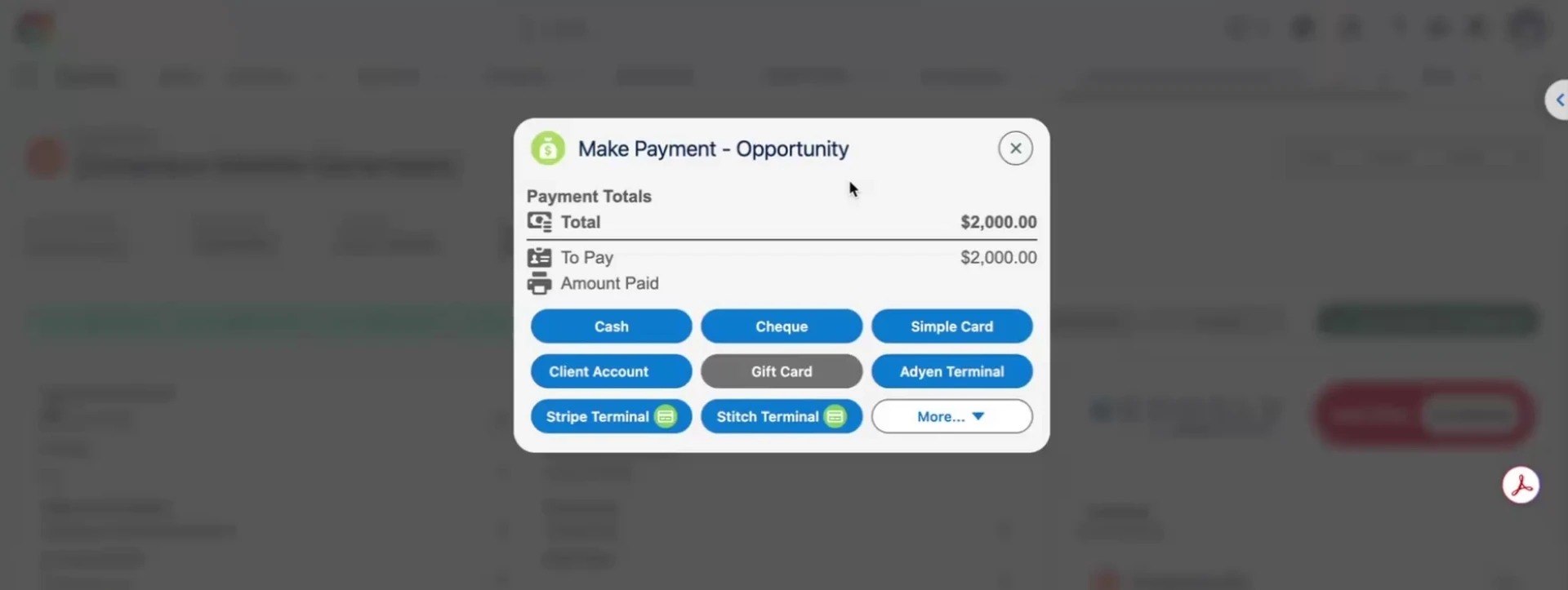
Collecting a payment from the Salesforce record the team is already working on.
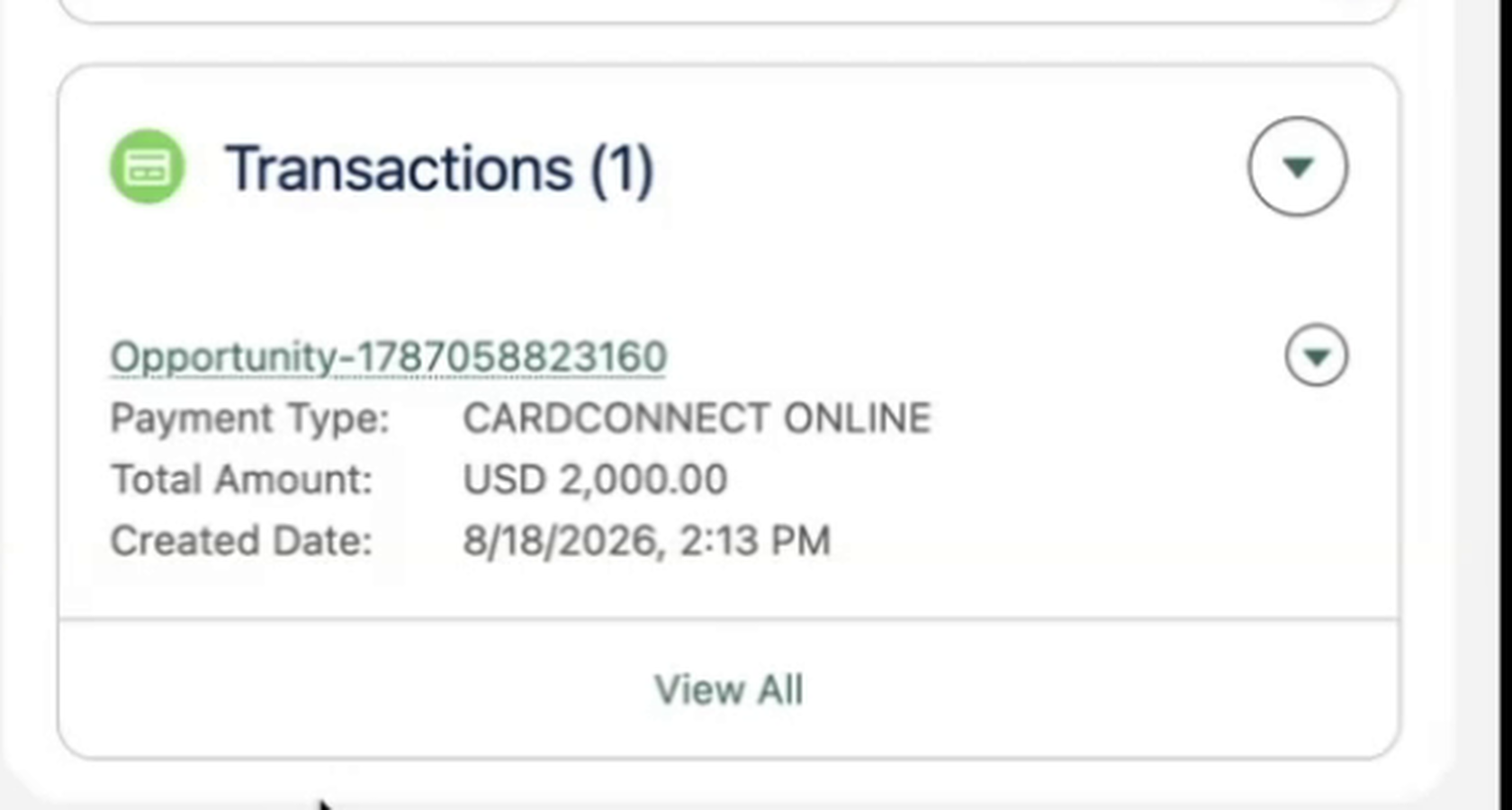
The result is recorded on the customer record with payment type, amount and timestamp, ready for reporting and automation.
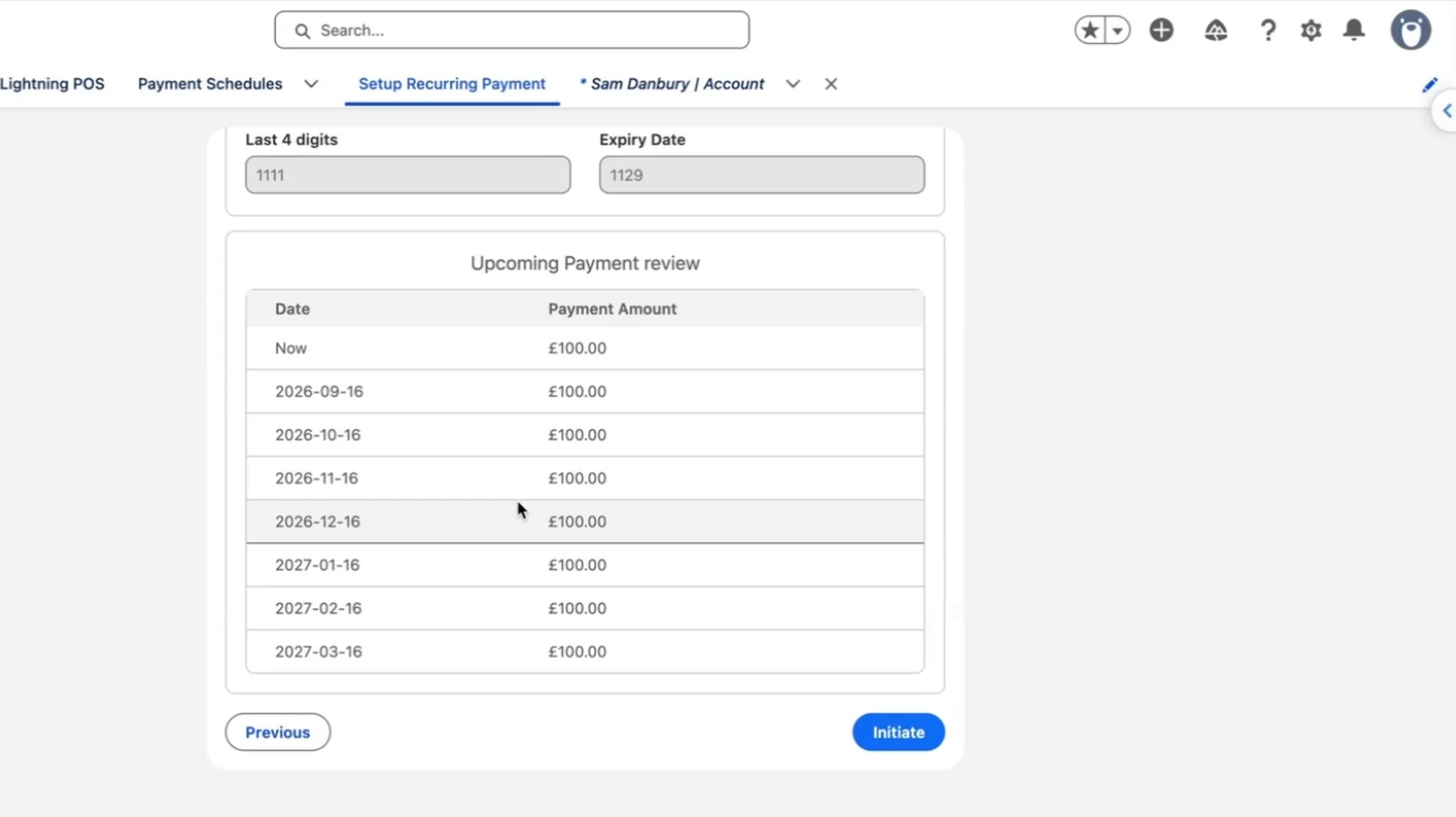
Every upcoming collection is listed before the schedule is activated.
Frequently asked questions
Does Salesforce process payments natively?
Salesforce provides payment capabilities inside products such as Revenue Cloud Billing and B2C Commerce, and a payment provider still processes the funds. In Revenue Cloud, Salesforce Payments runs on Stripe, customers can connect their own Adyen account, and third-party gateways are also supported. For teams that don't need the wider billing or commerce stack, Salesforce-native payment apps such as Eposly collect payments directly from Salesforce records.
What is the difference between a connected payment platform and a Salesforce-native payment app?
A connected platform creates the operational payment record outside Salesforce and returns it through an integration. A native app creates and manages that record as Salesforce data, in your own org. A payment provider processes the funds either way.
Is building payments on a gateway API cheaper than buying an app?
The first version usually is. The ongoing cost is gateway API versions, webhooks, failure states, the staff interface, permissions and support, owned by your team for as long as you run it. Compare the cost over several years rather than the first sprint.
Related articles