Public sector
The municipal payment system that runs inside Salesforce
Take permit, license, tax and parking payments at every city counter in Salesforce, with each payment linked to the applicant and the case.
Try the interactive demo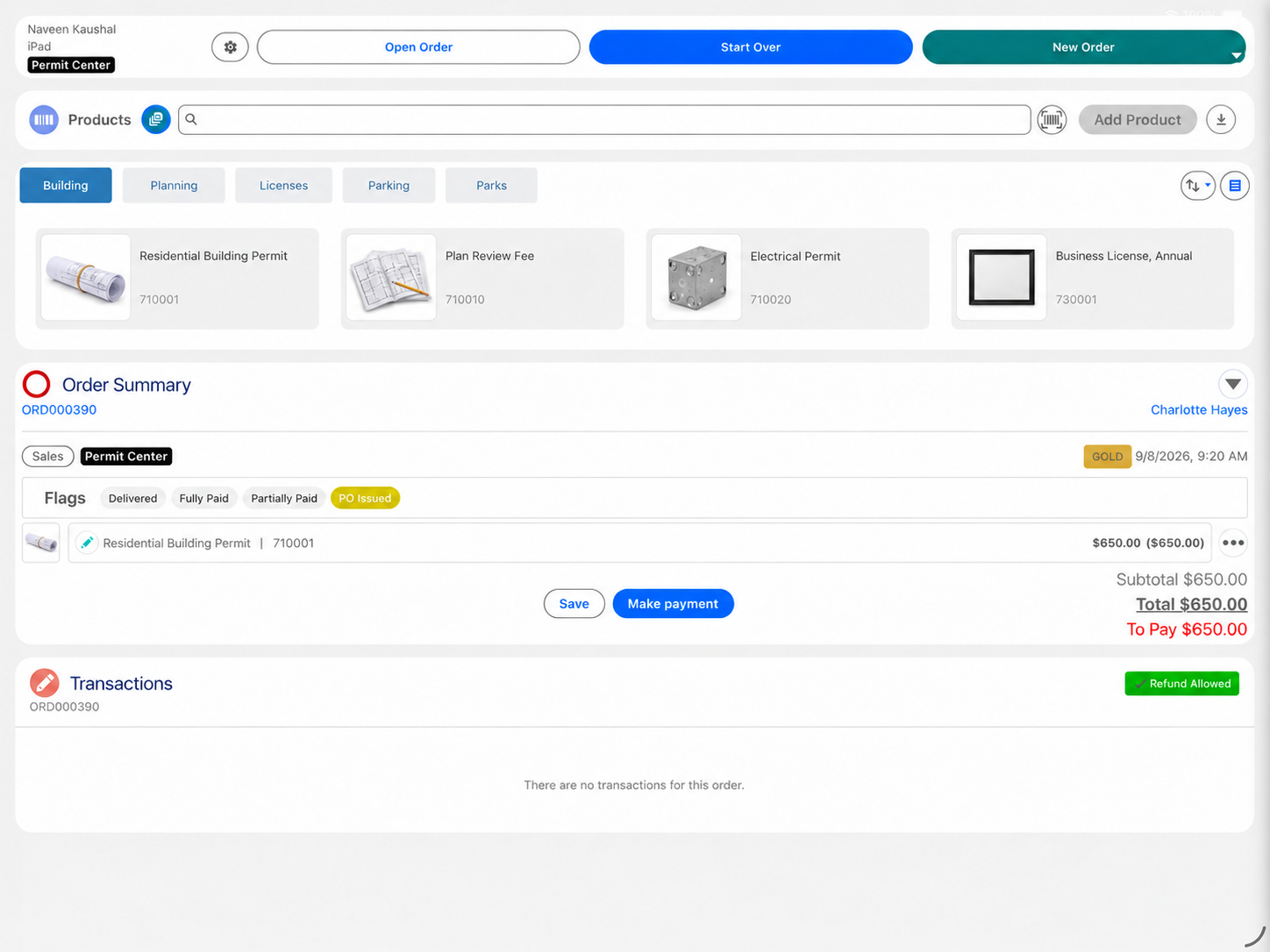
Many cities run permits, cases and citizen services in Salesforce, but take payment in a separate cashiering tool. Eposly brings the counter into Salesforce. Clerks open the applicant's record, add the fee priced by the city's fee schedule, and take cash, card or check. Drawers, receipts and end-of-day reconciliation are managed in Salesforce, across every department.
- Cash register management for every city counter, in Salesforce
- Fees priced by rules configured for the city's fee schedule
- Each payment linked to the applicant's record in Salesforce
At city hall
What makes a city counter different?
One city, many counters, and one set of books.
Many departments take money
Building, the city clerk, treasury and parking each run their own counter.
Fees follow a published schedule
Permit and inspection fees depend on the project, the zone or the permit type.
Cash and checks still arrive
Residents and contractors pay at the counter, and every drawer has to balance.
The payment belongs to a case
A permit fee only makes sense next to the application it pays for.
Finance needs one picture
Every department's takings have to reconcile at the end of the day.
A building permit
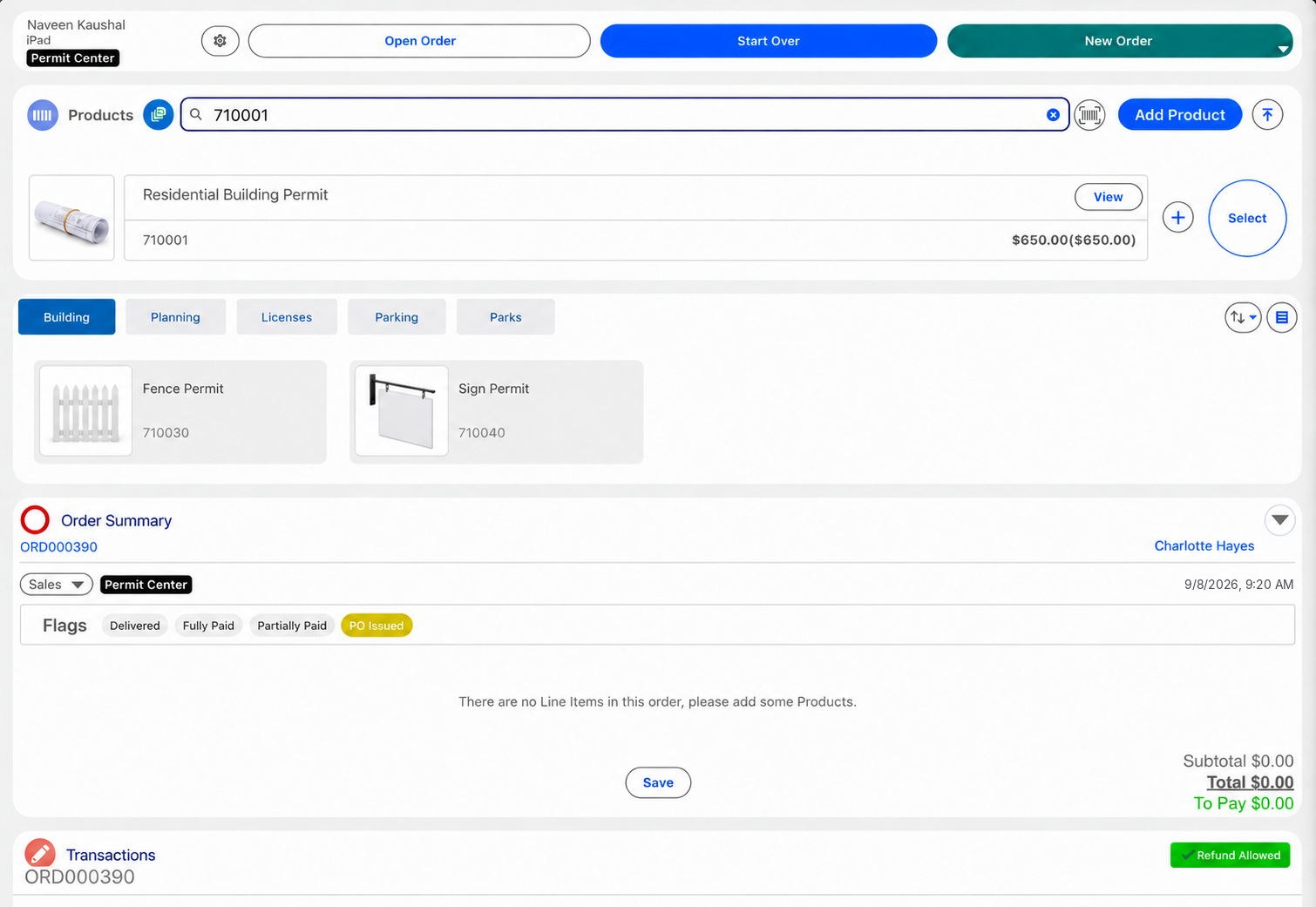
How does Eposly handle a building permit fee at the counter?
One order in Salesforce, from the fee to the closed drawer.
How does one city hall run many counters on one system?
Each department's counter runs Eposly in the same Salesforce org, with its own users, drawers and order types. Finance sees every counter's takings in Salesforce reports, and each payment is linked to the applicant's record.
What should a municipal payment system handle?
Which city payments can it take: permits, licenses, tax, parking fines, parks?
Any payment the city takes in person on its Salesforce platform: building permits and inspection fees, business licenses and clerk fees, property tax at the treasury counter, parking permits and fines, and park and facility fees.
Payments
How do residents and businesses pay at the counter?
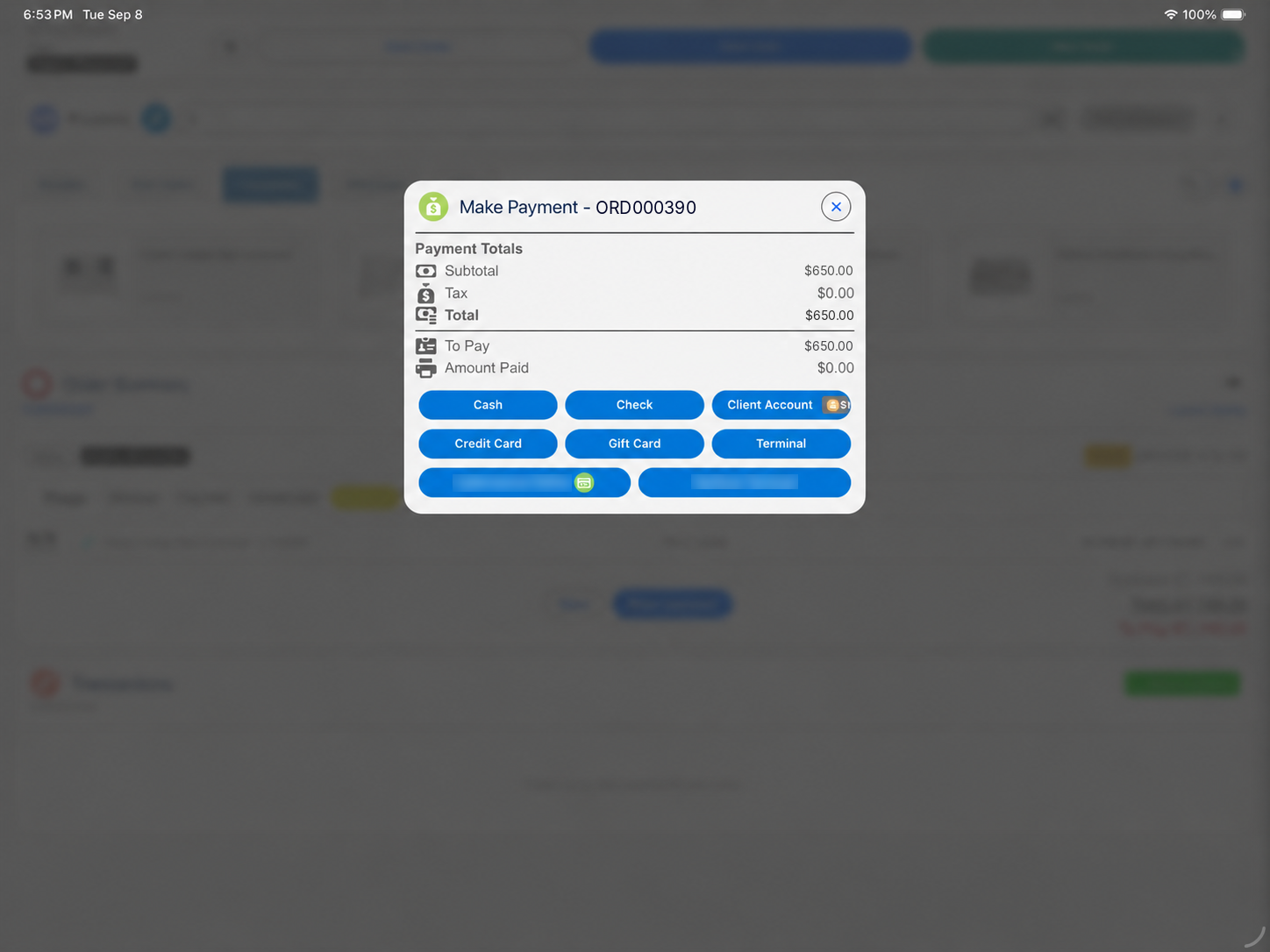
- Permit, license or clerk feeCash, card, check or a split, in one step.
- Property tax at the treasury counterCash, card or check, linked to the taxpayer's record.
- Parking permit or fineCash, card or a split, at the parking or clerk counter.
- Partial paymentPart of the amount now, the balance later, on the same order.
California DMV selected Eposly's Salesforce-native Point of Sale and Cash Register module for permit and registration payments on Salesforce Government Cloud.

Where do cities fit within public sector?
Cities and municipalities are one of the agency types Eposly serves with public sector payment solutions: an applicant on record, fees set by schedule and cash at many counters. For license and permit fees at state agencies, see state licensing and regulatory agencies.
Municipal payments one-pager
Take this page to your team
The key points from this page in one document to share with your team.
By downloading, you agree to our privacy policy.
Questions buyers ask
Does it work for cities already running Salesforce for citizen services, 311 or permitting?
Yes. That is where it fits. Eposly runs inside the city's Salesforce org, so counter payments are linked to the cases, permits and service requests they belong to. If Salesforce is not in play, Eposly is not the right fit yet.
Which city departments can use it?
Any department that takes payment at a counter: building and code enforcement, the city clerk, treasury, parking, and parks and recreation. Each department can have its own users, drawers and order types in the same org.
Does Eposly replace the permitting system?
No. Applications, plan review, inspections and permit issuance stay in your permitting solution on Salesforce. Eposly takes the fee and manages the cash register on the same platform.
We already use Salesforce Payments. Do we still need Eposly?
Keep Salesforce Payments for online checkout and payment links. Eposly covers the counter and the cash register in the same Salesforce org.
Bring every city counter into Salesforce
See how a counter transaction runs inside Salesforce.