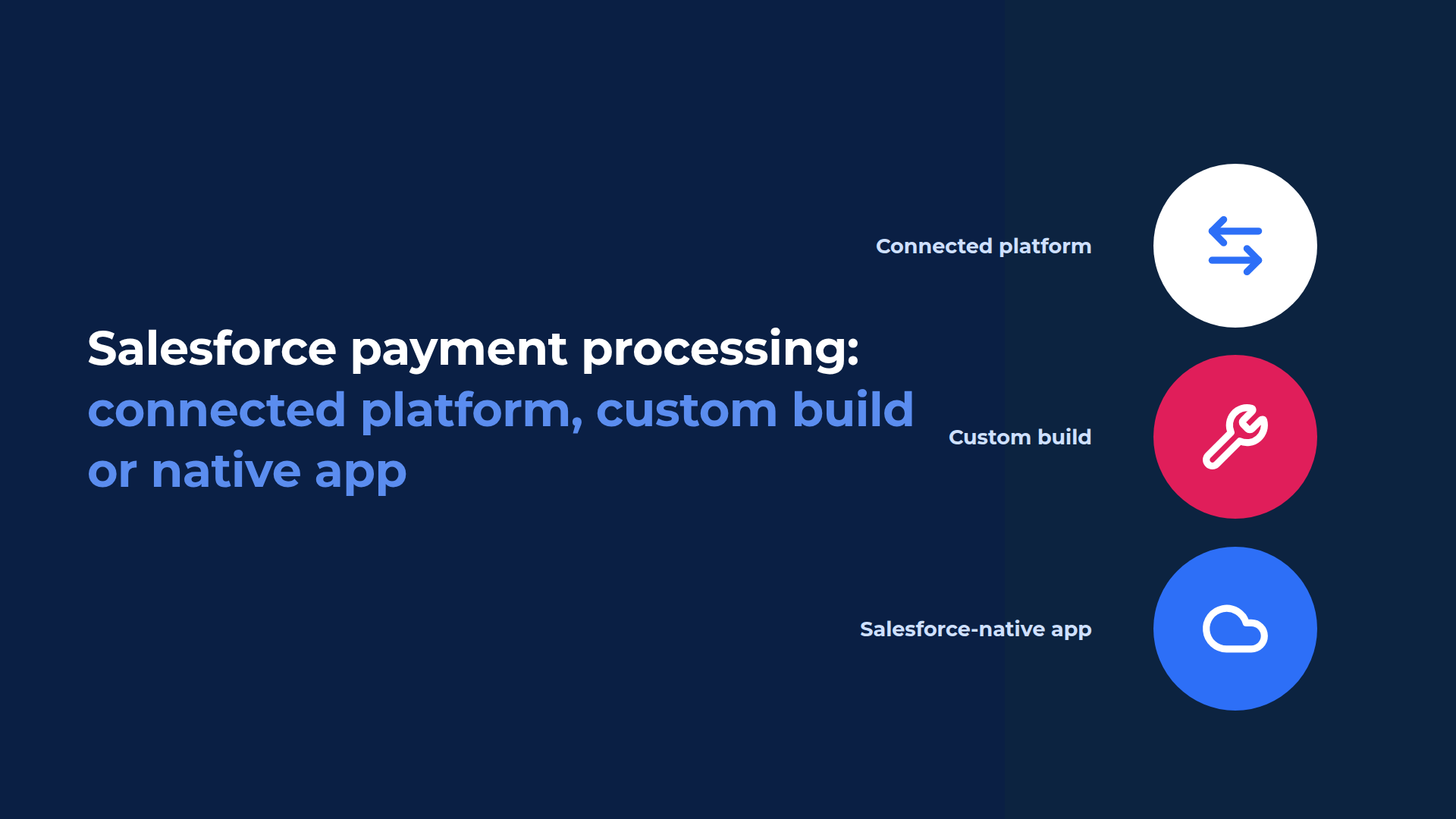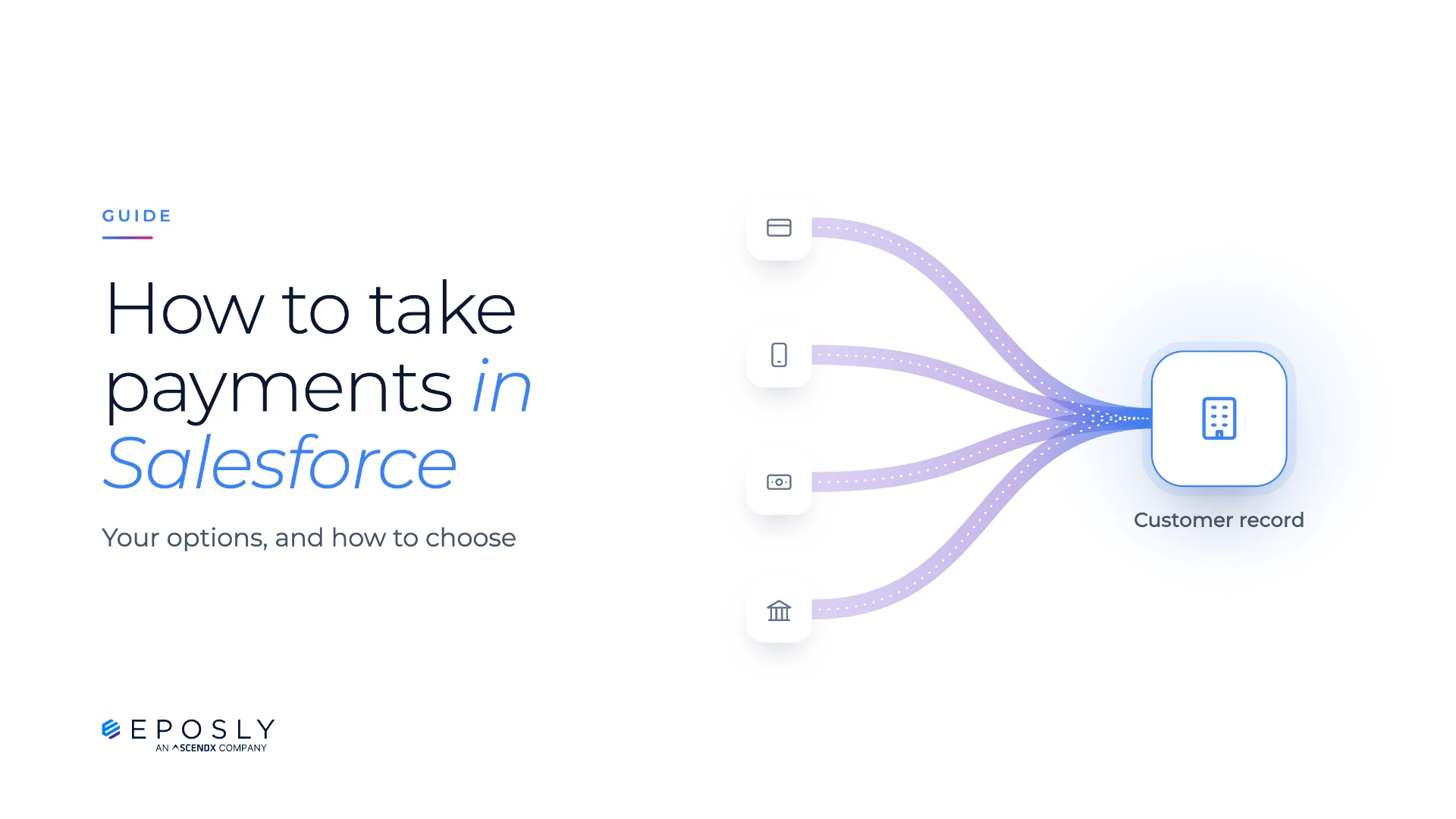
You can take payments in Salesforce with Salesforce's own payment features, an external payment platform connected to Salesforce, a custom build on a gateway API, or an app installed in your org, such as Eposly Payments. In every case a payment provider processes the payment. The options differ in where staff collect it, where the payment is first recorded, and what your team has to maintain.
For teams that collect agreed amounts from customers they already know, such as membership fees, donations, instalments and service payments, a payment app installed in Salesforce is usually the best fit. With Eposly Payments, staff take the payment from the record they're already working on, and anyone who helps that customer next can see whether it went through.
What goes wrong when payments sit outside Salesforce?
Salesforce may hold the customer, the membership and the service history while payments are still taken in a provider's portal, a hosted payment page or a standalone till. That arrangement can work. It gets harder when staff need to take a payment during a call, check whether one went through, or follow up on one that failed.
Logging into another system. To take a payment, or check one, staff leave the Salesforce record and log into the provider's portal. On a phone call, the customer waits while they do it.
"Did it go through?" A member calls to ask whether last month's payment was taken. The answer isn't on their record, so the agent either opens another system or promises to call back.
Failed payments nobody sees. A recurring payment fails, but the team working in Salesforce has no record of it. Someone discovers the problem during a manual check or when the customer gets in touch. By then the payment is overdue and the follow-up is already late.
Doing it twice, then matching. A charge is made in one system and keyed again into another, often the finance system, and refunds get the same treatment. When Salesforce and the provider disagree, someone exports both and matches them line by line.
Collecting the payment is only half the job. Teams also need to know what happened next, and be able to act on it.
What does "Salesforce-native" mean for payments?
A Salesforce-native payment app runs inside your Salesforce org. Staff collect the payment from the record they're working on, and the payment is recorded in Salesforce from the start, ready for reports and Flows.
An external payment platform keeps its own payment records and connects to Salesforce through an integration. Depending on the setup, staff use a separate portal or start the payment from a screen inside Salesforce, and the status reaches Salesforce when the integration passes it on.
In both cases a payment provider processes the transaction. What differs is where the payment is first recorded, how quickly Salesforce has the status, and what happens when an update fails. We go deeper into these architectures in Salesforce payment processing: connected platform, custom build or native app.
Six ways to take payments in Salesforce
| Option | Best for | Watch for |
|---|---|---|
| External payment platforms and POS, connected to Salesforce | Collecting against invoices, or quick retail checkout for walk-in customers | Payment records start outside Salesforce, and someone owns the integration |
| Custom build on a gateway API | Payment requirements no existing app supports | You maintain the code, security and fixes for as long as it runs |
| Salesforce Payments and Pay Now | Phone payments, payment links and online checkout | No card payments in person at a desk for Sales and Service users; scheduled collection needs Revenue Cloud Billing |
| Revenue and commerce platforms | Invoicing, ecommerce, checkout across retail store chains | Broader platforms, usually partner-implemented and licensed for the wider operation |
| Native payment apps | Staff collecting agreed amounts from Salesforce records | Apps differ in ways to pay, card hardware and which records they work on |
| Native POS apps | Counters where staff choose products, apply pricing and create orders | Some keep their own database and sync to Salesforce |
These aren't either-or choices. Many organisations combine them, for example Pay Now for payment links and an app installed in the org for the desk and the phone.
1. External payment platforms and POS
Payments are taken in the provider's portal or hosted payment pages, through a standalone POS system, or in an industry platform such as a membership or club management system. Each payment is recorded there first and reaches Salesforce through an integration. This is quick to start, which is why many teams run this way. Where an industry platform also runs things your team relies on, such as member management, payments are one part of a bigger decision.
If collecting against an invoice is the whole job, and nobody in Salesforce needs the result, this works. If not, watch for:
- staff switching between Salesforce and a separate portal
- payment status that is only as current as the last update from the integration
- someone matching the two systems by hand when an update fails
- Flows that can't start until the payment reaches Salesforce
- customer history and pricing out of reach at a standalone till
- another system to license, secure and support
2. Custom build on a gateway API
Taking a card payment on a Salesforce record through a gateway API is a manageable first project. Keeping it working is the commitment teams underestimate. Once it's live, your team owns:
- gateway API changes and deprecations
- webhooks, and the notifications that never arrive
- tokenisation, and where card data is allowed to travel
- failures, timeouts, duplicate payments and corrections
- the payment that succeeds while the Salesforce update fails, and who notices
- the staff interface, permissions and sharing
- regression testing for three Salesforce releases a year
Building is worth it when no existing app supports your payment requirements, and you have the people, budget and appetite for risk to run it for years. Before you start, decide who fixes a broken payment on a Friday afternoon.
3. Salesforce Payments and Pay Now
Salesforce Payments is Salesforce's own payment service. It covers phone and mail payments taken by Sales Cloud and Service Cloud users, and online checkout, on Stripe or your own Adyen account. Pay Now runs on Salesforce Payments and sends payment links attached to Salesforce records; the payment page needs an Experience Cloud site.
If your team also takes payments in person or on a schedule, watch for:
- no card payments in person at a desk or counter for Sales and Service users (Salesforce's in-person option is Tap to Pay in the Field Service mobile app, on Stripe)
- payment schedules with retries and reminders, which come with Revenue Cloud Billing and run against invoices
4. Revenue and commerce platforms
Revenue Cloud Billing handles invoicing and scheduled collection against invoices. Commerce Cloud runs ecommerce. Salesforce Point of Sale, part of Agentforce Commerce, is built for checkout across retail store chains. Each solves a bigger problem than collecting a payment.
If what you need is to collect agreed amounts, or to run counters that don't need a retail platform, check what else you'd be taking on:
- a partner-led implementation project
- licensing priced for the wider operation
- capabilities your team won't use
5. Native payment apps
Native payment apps are installed from the AppExchange and let staff collect and track payments from the Salesforce records they already work on: a membership fee, a donation, an instalment, a booking deposit or an outstanding balance. Depending on the app, that can include card payments in person and by phone, bank payments, cash, saved cards and recurring collection.
If the amount is already agreed, and staff don't need products, pricing or orders, a payment app is enough. Apps differ, so check:
- ways to pay: which methods are supported, and what hardware you need to take a card in person
- records: which Salesforce objects the app works on, including your custom objects
- architecture: whether the payment record is created in Salesforce, or in another system and synced in
Eposly Payments is one of these: staff take card, cash and digital wallet payments, and run recurring payments on a saved card, from any Salesforce record.
6. Native POS apps
Native POS apps are for counters where staff do more than collect a payment. Staff find the customer, choose products or services, apply pricing, create the order and take payment, all in Salesforce. They suit shop and service counters, showrooms selling configured or made-to-order products, and public sector fee and permit counters.
Beyond payments, a POS app adds:
- a product catalogue and pricing, including customer-specific or member pricing
- orders, receipts, refunds and returns
- a deposit taken now and the balance collected later, against the same order
- inventory and cash drawer management
Being on the AppExchange doesn't make a POS native. Some keep their own database and sync to Salesforce, so ask where the order is created. With Eposly Point of Sale, the order and payment are created in Salesforce as the sale completes.
Do you need a payment app or point of sale?
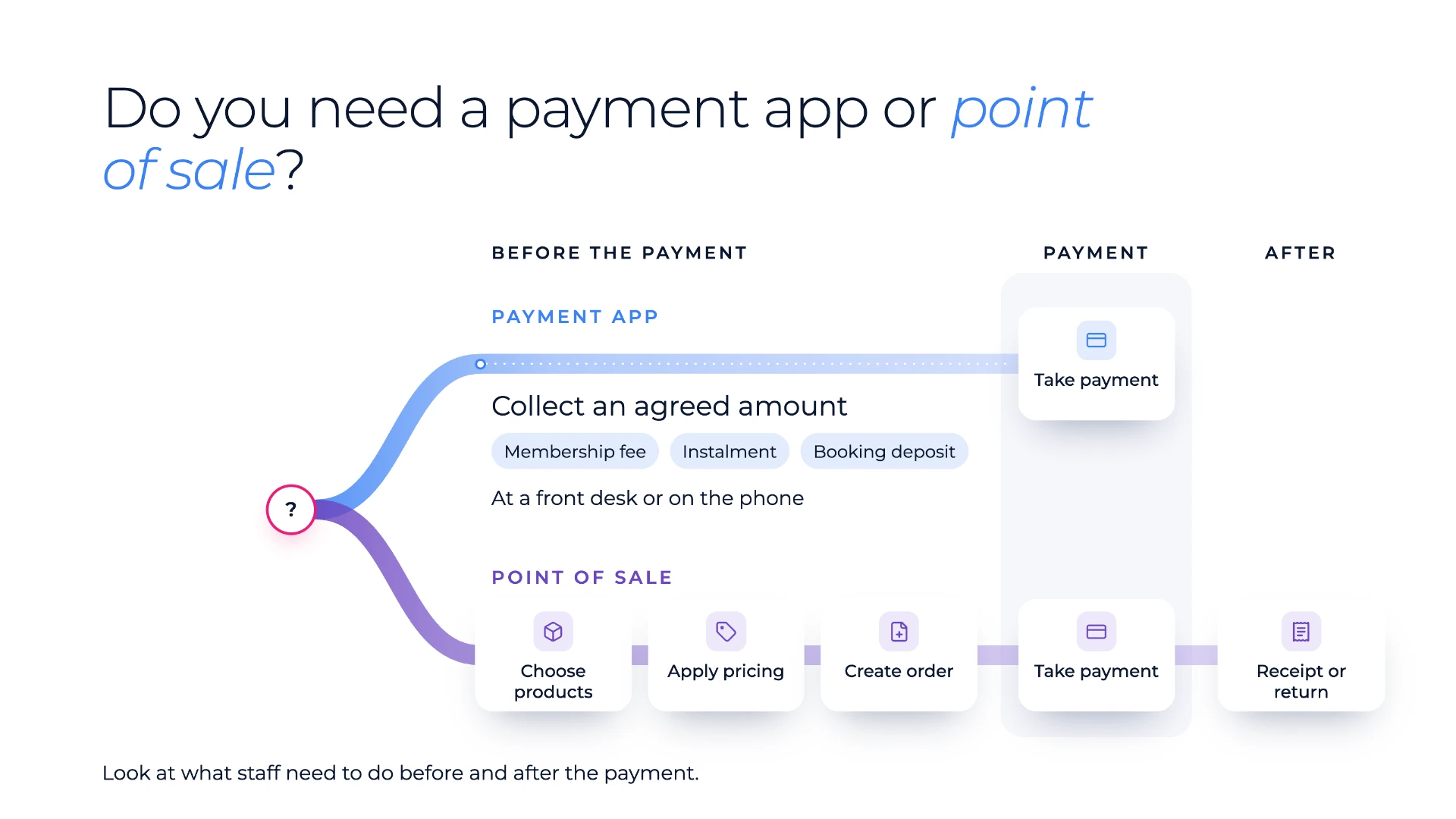
Look at what staff need to do before and after the payment.
If the amount is already agreed and staff only need to collect it, a payment app is enough, at a front desk as much as on the phone. A clinic collecting an agreed instalment at reception needs a payment app, even when the card goes through a terminal.
If staff need to choose products or services, apply pricing or discounts and create an order before payment, or give an itemised receipt or process a return afterwards, that's point of sale.
The same organisation often has both kinds of work, in different teams:
| Organisation | Payment app when | Point of sale when |
|---|---|---|
| Membership organisation | The member's tier sets their annual dues, so member services collects the agreed amount or sets up a recurring payment | The events desk applies the member's tier price to event places and merchandise, then creates the order |
| Specialty retailer | A customer pays an agreed outstanding balance over the phone | Staff configure a made-to-order piece, take a deposit on the order and collect the balance at handover |
| Clinic or med spa | The front desk collects an agreed treatment-plan instalment | Staff sell a treatment package with add-ons and aftercare products |
Deposits split the same way. A booking deposit agreed in advance is a payment app job. A deposit taken against an order, with the balance collected later on the same order, is point of sale.
What to check before you choose
Whatever you shortlist, check these six things in the demo.
- Where the payment is first recorded. In Salesforce, or in another system that syncs it in? If it syncs, ask how quickly the status arrives and what happens when an update fails.
- What "paid" means. Ask to see a successful, a failed and a pending payment. A card result usually comes back while the customer is still there; a bank payment can stay pending until the provider confirms it, and the record should show that.
- Reports and Flows. Can an admin report on payments with standard Salesforce reports, and can a Flow start the moment a payment succeeds or fails?
- Access and security. Who can take or view payments, and do your sharing rules, field-level security and audit history apply to payment data?
- Failed recurring payments. What happens to the schedule when a payment fails, where does it show up, and who is told to follow up?
- Getting payments into your accounting system. How does payment information reach it? That step usually stays, whichever option you choose, so ask how it works with your setup.
Where does Eposly Payments fit?
Eposly Payments is the simple way to collect payments inside Salesforce. It's built for teams that collect agreed amounts from customers they already know: call centres, member services and supporter care taking payments by phone; front desks at clinics, gyms and service providers taking card or cash in person; and membership, donation and payment plan teams running recurring payments.
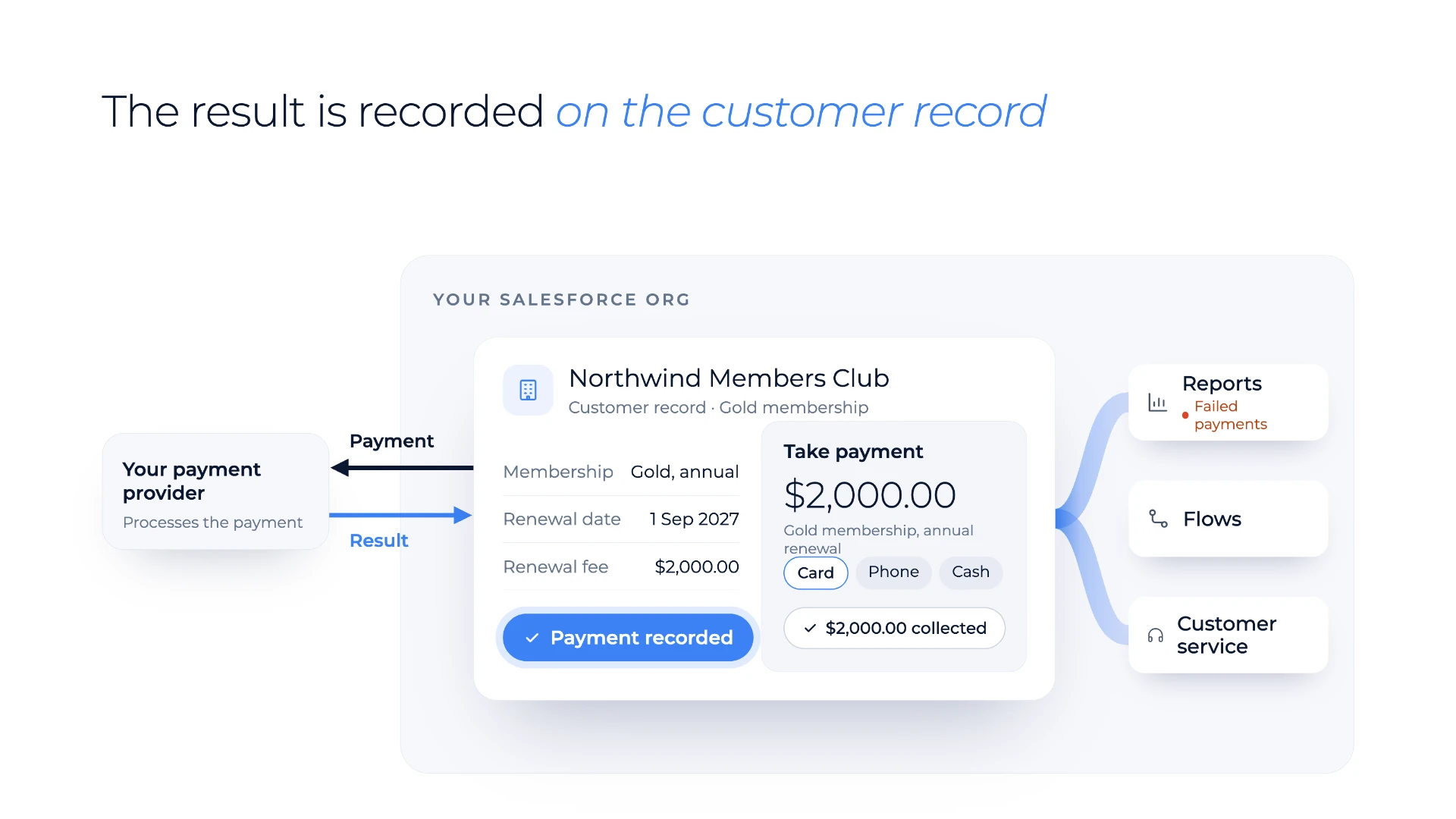
Staff take card payments in person on a terminal or over the phone, cash at the desk, and one-time digital wallet payments, without leaving the record they're working on: a contact, a membership, a case or one of your own custom objects. There's no separate payment application to log into. Your payment provider processes the payment, and the result is recorded in Salesforce straight away. That means:
- service can answer "did it go through?" while the customer is still on the line
- operations can see which payments failed and who is following up
- finance can see payment attempts and results against the right customer
- Salesforce admins work with payments in Salesforce's own data and security model, using standard reports and Flows, with no custom integration to build or maintain
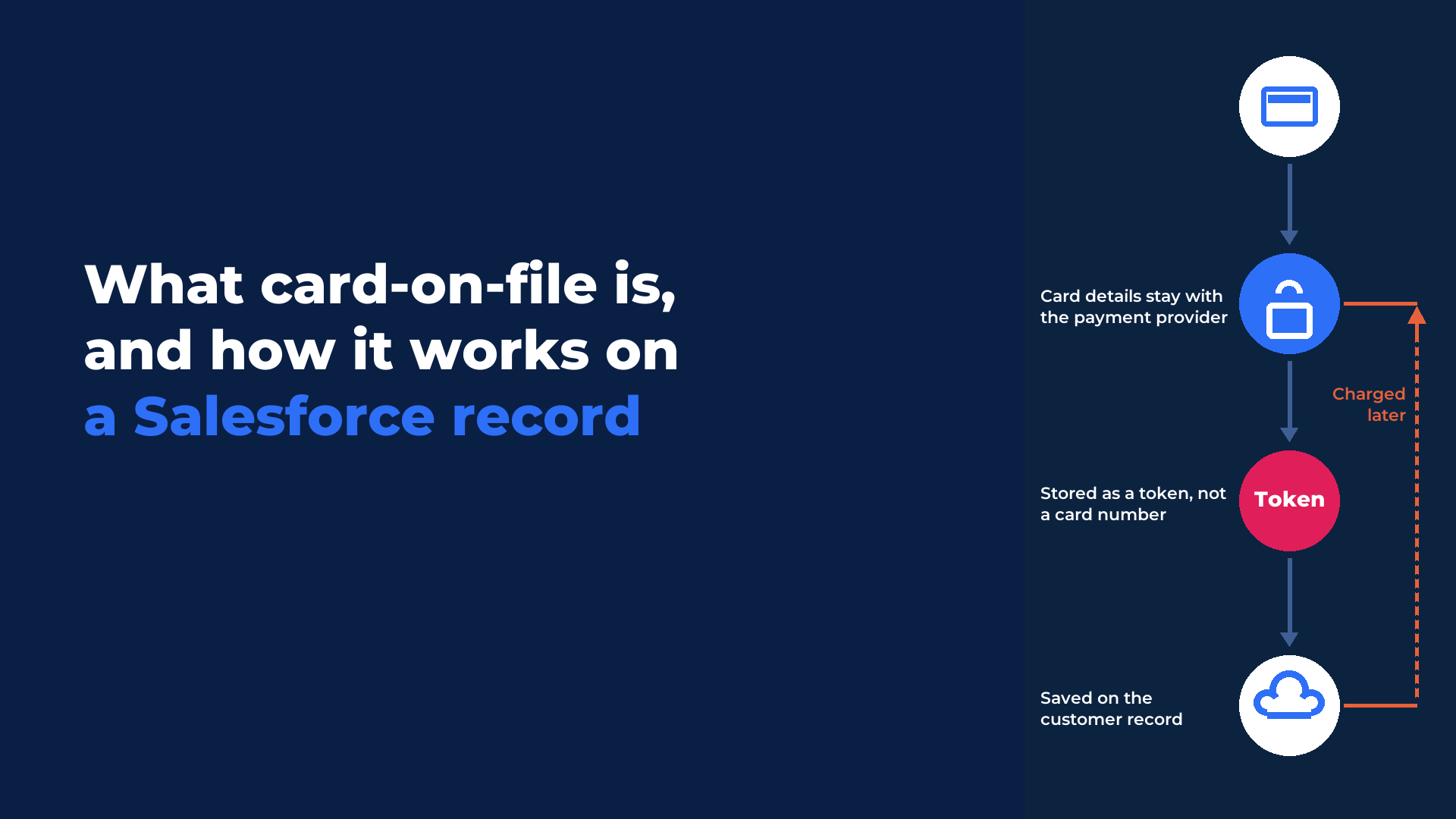
Card details are tokenised, so card numbers aren't stored in Salesforce, and Eposly is PCI compliant.
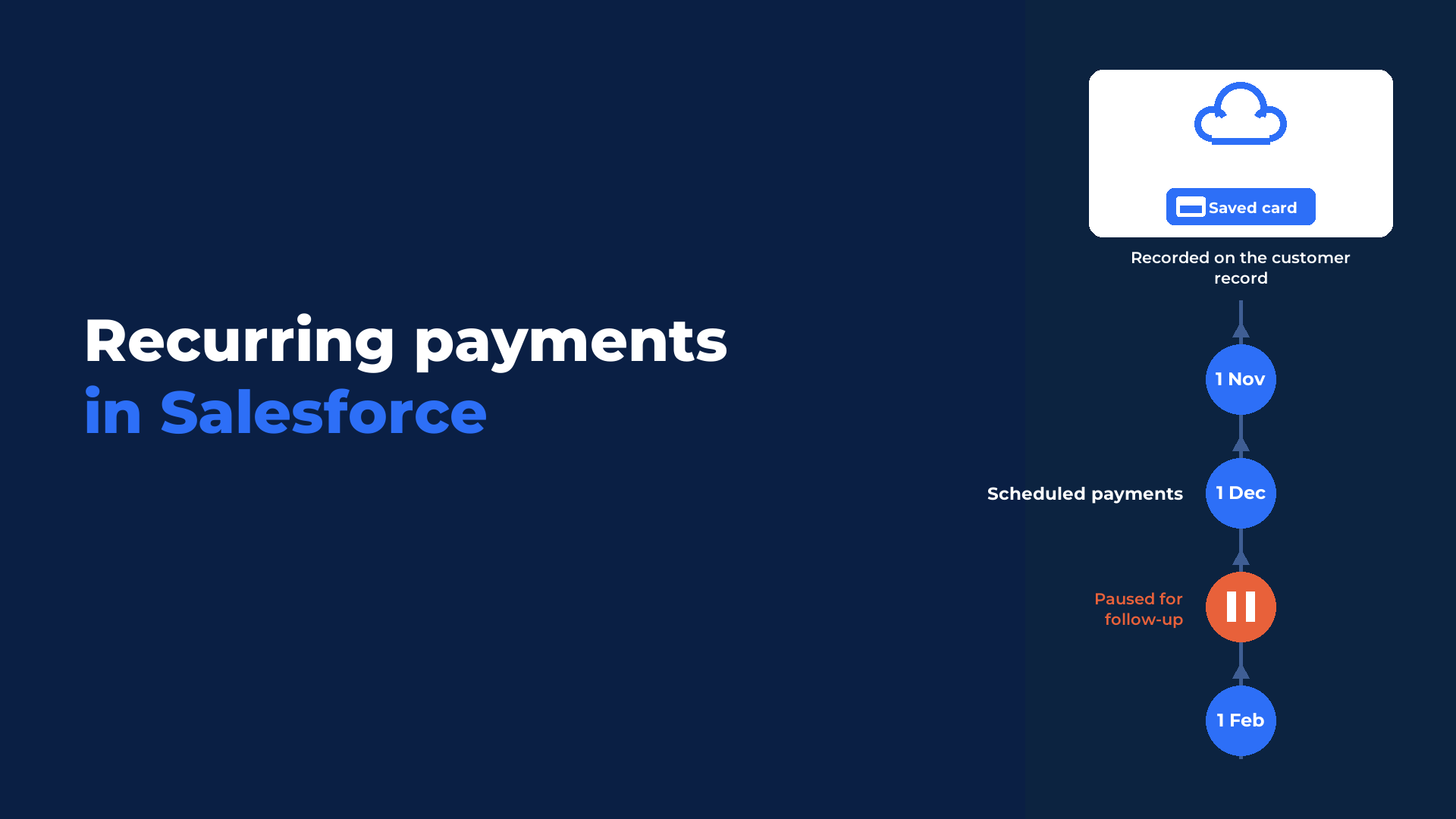
For recurring payments, staff set up a schedule on a saved card, and Eposly collects each payment when it falls due. If a payment fails, the schedule pauses, the reason is recorded, and the failed payment appears on a Salesforce report so your team can follow up from the customer record. More in our guide to recurring payments in Salesforce.
When staff also choose products, apply pricing and create orders, Eposly Point of Sale includes everything in Eposly Payments and adds those capabilities.
Eposly already runs transactions in Salesforce at scale: for the California DMV, across more than 380 offices. Eposly Point of Sale is rated 5.0 on the Salesforce AppExchange from 26 reviews.
See it on your own records
See one-off and recurring payments collected from your own Salesforce records, with your workflow. Book a demo
Prefer to explore first? Try the interactive demo and set up a recurring payment plan in Salesforce yourself.
FAQ
Do you need an app to take payments in Salesforce?
It depends on how you take payments. Salesforce Payments covers phone payments, payment links and online checkout. To take cards in person at a desk, cash, or recurring payments on a saved card from the customer record, you add a payment app such as Eposly Payments.
How do you take card payments in person in Salesforce?
Salesforce's own option is Tap to Pay in the Field Service mobile app, on Stripe. At a desk or counter, you need an app that works with a card terminal. Eposly Payments takes the card on a terminal and records the payment on the customer's Salesforce record.
Can you take recurring payments in Salesforce?
Yes. Salesforce's own payment schedules come with Revenue Cloud Billing and run against invoices. Eposly Payments runs a recurring schedule on a saved card: due payments are collected automatically, and if one fails, the schedule pauses and the failure shows on a Salesforce report so your team can follow up.
Do you need a payment app or a point of sale app?
It depends on what staff do before the payment. If they collect an amount that's already agreed, like a membership fee or an instalment, a payment app such as Eposly Payments is enough, even at a front desk. If they first choose products, apply pricing and create an order, you need point of sale, such as Eposly Point of Sale.
Does taking payments in Salesforce replace reconciliation?
No. It gives your teams a record of every payment attempt and result against the right customer, so service can see whether a payment went through. Processor settlement, bank reconciliation and the general ledger stay with finance.
Book a demo to see Eposly Payments on your own records.